
Imagine your customer support team is navigating a perfect storm. Tickets are piling up, agents are stretched thin juggling multiple systems, and frustrated customers are left waiting. It feels like controlled chaos. If this scenario is all too familiar, it's a clear sign your current system can't handle the pressure. This is precisely where Salesforce for service, known officially as Salesforce Service Cloud, steps in to transform that chaos into a calm, coordinated, and highly efficient operation. It's not just a tool; it's a strategic command centre for your entire customer service ecosystem.
What Is Salesforce For Service Really For?

At its core, Salesforce for Service is engineered to help businesses deliver support that doesn't just solve problems but builds lasting customer loyalty. It moves far beyond a basic ticketing system by equipping your team with a complete 360-degree view of every customer.
What does this mean in practice? When a customer reaches out—whether by phone, email, social media, or live chat—your agent instantly sees every interaction they've ever had with your business. Their purchase history, previous support cases, and known preferences are all consolidated on a single screen.
Consider the difference this makes. An agent can answer a call with full context, eliminating the need for customers to repeat their history. That’s the power of a truly unified CRM platform. It empowers your team to shift from reactive problem-solvers to proactive, informed partners in your customer’s journey.
Moving Beyond Simple Ticketing Systems
Legacy support software often traps information in disconnected silos. Your email support team is unaware of the phone team's conversations, and neither has visibility into the customer's recent marketing engagement. This fragmentation forces agents to constantly switch between applications, leaving everyone feeling disconnected. Service Cloud is designed to break down these walls.
It establishes a single source of truth for all customer-related data, giving agents the tools to resolve issues faster and with greater insight. Here’s what truly sets it apart from traditional systems:
- Unified Agent Workspace: A single, intuitive console displaying all customer details, case history, and relevant knowledge articles. No more toggling between screens.
- Intelligent Automation: Smart workflows that automatically route cases to the right agent, escalate urgent issues, and handle repetitive manual tasks, freeing up valuable agent time.
- Proactive Engagement Tools: AI-driven insights that can predict customer needs and identify potential problems before they escalate.
From our experience: For many Australian businesses, the real game-changer with Salesforce for Service is its ability to unite every department—sales, marketing, and operations—around the customer. This alignment creates a seamless and consistent experience that builds trust and drives retention.
Ultimately, this platform is for any organisation that views customer service not as a cost centre, but as a primary driver of business growth. When you arm your team with the right information at the right time, every customer interaction becomes an opportunity to strengthen relationships. A strategic implementation, often guided by expert Salesforce consulting services, is key to transforming your support team into one of your most valuable strategic assets.
Unpacking the Core Features of Service Cloud
To truly understand what makes Salesforce for service so powerful, you need to look at the engine driving it. These aren't just abstract "features"; they are practical tools built to solve the real-world challenges that create friction in customer support. From scattered information to inefficient workflows, each component of Service Cloud is designed to fix a specific business problem.
Think of the platform as a specialist's toolkit. While each tool has a distinct function, their collective power creates an experience that feels effortless for both your agents and your customers. Let’s break down the essential tools that can turn a chaotic support desk into a well-oiled, intelligent operation.
The table below provides a quick snapshot of the core features and, more importantly, the business value they deliver.
Key Capabilities Inside Salesforce Service Cloud
| Core Feature | The Business Challenge It Solves | The Results & Benefits Delivered |
|---|---|---|
| Case Management | Disjointed communication and lost customer context across different support interactions. | Drastically reduces resolution times and boosts customer satisfaction by eliminating the need for customers to repeat themselves. |
| Knowledge Base | High volume of repetitive, common customer questions overwhelming support agents. | Lowers support costs by enabling customer self-service, freeing up agents to focus on complex problem-solving. |
| Omni-Channel Routing | Inefficient manual case assignment leading to delays and mismatched agent skills. | Improves first-contact resolution rates and ensures service level agreements (SLAs) are consistently met through intelligent automation. |
| Service Console | Agents wasting time switching between multiple screens to find customer information. | Increases agent productivity and enables more personalised, context-aware service by providing a single 360-degree customer view. |
Each of these components plays a critical role, but their true power is unlocked when they work in concert to create a seamless service experience. Let's explore each one a bit more.
The Heart of the Operation: Case Management
At the very core of Service Cloud is its Case Management system. A "case" is far more than a support ticket; it's a complete, dynamic record of a customer's question, issue, or feedback, acting as the central hub for every interaction related to that enquiry.
This system ensures nothing ever falls through the cracks. Every email, phone call, or chat message is automatically logged against the relevant case, building a single, chronological record. This finally resolves the common frustration of customers having to retell their story to different agents.
Lesson Learned: The real value of robust Case Management is consistency. In our projects, we've seen it guarantee that regardless of which agent handles an enquiry, the context and history are instantly available, leading to faster resolutions and a significant uplift in customer satisfaction.
Empowering Customers With a Knowledge Base
A significant portion of support queries are the same common questions asked repeatedly. Often, customers could resolve these issues themselves if the right information were easily accessible. The Knowledge Base feature tackles this challenge head-on by providing tools to create, manage, and share a library of helpful articles, FAQs, and troubleshooting guides.
This isn't just an internal resource. You can publish your Knowledge Base directly to your website or a customer portal, creating a self-service hub that’s available 24/7. When customers can find answers instantly, it reduces your case volume and frees up your agents to focus on more complex, high-value issues that genuinely require human expertise.
Intelligent Workflows With Omni-Channel Routing
How do you ensure the right case gets to the right person at the right time, every time? That’s the precise function of Omni-Channel Routing. This intelligent system automatically distributes incoming cases from any channel—email, web chat, phone, or social media—to the most suitable and available agent.
This routing isn't random; it's based on predefined business rules:
- Agent Skillset: Technical questions go directly to product experts, while billing queries are sent to the finance support team.
- Priority Level: High-priority cases from key accounts can be automatically escalated and pushed to the front of the queue.
- Agent Workload: The system intelligently balances the workload to prevent agent burnout and ensure equitable case distribution.
This level of automation removes guesswork and manual triage from the equation. It ensures urgent matters are addressed promptly and that your service levels are consistently met.
A Unified View With the Service Console
One of the biggest productivity drains for any support agent is having to jump between multiple screens to piece together information. The Service Console solves this by providing a unified workspace where everything an agent needs is available on a single screen.
Imagine an agent taking a call. On their console, they can instantly see:
- The customer's complete contact details and interaction history.
- All past and current cases associated with that customer.
- Relevant knowledge articles that might help solve the current issue.
- Internal collaboration tools to quickly ask a colleague for help.
This complete, 360-degree view empowers agents to resolve issues more efficiently and deliver a truly personalised service. For advanced troubleshooting, especially in field service, you can even integrate tools like a Visual Remote Assistant to let agents see exactly what the customer sees. To see how powerful this can be, you can explore a detailed walkthrough of how a Visual Remote Assistant flow works in practice. By bringing every piece of information together, the Service Console transforms agents into highly informed, effective problem-solvers.
How Salesforce AI Is Revolutionising Customer Support

Artificial intelligence is no longer a futuristic concept; it's a powerful force reshaping customer service today. Within the Salesforce for service ecosystem, AI—powered by its intelligence layer, Salesforce Einstein—acts as a co-pilot for your entire support team. It’s not about replacing agents, but empowering them with tools to deliver faster, smarter, and more personalised service.
This intelligence is woven directly into Service Cloud, working behind the scenes to automate repetitive tasks and provide predictive insights. It helps your team shift from a reactive mode (putting out fires) to a proactive one, where they can anticipate customer needs and solve problems before they arise. Think of it as giving every agent a personal analyst who can spot trends, suggest answers, and handle the routine work, freeing them up to focus on what humans do best: building relationships and tackling complex issues.
Automating Routine Enquiries with Einstein Bots
One of the most immediate ways AI delivers value is through Einstein Bots. These are far more than basic chatbots; they are sophisticated conversational AI tools designed to handle common customer questions, 24/7.
The Business Challenge: A customer lands on your website at 10 PM wanting to know their order status. They are forced to wait until morning for a response, leading to a poor experience.
The Salesforce Solution: An Einstein Bot engages the customer, pulls their order information directly from Salesforce CRM, and provides a real-time update. This 24/7 availability is a significant win for customer experience and reduces the number of simple tickets your human agents handle.
The real magic is the seamless handoff to your team. A bot can manage the initial triage by:
- Gathering customer details and case information.
- Guiding the customer through basic troubleshooting.
- Surfacing relevant articles from your Knowledge Base.
If the issue requires human intervention, the bot transfers the entire conversation—with full context—to a live agent. Your agent can then jump in right where the bot left off, without making the customer repeat anything.
Gaining Predictive Insights from Service Data
Beyond answering questions, Salesforce's AI acts as a powerful analytical engine. Einstein can analyse historical service data to identify patterns and predict future trends that a human might miss.
For instance, Einstein Case Classification can automatically read incoming cases and populate fields like reason, type, and priority. This not only saves agents time but also ensures your data is clean and consistent—vital for accurate reporting. AI can also flag emerging problems by detecting a sudden spike in cases related to a specific product.
Best Practice: This predictive power allows businesses to get ahead of widespread issues. If AI flags a recurring bug, you can alert the product team and publish a knowledge article before your support channels are overwhelmed.
This rapid adoption of AI is providing a significant competitive edge. Salesforce’s research shows that early-adopter companies in Australia saw AI agent creation increase by 119% in the first half of 2025. Customers are noticing the difference, with Australian consumers who frequently use AI agents reporting a 64% higher satisfaction rate.
The integration of AI into platforms like Service Cloud marks a fundamental shift in customer support. For a broader perspective on this digital transformation, it’s worth exploring how voice assistants are revolutionizing customer service. By automating the predictable and illuminating the unpredictable, AI empowers your team to deliver exceptional service at scale.
Real-World Wins: Salesforce for Service Case Studies
Theory is one thing, but results are what matter. We’ve discussed the features and AI, but how does Salesforce for service actually perform for Australian businesses? The platform's true strength lies in its adaptability to solve specific, industry-level challenges and deliver tangible business outcomes.
It's no surprise that Salesforce Service Cloud holds a dominant 44.9% market share for customer service solutions in Australia. This leadership is built on thousands of success stories. Let's look at how specific industries leverage the platform to solve real-world problems.
Professional Services: Streamlining Client Agreements
The Business Challenge: Professional services firms—like consultancies, legal practices, or creative agencies—juggle complex client Service Level Agreements (SLAs). Missing a critical deadline can erode client trust and incur contractual penalties. The core challenge is ensuring high-priority issues are always addressed within the agreed timeframe.
The Salesforce Solution:
- Case Escalation Rules: We implement automated rules that monitor the time on every client case. If a high-priority ticket approaches its SLA deadline, it is automatically flagged and escalated to a senior manager for immediate action.
- Entitlement Management: This feature tracks the specific support level each client is entitled to, ensuring the team delivers precisely what was promised and preventing revenue leakage from over-servicing.
The Results & Benefits: The firm's reputation is protected, deadlines are consistently met, and client satisfaction improves. Managers can focus on strategic oversight instead of reactive fire-fighting.
Franchises: Achieving Brand Consistency
The Business Challenge: For a national franchise, brand reputation depends on a consistent customer experience across all locations. However, with hundreds of branches, standardising support processes is difficult, often leading to a fragmented customer journey.
The Salesforce Solution: Service Cloud acts as a single, central hub for the entire network. A master franchisor can build and deploy standardised case management workflows, knowledge articles, and communication templates to every location.
From our experience: By centralising support on Salesforce, a franchise gains a comprehensive view of its entire operation. It can identify common issues, track performance metrics, and measure customer satisfaction across the network. These insights are invaluable for refining training and processes, reinforcing the brand promise at every touchpoint.
The Results & Benefits: This unified approach builds strong customer loyalty and simplifies the onboarding of new franchisees, providing them with a proven, ready-to-use service model from day one. You can read through some of our Salesforce implementation case studies to see how a structured CRM approach delivers these kinds of results.
Construction: Managing Complex Project Communication
The Business Challenge: A single construction project involves numerous stakeholders: clients, subcontractors, suppliers, and councils. A missed email or lost service request can lead to costly delays and disputes. The key challenge is maintaining a clear, auditable trail of every request and change order.
The Salesforce Solution: Service Cloud becomes the central command post for all project communications. Every Request for Information (RFI), defect report, or client query is logged as a case, assigned to the right team member, and tracked to resolution. For an inspiring look at this in practice, this innovative Salesforce application case study shows the tangible results a global leader achieved.
The Results & Benefits: This creates a single source of truth that ensures nothing is missed. It also provides a complete communication history for every project—an invaluable asset for managing timelines and mitigating potential conflicts.
Your Blueprint for a Successful Implementation
Implementing a powerful platform like Salesforce for service is more than a technical setup; it's a business transformation project. A successful launch requires a strategic vision that aligns the technology with your service goals to deliver a genuine return on investment.
The journey begins long before any technical configuration. It starts with a deep dive into your current processes to identify the specific pain points you need to solve. This foundational work is what separates a smooth, impactful implementation from one that fails to deliver.
The Discovery and Design Phase
The first and most critical step is the Discovery phase. This is where a Salesforce partner sits down with your team to define what success looks like. We ask key questions: What are our biggest service bottlenecks? How do we currently measure customer satisfaction? Which manual tasks are consuming our agents' time?
With these answers, we move into the Design phase. This is about process mapping. We architect how your future state should operate—for example, how a high-priority case is automatically escalated or how a customer query is intelligently routed to the agent with the right skills. This blueprint ensures the platform is configured around your business needs, not the other way around.
The infographic below illustrates this value-driven flow: from identifying a business challenge to implementing a Salesforce solution and achieving a measurable outcome.
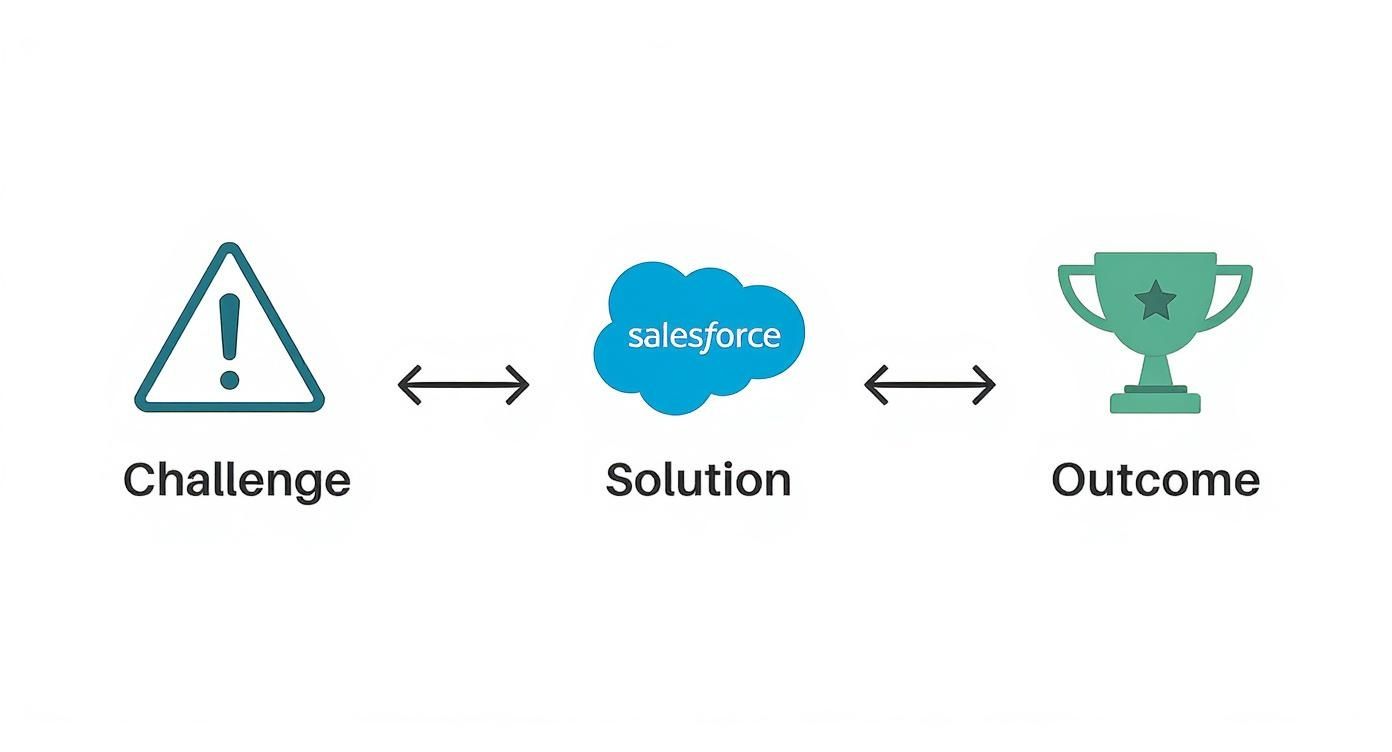
This process visualises how a well-defined problem leads directly to a targeted Salesforce solution, ultimately delivering measurable success for Australian industries.
Data Migration and Integration Strategy
With a solid plan, the technical work begins. Two crucial elements are data migration and system integration. Getting these wrong can disrupt your business and erode user trust before you even go live.
A thoughtful data migration strategy is essential. You must decide what historical data—like past support cases and customer contact details—is critical to bring into Service Cloud, and then ensure it is properly cleaned and formatted. Clean data is the foundation of the platform’s performance and reporting accuracy.
Simultaneously, you need to map out your integration strategy. Service Cloud delivers maximum value when connected to your wider tech stack, especially your core CRM. This integration creates that unified customer view, allowing your service team to see sales history and marketing interactions, providing invaluable context for every conversation.
Best Practice: An effective implementation hinges on making the transition seamless for your team. The goal is to provide them with a single, powerful tool that makes their jobs easier, not another disconnected system that adds complexity.
Training and Driving User Adoption
Finally, we arrive at the most important piece of the puzzle: user adoption. The most perfectly configured system is useless if your team doesn't use it. This is why comprehensive training and change management are non-negotiable components of a successful rollout.
Training must be tailored to different roles. Your frontline agents need to master the Service Console, while managers need to become proficient with reports and dashboards to track team performance. For a deeper dive into structuring your project, check out our complete Salesforce implementation guide for Australia.
This commitment to both technology and people is driving significant economic growth. Research by IDC projects that Salesforce and its partners will create over 245,000 jobs and generate more than $46 billion in new business revenues in Australia by 2028, largely fueled by platforms like Service Cloud.
Choosing the Right Salesforce Partner to Maximise Your ROI
You’ve seen the potential of Salesforce for service, but turning that potential into profit requires more than just software. To truly unlock its value and ensure a strong return on investment, you need an experienced guide.
Choosing the right Salesforce partner is one of the most critical decisions you'll make in your digital transformation journey.
A good partner does more than just configure settings; we act as strategic advisors, bringing deep industry knowledge and project experience to the table. We’ve seen what works—and what doesn’t—across countless implementations, allowing us to help you sidestep common pitfalls that can derail projects and inflate budgets.
Why Expert Salesforce Guidance is Non-Negotiable
Implementing Service Cloud is a major business initiative, not just an IT project. A specialist Salesforce partner ensures your project delivers on its promise by managing the complexities that often surprise businesses attempting a DIY approach.
This includes:
- Practical Customisation: We tailor the platform to your real-world workflows, ensuring it supports your agents rather than forcing them into inefficient processes.
- Complex Integrations: We manage the critical connections to your other systems, like your CRM or ERP, to create a truly unified view of your customer.
- Strategic Roadmapping: We help you plan a phased rollout that delivers quick wins first, building momentum and securing team buy-in for long-term success.
Lesson Learned: Partnering with a Salesforce expert is an investment in certainty. It ensures your project is aligned with clear business goals from day one, focusing every decision on improving efficiency, boosting customer satisfaction, and driving sustainable growth.
The key takeaways from this guide—achieving operational efficiency, elevating the customer experience, and fuelling business growth—are concrete, achievable goals when your implementation is backed by real-world expertise.
You’ve learned what’s possible. Now it’s time to take the next step.
Let's discuss your specific service ambitions and build a practical roadmap to transform your customer experience. Contact Adaptal today to start the conversation.
Frequently Asked Questions
When evaluating a powerful platform like Salesforce, questions are bound to arise. Here are some of the most common ones we hear from Australian businesses, with straightforward answers to provide clarity.
How Much Does Salesforce Service Cloud Cost for an Australian Business?
Salesforce offers several pricing tiers, ensuring a fit for businesses of different sizes. For small to medium-sized organisations, the 'Starter' and 'Professional' plans cover all core essentials like case management and are billed on a per-user, per-month subscription basis.
However, the licence fee is only part of the total investment. The real value is unlocked during implementation and customisation, where the platform is tailored to your specific business processes. It's crucial to budget for this strategic work. A good Salesforce partner can help you scope this accurately so you only pay for what you need to achieve your goals.
Can Service Cloud Integrate with Our Other Business Systems?
Absolutely—in fact, integration is one of its greatest strengths. The purpose of a modern CRM platform is to break down data silos, not create new ones. Using APIs and the extensive library of applications on the AppExchange marketplace, Service Cloud can connect with virtually any other critical system you rely on.
Common integrations include:
- Sales Cloud CRM to provide service agents with a complete customer history.
- Marketing automation tools to see every interaction from recent campaigns.
- ERP and accounting software to gain a complete financial view of the customer.
Connecting these systems creates the single, unified customer profile that enables your team to deliver a consistent and informed experience every time.
What Is a Realistic Timeline for a Service Cloud Implementation?
The timeline for a Salesforce for service implementation depends entirely on the project's complexity.
For a small team with standard requirements and minimal customisation, a go-live is possible in just a few weeks. Conversely, a large-scale project involving significant data migration, custom development, and multiple third-party integrations could take several months to execute properly.
As a best practice, we often recommend a phased approach. We start by launching core features to deliver value quickly. This allows your team to begin using the system while we build out more advanced functionality on that solid foundation. It's an effective way to generate momentum and see a faster return on your investment.
Ready to see how Adaptal can tailor Salesforce for Service to your unique business needs? Explore our Salesforce consulting and implementation services to start building a world-class customer support experience.