
Are you grappling with disconnected project data, shaky forecasting, and revenue slipping through the cracks? You're not alone. Many professional services firms we work with hit a growth ceiling because their sales and delivery teams aren't speaking the same language. The challenge is clear: sales closes a deal in Salesforce, but the handover to the project team is manual and messy. This is exactly where professional services automation (PSA) tools change the game.
Why PSA Tools Are a Big Deal for Salesforce Users
For many service-based organisations, the path from closing a deal in Sales Cloud to delivering the project is fragmented. Your sales team lives in the CRM, project managers wrestle with spreadsheets, and finance operates in a separate system. This operational friction creates manual data entry, a lack of real-time visibility, and, ultimately, lost profits.
Imagine replacing that siloed grind with a single, unified platform that oversees the entire project lifecycle, right within Salesforce. That's the magic of integrating a PSA tool. It transforms Salesforce from a sales engine into a full-blown command centre for your entire services business.
The Business Challenge: Before and After PSA
Without a solid PSA solution, most businesses face the same headaches that impact their bottom line. The "before" snapshot is one of inefficiency and making critical decisions in the dark.
- Scattered Data: The business challenge is that client and project information is everywhere—in emails, spreadsheets, and disconnected apps. A single source of truth is impossible.
- Guesswork Forecasting: Without a live view of resource availability and project progress, predicting revenue and completion dates is more wishful thinking than strategy.
- Revenue Leakage: Billable hours are missed, expenses aren't tracked accurately, and invoicing is delayed. These small leaks drain profitability.
- Poor Resource Utilisation: The struggle to match the right people to the right projects leads to overworked team members while others are underutilised.
The Salesforce solution is implementing a PSA tool that integrates directly with your CRM. This creates a seamless flow of information from the moment a lead appears in Sales Cloud right through to the final project invoice, delivering significant results and benefits.
By connecting sales and delivery within a single platform, you gain end-to-end visibility that solves the most painful operational problems. This integration ensures every action, from a sales call to a project milestone, is part of one cohesive, profitable client journey.
Building a Scalable Foundation for Growth with Salesforce
As a Salesforce partner, we've seen this transformation firsthand. It’s about more than just solving immediate problems; it’s about building a scalable foundation for future growth. An integrated PSA and Salesforce environment provides the data-driven insights needed to make smart strategic moves, enhance the customer experience, and boost profitability.
Of course, PSA is just one piece of the digital transformation puzzle. For businesses looking to streamline operations, there's a world of small business automation tools to explore. But for services firms, the core goal remains the same: replacing manual effort with intelligent, integrated systems built around your CRM.
Understanding PSA in the Salesforce Ecosystem
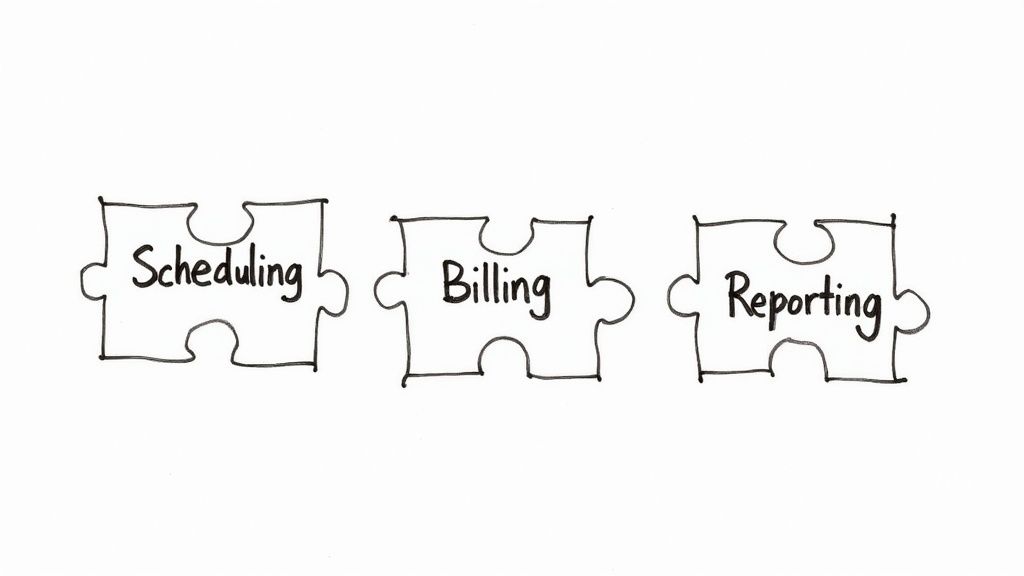
Let's clarify what professional services automation (PSA) tools really do for an organisation running on Salesforce. Think of a PSA platform as the operational backbone for your service delivery. It’s the critical link that connects winning a deal in Sales Cloud to the complex process of delivering that project on time and on budget.
A powerful PSA solution doesn't just sit alongside your sales data; it plugs directly into it. It pulls vital information captured in Salesforce—the client’s needs, project scope, and budget—and uses it to launch the entire delivery cycle. This closes the dangerous gap that often opens when the sales team hands a new project "over the fence" to the delivery team.
The Four Pillars of Professional Services Automation
To understand how these tools work within the Salesforce world, it helps to break them down into four core functions. Each pillar solves a specific, real-world challenge that service-based businesses constantly face.
- Project Management: More than a simple to-do list, this involves building detailed project plans, setting milestones, and tracking progress against the original scope defined during the sales cycle. For instance, when a deal is marked 'Closed-Won' in Salesforce, a new project can be automatically created in the PSA tool, populated with standard templates and tasks.
- Resource Management: This is the art of assigning the right people to the right jobs at the right time. A PSA tool provides a complete view of everyone's workload and availability, which is crucial for preventing burnout and ensuring your most valuable assets—your people—are used effectively.
- Time and Expense Tracking: Accurate tracking is the bedrock of profitability. PSA tools make it simple for team members to log billable and non-billable hours directly against projects and tasks, often via a mobile app. This ensures every minute of effort is captured for accurate client invoices and a clear picture of true project costs.
- Project Accounting and Billing: This final pillar ties all project activities directly to your bottom line. It automates invoicing based on logged time and expenses, handles various billing models like fixed-fee or time and materials, and provides a live view of project profitability, margins, and revenue recognition.
This integrated approach is fuelling significant market growth. The global PSA software market is projected to hit USD 15 billion by 2025 and is expected to grow at a compound annual rate of 11.5% through 2035. This trend reflects the broader move towards digital transformation, as firms seek cloud solutions to eliminate manual work and gain the real-time analytics needed to boost project profitability. You can explore more about these market dynamics and what’s driving this shift.
To illustrate, let's look at how these core functions solve specific business challenges within a Salesforce environment.
Core Functions of PSA Tools for Salesforce Users
| PSA Function | Business Challenge Addressed | Salesforce Solution & Benefits |
|---|---|---|
| Project & Resource Management | Disconnected sales-to-delivery handoff and inefficient staff allocation. | When an Opportunity is 'Closed-Won', a project is auto-created, pulling in scope details and alerting managers to assign staff based on skills in their Salesforce user profile. |
| Time & Expense Tracking | Inaccurate billing, revenue leakage, and poor visibility into project costs. | Consultants log hours against a project task directly within the PSA, which syncs back to the Salesforce Account record for a complete view of project effort. |
| Project Accounting & Billing | Manual, error-prone invoicing processes and delayed cash flow. | The PSA tool automatically generates an invoice based on approved timesheets and project milestones, linking it to the relevant Salesforce Account and Opportunity for revenue tracking. |
| Analytics & Reporting | Lack of a single source of truth for business performance from lead to cash. | A unified dashboard in Salesforce shows sales pipeline, project profitability, resource utilisation, and revenue forecasts, pulling data from both the CRM and the PSA. |
By integrating these functions, you create a powerful, single source of truth that empowers everyone in your business.
Connecting the Dots from Sales to Delivery: A Case Study Example
Imagine a consulting firm lands a major new project. The business challenge without a PSA tool is that the project manager spends days manually building a plan in a spreadsheet, chasing the sales rep for contract details, and emailing around to see who is available. It’s a slow, error-prone process.
Now, picture the Salesforce solution: the same win but with a PSA tool integrated with Salesforce.
The moment the deal is won in Sales Cloud, the PSA system instantly generates a new project. It pulls client details and scope straight from the Opportunity record and notifies the resource manager to assign people based on their skills and availability. The result is a smooth, automated handoff that kicks off projects profitably from day one.
By bridging these previously separate worlds, professional services automation tools create a single, reliable source of information for the entire business. Sales can track project progress, project managers have financial data at their fingertips, and leadership gets a clear, accurate view of the entire pipeline, from the first conversation to the final payment.
How PSA Integration Unifies Your Salesforce Operations
The real magic of professional services automation tools happens when you connect them directly to your Salesforce CRM. This isn't just about linking two systems; it's about creating a single, powerful engine that runs your business from the first sales call in Sales Cloud right through to the final invoice.
Think of it as the perfect handover. It’s the moment a deal is won and the project needs to start, but without the usual chaos. Instead, it becomes seamless, automated, and incredibly efficient.
Let's trace a project's journey. It all begins in Sales Cloud, where your sales team is working to close a new deal. The second they mark that Opportunity as 'Closed-Won', the integration springs into action.
Instead of a flurry of emails and manual data entry, the PSA tool automatically creates a new project. It intelligently pulls all essential details straight from Salesforce—the client's information, contract specifics, and Statement of Work (SOW). This simple, automated handoff is a total game-changer.
This initial automation is about more than just saving time. It eliminates the risk of human error and ensures no critical details are lost between your sales and delivery teams. Your project team gets a clean, accurate foundation to build on, every single time.
Creating a Single Source of Truth in Salesforce
Once the project is active in the PSA, the integration continues to deliver value. Your delivery team can manage tasks, assign resources, and track project health. Meanwhile, key updates and financial milestones sync back to the Salesforce Account record.
This creates a genuine 360-degree view of the customer relationship, visible to everyone who needs it.
For instance, if a client logs a support ticket in Service Cloud, that Case can be linked directly to their active project in the PSA. This empowers your support team to track their time accurately against client work and gives the project manager a heads-up on potential issues that might impact timelines or the customer experience.
This infographic illustrates how businesses typically progress, moving from basic adoption to full-blown automation and optimisation.
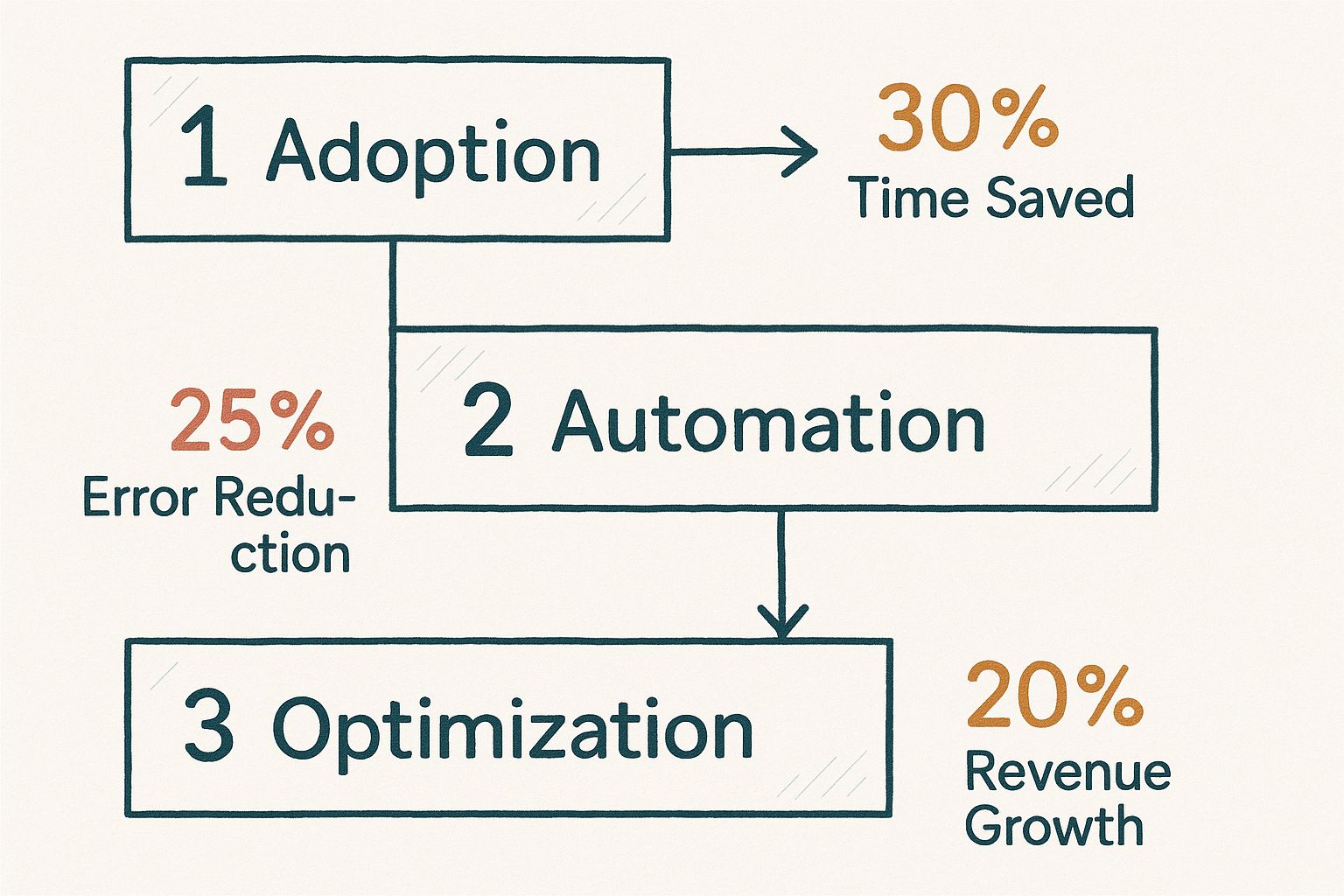
As you can see, the benefits build on each other at every stage, leading to huge improvements in efficiency, accuracy, and ultimately, your bottom line.
The Power of Connected Data Flows
Achieving this level of operational harmony isn't just about plugging two systems together. A truly unified operation depends on effective system integration strategies that weave all your essential business apps into one functional ecosystem. The goal is simple: get data flowing smoothly and automatically to where it’s needed most.
Consider the benefits of this connected data:
- Real-time Project Visibility: Your sales and account managers can see the live status of their clients' projects right inside Salesforce, eliminating the need to chase down project managers for updates.
- Accurate Financial Forecasting: With project data and your sales pipeline in one place, leadership can generate far more accurate revenue and resource forecasts.
- Improved Customer Experience: When your entire team—from sales to service to delivery—is working from the same playbook, the client receives a consistent and professional experience at every touchpoint.
Of course, this kind of deep integration requires careful planning. For anyone looking at the technical side of moving data, understanding how to expose a file via Salesforce Flow offers great insights into the mechanics of automation.
Ultimately, integrating professional services automation tools with Salesforce tears down the organisational silos that create friction. It builds a single source of truth that aligns your entire organisation around what matters most: delivering exceptional value to your clients, profitably and predictably.
The Real-World Impact and Benefits of a PSA Tool
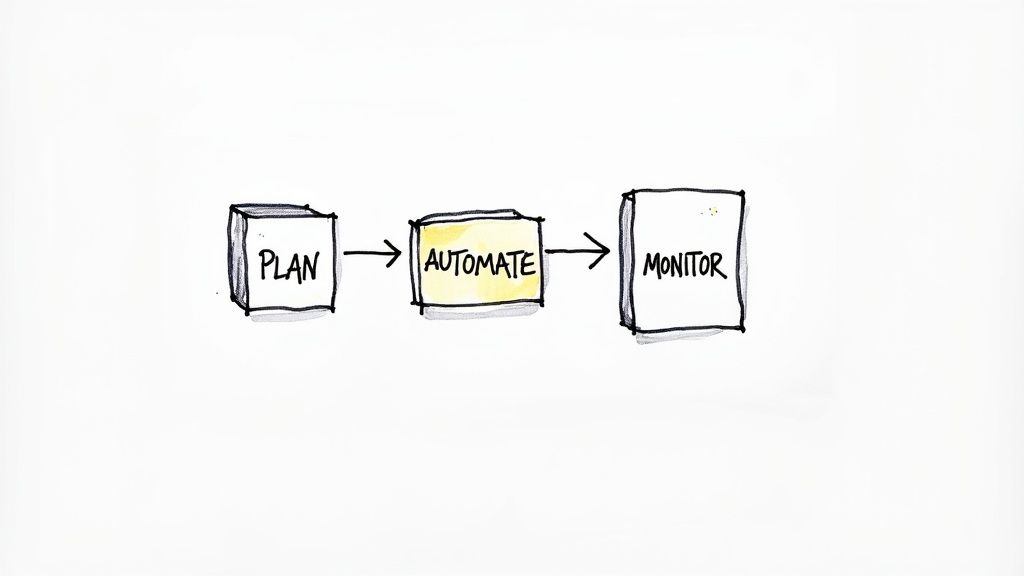
While the feature lists for professional services automation tools are impressive, their real worth is measured in tangible business results. Integrating a PSA solution into your Salesforce ecosystem isn't just an efficiency play; it's a strategic move that directly impacts your bottom line.
Let's break down the concrete impact across three critical areas: profitability, predictability, and client satisfaction.
Driving Greater Profitability
In any services business, profitability hinges on your ability to capture every billable moment and get paid quickly. This is where a PSA tool delivers its most immediate return.
The business challenge is revenue leakage—the silent profit-killer made up of unbilled hours and forgotten expenses. The Salesforce solution is a PSA tool that instills discipline around time and expense tracking, making it simple for your team to log hours accurately against the right project.
Furthermore, automating your invoicing process can slash billing cycles. Instead of a month-end scramble, the system generates invoices based on real-time data. The result is drastically improved cash flow, freeing up your finance team for more strategic work.
The core benefit here is a shift from reactive financial management to proactive profit optimisation. When your project data flows seamlessly into your financial data within Salesforce, you get a crystal-clear picture of which projects, clients, and services are truly driving your business forward.
Improving Project Predictability
Guesswork is the enemy of successful project delivery. One of the biggest impacts of a PSA tool is moving your team from reactive problem-solving to predictable, data-driven execution. This comes from its powerful resource and project management capabilities.
With a central view of every team member’s skills, availability, and workload, you can make smarter staffing decisions. You're not just assigning bodies to a project; you're assigning the right people to the right tasks, preventing burnout and maximising resource utilisation.
This bird's-eye view makes your forecasting far more accurate. You can confidently map out project timelines, track progress against budget, and spot potential risks long before they derail a project. The result is a massive improvement in your ability to deliver on time and on budget—the bedrock of a reliable reputation.
Boosting Client Satisfaction and Retention
Ultimately, a smooth internal operation translates directly into a better customer experience. When your projects are well-managed, properly resourced, and delivered as promised, clients notice. It builds trust, which is the foundation of any long-term partnership.
The impact of professional services automation tools on Australian firms drives this home. Recent data shows that 70% of Aussie PSA users reported better on-time project completion, while 65% saw improved budget adherence. This performance boost led directly to a documented 15% increase in repeat business within a year of adoption.
By linking your sales and delivery data in Salesforce, you create a seamless journey for your clients. They feel the difference when your team is aligned and has a full picture of their history and needs. This level of service is a powerful differentiator that drives retention and turns clients into advocates. We’ve seen this transformation in our own projects; you can explore some of our successful Salesforce project case studies to see the results for yourself.
How to Choose the Right PSA Tool for Salesforce
Selecting the right professional services automation tool isn't just another software decision—it's a choice that will shape your operational efficiency and bottom line. With so many options, you need a clear, strategic plan. A simple feature comparison won't cut it; this is about finding a solution that fits your unique business processes and is ready to scale with you.
As a Salesforce partner, we’ve guided countless firms through this process. The most successful choices always start with asking the right questions—less about what the software can do and more about how it will fit your team's daily rhythm and support your biggest goals.
Evaluate Native vs. Integrated Salesforce Apps
One of the most critical decisions is understanding the tool's relationship with Salesforce. Is it a true native application built on the Salesforce platform, or does it integrate using an external connector?
- Native Apps: These solutions live inside your Salesforce environment. This means a seamless user experience, a single data model, and real-time reporting without the sync errors that can plague external connectors. This is a key lesson learned from many Salesforce projects.
- Integrated Apps: These are separate platforms that pass data back and forth with Salesforce. While powerful, they can introduce complexity, data lag, and potential points of failure that require ongoing maintenance.
For most businesses, a native solution provides a more robust and future-proof foundation, creating a genuine single source of truth within your CRM.
Prioritise User Experience and Team Adoption
The most powerful tool is worthless if your team finds it clunky to use. User adoption is the single biggest predictor of implementation success. When evaluating options, insist on live demos that walk through your team's actual day-to-day workflows—from logging time in a mobile app to managing project tasks.
A solution with a clean, intuitive interface will lower the training burden and significantly increase the chances of your team embracing it. Remember, the goal is to make their jobs easier, not add another complicated system to their workload. This is a best practice we always recommend.
Assess Scalability and Reporting Capabilities
Your business isn't static, and your PSA tool shouldn't hold you back. Consider your growth plans. Will the tool's feature set and pricing model work when you add more clients, projects, and people? A solution perfect for a team of 10 might become a bottleneck for a team of 50.
Equally important are its reporting and analytics capabilities. The right PSA gives you deep insights into key metrics like:
- Project profitability and margins
- Resource utilisation rates
- Forecasting accuracy for revenue and demand
These aren't just numbers; they're the insights you need to make sharp, strategic decisions. Ensure the tool can deliver the Salesforce dashboards and reports your leadership team needs.
The shift to cloud-based PSA solutions is reshaping the professional services sector. Market research shows cloud deployment is the dominant choice for its flexibility and scalability, with firms reporting up to a 25% reduction in project management overhead. These tools also help slash invoicing errors by an average of 18%, boosting cash flow. You can learn more about the trends driving the PSA market in Australia.
Selecting and deploying a PSA tool is a major project. Partnering with a Salesforce implementation expert is crucial to ensure your final choice aligns perfectly with your operational needs. For a deeper look, check out our comprehensive Salesforce implementation guide.
Working with a Salesforce PSA Partner for Success
Choosing and implementing professional services automation tools isn't just a tech upgrade; it's a fundamental business transformation. For any services business running on Salesforce, a PSA solution isn't a luxury—it's the engine that powers predictable growth and profitability.
However, navigating this landscape requires more than just a project plan; it demands hands-on expertise. This is where the right Salesforce partner becomes your most critical asset, turning a complex implementation into a competitive advantage.
Your Partner in Operational Excellence
An experienced Salesforce partner does much more than install software. We are your guide for the entire digital transformation journey, ensuring the final solution is a perfect match for your unique business processes and long-term goals. At Adaptal, our project experience has led us to a refined process designed to deliver success and maximise your return on investment.
It starts with a deep dive into your operations. We take the time to understand your specific challenges, whether it’s resource management headaches, inaccurate project forecasts, or revenue leakage in your billing cycle. We map out your current state to pinpoint exactly where a PSA tool can deliver the biggest impact.
A successful PSA implementation isn't about bending your business to fit a tool. It's about shaping the right tool to supercharge your business. That can only happen with a partner who listens first and builds second. This is a key lesson learned from years of delivering Salesforce projects.
From Strategy to Sustained Success
Once we have a clear picture of your needs, we guide you through the selection process, recommending the best-fit PSA solution for your specific setup and budget. From there, we manage the entire technical implementation—from data migration and system configuration to ensuring a seamless link with Sales Cloud, Service Cloud, and any other platforms you rely on.
But our role doesn't end at go-live. We provide thorough training and ongoing support to ensure your team fully adopts the new platform. After all, powerful software is useless if people don’t use it. We are committed to ensuring your team feels confident and empowered by the new tools at their fingertips.
Achieving operational excellence with professional services automation tools is a journey we know inside and out. If you’re ready to unite your sales and delivery teams and unlock new levels of profitability, our team is here to help. Explore our Salesforce consulting services to learn more about our approach, and let’s start a conversation about your specific goals.
Salesforce PSA Tools FAQ
We understand that diving into Professional Services Automation can bring up many questions. To provide clarity, we’ve answered some of the most common queries we hear from organisations considering a PSA solution. These insights are based on our real-world experience as a dedicated Salesforce partner.
What is the main difference between PSA and standard project management software?
Think of it this way: standard project management software is a detailed map for a single trip. It’s excellent for tracking tasks, deadlines, and the progress of one specific project.
A PSA tool, on the other hand, is the entire operations centre for a transport company. It doesn’t just map out every trip (the project); it also manages the drivers (your resources), tracks costs (expenses), handles customer billing (invoicing), and forecasts future demand.
In short, Professional Services Automation tools add the critical financial and resource management layers that project management software lacks. It connects the work you're doing directly to your business's bottom line within the Salesforce ecosystem.
How long does a typical Salesforce PSA implementation take?
The timeline for implementing a PSA tool with Salesforce depends on several key factors:
- Business Complexity: A small firm with straightforward billing will have a much quicker rollout than a global enterprise with multi-currency invoicing and complex resource scheduling.
- Data Migration: The volume and quality of your existing project and financial data play a huge role. Cleaning up data before migration is a non-negotiable step that influences the timeline.
- Level of Customisation: Using out-of-the-box features is always faster. Custom workflows, unique reports, or specialised Salesforce dashboards will require more time.
As a general guide, a straightforward implementation for a small to medium-sized business might take 4 to 12 weeks. More complex, enterprise-level projects can extend to six months or longer. A key lesson learned is that a phased approach often yields the best results for team adoption and minimizes disruption.
Can PSA tools handle complex billing like retainers in Salesforce?
Absolutely. This is a core strength of a proper PSA solution. While basic project tools struggle with anything beyond simple time and materials, Professional Services Automation tools are built to manage the diverse billing models that service-based businesses rely on.
This includes:
- Retainers: Automatically generate recurring monthly or quarterly invoices.
- Fixed-Fee Projects: Bill clients based on project milestones or completion percentages.
- Time & Materials: Accurately invoice based on every tracked hour and expense logged against a project.
- Hybrid Models: Easily combine different billing types within a single project for total flexibility.
This capability ensures you can bill your clients accurately and on time, directly from your Salesforce platform, no matter how the engagement is structured.
Ready to stop juggling spreadsheets and start running a more profitable, efficient services business on Salesforce? The team at Adaptal, your trusted Salesforce partner, specialises in integrating powerful Professional Services Automation tools with your CRM.
Contact us today for a consultation, and let's build a solution that helps you achieve operational excellence.