

To get a real handle on customer satisfaction, we need to think bigger than the occasional survey. If your business runs on Salesforce, the game-changer is embedding customer feedback directly into the CRM you use every single day. This isn't just about collecting data; it's about building a complete, holistic view of customer sentiment from every possible angle, turning your CRM into a powerful engine for insight and growth. As a trusted Salesforce partner, we've seen firsthand how this integrated approach transforms business outcomes.
Move Beyond Surveys with a Salesforce-Centric Approach
To truly understand how to measure customer satisfaction, you must look beyond a single score on a feedback form. Shifting to a Salesforce-centric approach turns this whole process from a reactive chore into a proactive strategy. It’s all about connecting the dots between every customer interaction you already have logged in your CRM—from sales cycles to service tickets—to build a complete picture of their experience.
This integrated method means you’re no longer just hoarding data in different places. You’re creating a single source of truth within your Salesforce cloud solutions. When you link feedback directly to specific business activities, the insights you get are so much deeper.
From our project experience, here's how this solves real-world business challenges:
- Service Cloud Interactions: You can connect survey responses directly to support cases. Suddenly, you can see exactly how resolution times or a specific agent’s performance is affecting satisfaction scores, providing clear data for improving customer support.
- Sales Cloud Purchase History: By analysing buying patterns alongside satisfaction scores, you can easily spot your happiest, most loyal customers. These are your future brand advocates and a key target for upselling.
- Experience Cloud Engagement: Tracking how customers use your community portals or help centres gives you a clear picture of their effort and overall sentiment. Are they finding what they need easily? This data is crucial for refining self-service options.
Why an Integrated View Matters
A standalone survey tells you how a customer felt in one isolated moment. An integrated Salesforce approach, on the other hand, tells you why they felt that way and what happened before and after that moment. This context is absolutely essential if you want to make business improvements that actually matter.
Recent Australian consumer data really drives this point home. In 2024, while 54% of consumers reported mostly positive experiences, the number of customers who stuck around after a negative one dropped to just 6%. That's a steep fall from 16% in 2019. This tells us that customers are becoming far less tolerant of poor service, making proactive satisfaction management and digital transformation more critical than ever. You can dig into these findings in the 2025 State of CX in Australia report.
By centralising all customer data, your CRM becomes more than a system of record; it becomes an engine for insight. You can identify at-risk customers before they churn and pinpoint opportunities to create exceptional experiences through automation and personalised engagement.
This strategic foundation needs to be supported by solid data practices. Beyond just the tools and metrics, understanding how to implement business intelligence effectively is a crucial first step for your Salesforce-centric approach. As an experienced Salesforce partner, our Salesforce consulting services are designed to help you build this exact kind of integrated system from the ground up.
Choosing the Right Salesforce Metrics for Your Business
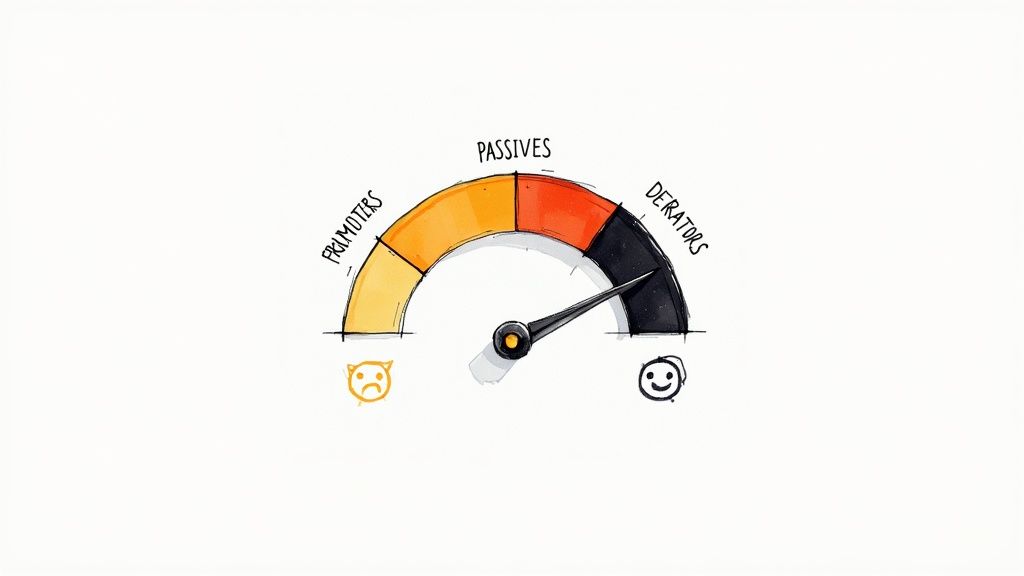
Picking the right metrics isn't about collecting numbers for the sake of it. It’s about aligning what you measure with real, tangible business goals. When you're trying to figure out how to measure customer satisfaction, you have to move past generic definitions and zero in on KPIs that actually reflect your unique customer journey within Salesforce. It all comes down to asking the right questions at the right moments.
For example, a high-volume B2C company will likely find the Customer Satisfaction Score (CSAT) invaluable for getting a quick pulse check on happiness right after a purchase. On the other hand, a B2B SaaS provider will get much richer insight from the Customer Effort Score (CES) after a support ticket is resolved in Salesforce Service Cloud, as it directly measures how easy—or difficult—it was for the customer to get help.
Matching CRM Metrics to Business Scenarios
The real key here is to sidestep vanity metrics. They might look impressive on a chart, but they don't drive meaningful action. Let your industry and specific business model guide your approach. Here are some lessons learned from our client projects:
- Retail & eCommerce: CSAT is king. A simple, automated "How satisfied were you with your purchase?" survey, triggered from Sales Cloud the moment an order is fulfilled, gives you instant, transactional feedback.
- Professional Services: When you're dealing with long-term projects and relationships, the Net Promoter Score (NPS) is far more telling. It gauges overall loyalty and the likelihood of referrals, which is the lifeblood of growth in this sector.
- SaaS & Technology: CES is a powerful predictor of product stickiness and service efficiency. A high-effort experience is a massive driver of churn, making this a critical metric to track within Service Cloud.
A common mistake we see is organisations trying to track everything at once. Start with one or two primary metrics that directly link to a core business objective, like reducing churn or increasing repeat business. Master that within your Salesforce CRM before you even think about expanding.
How Industry Context Shapes Customer Expectations
Your choice of metrics also has to account for what matters most in your specific sector. Customer satisfaction measurement in Australia shows some really distinct patterns across different industries. For instance, in finance, customer-owned banks consistently achieve higher satisfaction ratings than the major banks, because customers prioritise things like security and the quality of advice. This shows just how much industry context influences what your customers actually value.
Getting a handle on the different measurement approaches is a great place to start. As you're working out the best metrics for your business, it’s worth reviewing the 7 effective ways to measure customer satisfaction, including NPS, CSAT, and CES.
Ultimately, the goal is to build a focused measurement strategy that gives you clear, actionable signals. We’ve helped countless clients build this kind of clarity directly into their Salesforce dashboards, and you can see the real-world impact in our Salesforce implementation case studies.
Automating Data Collection in Salesforce
Right, you've settled on the metrics you want to track. Now for the fun part: building the system in Salesforce to actually collect that data. This is where the magic happens, turning feedback from a manual chore into a seamless, automated part of your customer lifecycle. We're moving from theory to practical, actionable data.
The trick is to capture feedback at the moments that truly matter. Think about the critical touchpoints in your customer journey – when a support case is closed in Service Cloud, a project hits a major milestone, or an onboarding process wraps up. These are the golden opportunities to ask for feedback because the experience is still fresh in the customer's mind.
Automating Surveys with Salesforce Flow: A Case Study
The Business Challenge: A professional services client was really struggling with inconsistent feedback. They were manually sending out CSAT surveys, but the response rates were disappointingly low, and the data they did get was rarely timely. Their challenge was simple but crucial: how could they capture feedback right after a project milestone without adding more work for their already slammed team?
The Salesforce Solution: Our solution was to leverage Salesforce Flow to automate the whole thing. We set up a flow that automatically fires off an email with a Salesforce Survey the second a project's status is updated to "Milestone Complete" in their CRM.
The Results and Benefits:
- Timeliness: Feedback was being captured within minutes of the interaction, not days or weeks later.
- Consistency: Every single customer got the same survey at the exact same point in their journey. No more guesswork.
- Efficiency: The process became completely hands-off for their team, freeing them up to focus on what they do best – serving clients.
This kind of automation ensures you're not just collecting any data, but high-quality data that's directly tied to specific events you're already tracking in Salesforce. This simple flow diagram gives you a good idea of the core steps involved.
As the visual shows, getting this right involves more than just flicking a switch. It’s about thoughtful survey design, automated distribution, and disciplined analysis to pull out the key themes from the responses you get back.
Designing Effective Surveys in Salesforce
The native Salesforce Surveys tool is an incredibly capable bit of kit for creating and sending out your feedback forms. You can design branded, mobile-friendly surveys that are actually easy for your customers to fill out.
Best Practice Tip: Honestly, the most effective surveys are short and to the point. A single, well-timed question like, "How satisfied were you with the resolution of your case?" is often far more powerful than a long, multi-page questionnaire that customers will just give up on.
When you're putting your survey together, try mixing a rating scale (like a classic 1-5 CSAT question) with an optional open-ended question. This combo gives you a quantitative score you can track over time, plus the qualitative feedback that explains the all-important "why" behind that number.
Best of all, the survey data is automatically linked straight back to the relevant contact, account, or case record in Salesforce. This gives your team the complete context they need without having to hunt for it.
For businesses using Account Engagement (formerly Pardot), you can streamline this even further. It's possible to connect forms to your CRM with an Account Engagement form handler to capture leads and feedback in one smooth motion, making your CRM the undisputed central hub for all customer sentiment.
Analysing Feedback with Salesforce Reports and Dashboards

Collecting feedback is just the start of the race. The real prize is turning that raw data into business intelligence you can actually act on. This is where Salesforce Reports and Dashboards truly shine, transforming your CRM from a simple data library into a powerful analysis engine.
Looking at a CSAT score on its own is like reading a single word from a book – it tells you almost nothing. The magic happens when you add context. By visualising your satisfaction data next to other crucial CRM metrics, you can start asking—and answering—much deeper questions about your customer experience.
Building Your Customer Health Dashboard in Salesforce
From our years as a Salesforce partner, we've found that one of the most powerful tools we can build for clients is a central ‘Customer Health Dashboard’. This isn't just another report gathering digital dust; it's a command centre giving decision-makers a complete, 360-degree view of customer sentiment by blending various data points.
A well-designed dashboard should instantly show you the connections between different parts of the business. You can pull together key Salesforce metrics like:
- CSAT/NPS Scores: Your headline satisfaction indicators.
- Case Resolution Times: Are slow resolutions dragging down your scores?
- Support Ticket Volume: Is a spike in tickets a warning sign for a drop in satisfaction?
- Recent Purchase History: Are your happiest customers also the ones buying the most from Sales Cloud?
This consolidated view is what fuels smart, strategic decisions. Leadership teams don't have time to wade through spreadsheets; they need clear, visual stories that get straight to the point.
Best Practice Tip: A common trap we help clients sidestep is creating overly complex dashboards. The goal here is clarity, not clutter. Zero in on 3-5 core charts that directly answer your most urgent business questions about the customer experience.
Spotting Trends and Uncovering Root Causes with CRM Data
Once your data is organised, you can shift from just measuring satisfaction to truly understanding it. Salesforce reports let you slice and dice your feedback to find hidden trends that you’d completely miss with manual analysis.
Take a scenario we recently handled for a B2B services client. They saw a small but nagging dip in their overall CSAT score. By building a filtered report in Salesforce, we pinpointed the problem in minutes: the dip was almost entirely driven by new customers within their first 90 days. This insight allowed them to completely overhaul their onboarding process, fixing the problem at its source.
You can set up similar reports to get answers to your own specific questions:
- Does satisfaction vary between different support agents in Service Cloud?
- Did that new product launch actually improve customer sentiment or hurt it?
- Are customers in one particular region less satisfied than others?
These are the kinds of insights that lead to real, measurable improvements. For those wanting to build more sophisticated reporting views, learning how to use a Salesforce hyperlink formula for a filtered report can be a game-changer. It’s a powerful way to create dynamic, user-friendly dashboards that let your team drill down into specific data sets with a single click, putting serious analytical power right where it's needed most.
Turning Insights into Action with Closed-Loop Feedback in Salesforce
Gathering data and building dashboards are important first steps, but the real value comes from what you do next. The most critical part of measuring customer satisfaction is actually transforming those raw insights into concrete actions. This is where a closed-loop feedback system, built right inside Salesforce, moves your business from passively listening to actively responding.
A closed-loop system is all about making sure no piece of feedback, positive or negative, ever falls through the cracks. It's about creating an automated, accountable process for follow-up so your team can consistently turn customer experiences around.
Automating the Follow-Up Process with Salesforce Flow
Using Salesforce automation tools like Flow is the key to making this happen without manual effort. Imagine a customer completes a CSAT survey and gives a low score of 2 out of 5. Instead of that score just sitting in a report, you can build a process that instantly triggers an action.
For example, a common and highly effective setup we configure for clients is a Salesforce Flow that automatically:
- Creates a high-priority task for the relevant customer success manager or account owner.
- Assigns the task with a clear due date and instructions to personally contact the customer.
- Populates the task with all the necessary context, like the survey response and a link to the original Service Cloud support case.
This simple automation turns a negative experience into an immediate opportunity to recover the relationship. It shows the customer you’re not just collecting scores—you're listening and care enough to act.
Lesson Learned: Building this automated loop doesn't just improve customer loyalty; it also fundamentally changes your team's culture. It shifts the mindset from "solving a ticket" to "owning the customer outcome," which is a powerful driver of service excellence.
Bridging the Perception Gap with CRM Data
One of the biggest challenges service-oriented businesses face is the perception gap between their internal teams and their customers. Your support agents might believe they are resolving issues quickly, but the customer’s actual experience could be entirely different. Logging all interactions and feedback in Salesforce creates that crucial single source of truth that bridges this divide.
This gap is more significant than many realise. Recent data reveals that Australian customers spent a staggering 123 million hours waiting to resolve issues over the past year. While agents estimate an average resolution time of just 30 minutes, customers report it taking 5.2 days. You can explore more about this disconnect in ServiceNow's 2025 CX findings.
By centralising feedback within Salesforce, you directly connect your team’s performance data (like case resolution time in Service Cloud) with the customer’s perception (their satisfaction score). This direct link makes it impossible to ignore reality. It provides clear, data-backed evidence of where service delivery aligns with customer expectations—and, more importantly, where it doesn't. This clarity is the foundation for meaningful coaching, process improvements, and ultimately, a better customer experience that builds lasting loyalty.
Salesforce Customer Satisfaction FAQ

As you start weaving customer feedback into your CRM, a few practical questions always seem to pop up. Drawing from our experience as a Salesforce partner, we've pulled together some clear answers to help you navigate setting up a solid measurement system in your organisation.
These are the common hurdles and points of confusion we see businesses face when they first get serious about tracking customer satisfaction.
What is the Difference Between CSAT, NPS, and CES in Salesforce?
Getting a handle on the unique role of each core metric is the first step. They aren't interchangeable; each one tells a different, crucial part of your customer's story.
-
CSAT (Customer Satisfaction Score): This is all about short-term happiness with a specific interaction, like a purchase or a support ticket. Think of it as a quick snapshot of a single moment.
-
NPS (Net Promoter Score): This one gauges long-term customer loyalty by asking that famous question: "How likely are you to recommend us?" It's a powerful indicator of your overall brand health and potential for growth.
-
CES (Customer Effort Score): This metric zeroes in on how easy it was for a customer to get their problem solved or question answered. A low-effort experience is a massive predictor of customer retention.
In a typical Salesforce setup, you might trigger a CSAT survey the moment a Service Cloud case closes, while an NPS survey could go out annually to check the pulse of the entire relationship.
Can I Automate Survey Distribution in Salesforce?
Yes, and you absolutely should. Automation is your best friend for collecting timely, consistent, and unbiased feedback without piling more work onto your team.
Using native Salesforce tools like Flow, you can build powerful automation rules that send a survey the instant a specific event happens. For example, a survey can be automatically dispatched when an opportunity stage is updated to 'Closed Won' in Sales Cloud or when a field service appointment is marked complete in Field Service.
This ensures you capture feedback while the experience is still fresh in the customer's mind, which makes a huge difference to your response rates and the quality of the insights you get back.
From our project experience, automating survey sends is one of the quickest wins for improving data collection. It removes human error and ensures you never miss an opportunity to understand your customer's perspective.
How Can I Track Customer Satisfaction Trends Over Time in Salesforce?
The best way to see the bigger picture is by building a dedicated Salesforce Dashboard. This gives you a visual, at-a-glance view of your key satisfaction metrics, preventing valuable data from getting buried in static reports.
You can set up dashboard components to track your average CSAT or NPS score by month, quarter, or year. Even better, you can add dynamic filters to slice and dice the data for different parts of your business, such as:
- Product or service lines
- Customer support teams or individual agents
- Geographic regions
This lets you drill down into the data, spot the root causes behind trends, and pinpoint specific areas that need attention. A well-built dashboard turns raw numbers into a clear story your leadership team can actually use to make smart strategic decisions.
Turning customer feedback into a core part of your business strategy requires the right tools and a partner who knows how to connect them. At Adaptal, we are a Salesforce partner specialising in building these integrated systems within the CRM to drive real results.
If you’re ready to move beyond basic surveys and create a true 360-degree view of your customer, let's talk. Explore our Salesforce services and see how we can help you build a customer-centric organisation. Contact us for a consultation.