

At its heart, medical practice management software is the central nervous system for a modern clinic. It's the solution designed to automate the day-to-day administrative and clinical tasks that keep your practice running. This covers everything from patient scheduling and billing to managing electronic health records and improving communication. However, a standalone system often isn't enough. The real transformation happens when you integrate this software with a powerful CRM like Salesforce Health Cloud.
The Business Challenge: Why Disconnected Practice Management Fails
Let's be honest: many Australian healthcare clinics are struggling with outdated systems. They're often held together by a patchwork of fragmented tools for patient records, billing, and scheduling. This setup inevitably creates administrative overload and frustrating data silos, making a seamless patient experience almost impossible and hindering digital transformation efforts.

Picture a busy clinic reception. Staff are manually entering the same patient details into three separate systems. An appointment change in one doesn't automatically update the others, leading to double bookings and confused clinicians. This isn't just inefficient; it's a direct hit to patient care and staff morale, a common challenge we see as a Salesforce partner.
The Consequences of Fragmented Systems
When your systems don't talk to each other, the consequences ripple throughout the entire practice. Staff burn valuable hours on manual data entry instead of focusing on patient-facing activities. Clinicians can't get a complete, single view of a patient's history, and billing errors creep in more frequently.
An outdated system also struggles to meet modern patient expectations. This includes managing your online presence and handling patient feedback—both of which are critical today. To get a better handle on this, it's worth exploring these essential reputation management strategies for healthcare providers.
The Salesforce Solution: Creating a Unified Platform
This is where integrating a modern medical practice management software (MPMS) with a powerful CRM like Salesforce Health Cloud completely changes the game. It pulls your practice out of the chaos and creates a single source of truth for every patient interaction, forming a key part of a much wider digital transformation happening in Australian healthcare.
The growth in this area is telling. The Australian patient administration system market, a core segment of MPMS, brought in around USD 11.1 million in 2023 and is on track to nearly double by 2030.
By connecting all your operations to a central Salesforce platform, you can unlock serious benefits:
- Streamlined Operations: Automate repetitive tasks, slash manual errors, and free up your team to focus on high-value work.
- Enhanced Patient Engagement: Give patients what they want with secure portals for booking appointments, viewing records, and communicating directly with their care team.
- Robust Data Security: Ensure compliance with Australian privacy laws while making critical data easily accessible to authorised staff.
We've seen firsthand how a unified Salesforce system can support even the most complex care coordination. In one project, we helped a client use Salesforce to manage intricate support plans, demonstrating the platform's power to handle nuanced healthcare challenges.
To get a clearer picture, let's break down how Salesforce Health Cloud amplifies the core features you'd expect from a standard MPMS.
Core MPMS Features and Their Salesforce Health Cloud Benefit
| Core MPMS Feature | Functionality | Value Added by Salesforce Health Cloud Integration |
|---|---|---|
| Patient Scheduling | Manages appointment booking, calendars, and reminders. | Creates a 360-degree view of patient interactions, enabling proactive scheduling based on care plans and past appointments. |
| Billing & Invoicing | Automates billing, claims processing, and payment collection. | Integrates financial data with patient records for a complete financial history, simplifying reporting and revenue cycle management. |
| Electronic Health Records (EHR) | Stores and manages patient medical histories, charts, and treatment plans. | Centralises all data sources (including EHR) into a single patient profile, providing clinicians with holistic insights at the point of care. |
| Patient Portal | Offers patients secure online access to their health information and communication tools. | Enhances patient engagement through personalised communication journeys, targeted health education, and automated follow-ups. |
| Reporting & Analytics | Generates reports on practice performance, financial metrics, and patient demographics. | Leverages powerful Salesforce analytics to uncover deeper insights, predict trends, and inform strategic decisions for practice growth. |
Ultimately, combining your MPMS with Salesforce Health Cloud doesn't just improve your existing processes—it transforms them, creating a more intelligent, patient-centric, and efficient practice from the ground up.
Defining Your Salesforce and MPMS Requirements
It’s tempting to jump straight into software demos, but that's a classic mistake we see all the time. Before you look at a single feature list, the most important step is to deeply understand your practice's unique operational DNA. This groundwork is what makes the difference between buying a piece of software and making a smart investment that solves today’s problems and scales with you tomorrow.
The best place to start? Map out the complete patient journey—from the moment they first call your clinic to the final payment and any follow-up care. Document every single touchpoint and the admin tasks that go with it. Where are the friction points? Where does your team spend too much time on manual data entry or chasing information?
This process almost always uncovers surprising bottlenecks. For instance, we worked with a specialised clinic that was convinced their biggest headache was scheduling. After we mapped their day-to-day workflows, it turned out the real time-sink was the manual grind of sending appointment reminders and securely answering patient questions—a perfect use case for Salesforce automation.
Pinpointing Your Core Requirements for a Salesforce Integration
Once you have that clear map of your processes, you can start building a solid list of what you need. Don't even think about software features yet. Instead, focus on the outcomes you want to achieve. This approach turns vague frustrations into a clear, actionable requirements document for your Salesforce partner.
Your list should hit these key areas:
- Admin Bottlenecks: What are the top three to five tasks that eat up the most non-clinical time? This could be managing referrals or processing Medicare claims.
- Clinical Workflow Gaps: Where do clinicians lose precious minutes searching for patient information across different systems? Are there delays in getting test results?
- Patient Communication Needs: How do your patients want to communicate with you? Do they need secure messaging, automated SMS reminders, or a self-service portal for booking appointments?
For that specialised clinic we partnered with, documenting these needs showed that automated reminders and a secure messaging platform weren't just "nice-to-haves"—they were non-negotiable. They were the key to cutting down no-show rates and freeing up front desk staff.
Thinking About Compliance and Future Growth with Salesforce
Lastly, your requirements list has to cover regulations and strategy. Here in Australia, any system handling patient data must comply with the Australian Privacy Principles (APPs). Your software and Salesforce implementation must support these duties, ensuring data is stored securely and accessed only by authorised users.
You also need to think beyond your current challenges. Where do you see the practice in three to five years? Are you planning to open new locations, offer telehealth, or integrate with other healthcare partners? Choosing a scalable solution, like one built on the Salesforce platform, gives you the flexibility to adapt as you grow. A little foresight here prevents you from picking a system you’ll outgrow in a year, turning a big expense into a long-term asset.
Key Features in a Modern Salesforce-Integrated Practice Management System

While almost any platform can handle basic scheduling and billing, the needs of a modern medical practice go far beyond the fundamentals. Choosing the right medical practice management software is about finding the game-changing features that genuinely drive efficiency and improve patient care, especially when connected to a CRM like Salesforce.
There’s a clear reason why this software is seeing wider adoption across Australia’s healthcare sector: providers are under immense pressure to do more with less. This is only amplified by demographic trends. With the Australian population aged 60 and over expected to double by 2030, the demand for smarter, more streamlined healthcare services is only going to intensify. You can read more about these market drivers and predictions.
This new reality pushes certain features from the "nice-to-have" list firmly into the "absolutely essential" column.
Secure Patient Portals and Telehealth Integration on Salesforce
Today's patients don't just prefer digital-first interactions; they expect them. A secure patient portal, especially one built on a robust platform like Salesforce Experience Cloud, gives them a seamless front door to your practice. It’s all about empowering patients to manage appointments, view their own records, and communicate securely with their care team on their own terms.
On top of that, integrated telehealth capabilities are no longer optional. A system that natively supports virtual consultations within the patient record gets rid of clunky workarounds. It ensures true continuity of care, whether that appointment happens in your office or over a video call.
Automated Billing and Claims Management in your CRM
Let’s be honest: manual billing and claims processing are notorious time-sinks and a breeding ground for costly errors. The right software, integrated with Salesforce, automates this entire lifecycle, from generating an invoice right through to submitting claims and tracking payments. This doesn't just speed up your revenue cycle—it dramatically cuts down the administrative load on your staff.
We once worked on a project where a client’s chosen software had weak integration APIs. This flaw wasn't obvious at first, but it caused significant delays and budget overruns when trying to connect it to their core systems. It was a costly lesson in the importance of robust integration.
This story highlights a crucial point: your software must connect flawlessly with a central CRM like Salesforce Health Cloud. As Salesforce partners, we guide clients to vet this capability upfront, ensuring all systems speak the same language from day one.
Robust Integration and Scheduling APIs
The ability to integrate with other systems is arguably the single most critical feature to look for. Your medical practice management software should be a connected hub, not an isolated island of data. This means checking that it has a powerful, well-documented API that allows for a seamless flow of data between your electronic health records (EHR), billing systems, and Salesforce.
A massive piece of this puzzle is scheduling. A great system goes beyond simple bookings; it automates reminders, manages clinician availability across multiple locations, and simplifies even the most complex appointment types. You can explore some of the market leaders and see what's possible with top patient scheduling software. This level of connectivity is what transforms a simple tool into the central nervous system of your practice, creating a truly unified and intelligent operational environment.
Case Study: Creating a 360-Degree Patient View with Salesforce
This is where the theory behind integrating your medical practice management software with Salesforce Health Cloud becomes a practical reality. It's the strategic process that finally unlocks a complete, unified view of every patient, pulling your clinic out of fragmented data silos and into the world of actionable intelligence. Forget the technical jargon; this is all about a clear, phased approach that delivers tangible results.
We recently walked a multi-location physiotherapy practice through this exact process. Their core business challenge was a classic one: patient information was scattered across different systems at each location. One system held their appointment history, another had all the billing details, and clinical notes were tucked away somewhere else entirely. This made getting a single, reliable source of truth for any given patient completely impossible.
The Salesforce Solution: A Custom Data Model in Health Cloud
Our starting point was to design a custom data model right inside Salesforce Health Cloud. This involved carefully mapping every piece of patient information—from their initial referral through their full treatment history—to a logical home in the new, centralised system.
To connect the old with the new, we used middleware to create a real-time, two-way sync between their existing software and Salesforce.
What did this mean in practice? When a receptionist booked an appointment in one system, the patient’s Health Cloud record was updated instantly. That single action then triggered a whole cascade of automated, intelligent responses that they could only have dreamed of before.
The infographic below gives a high-level look at the process flow we typically follow for these kinds of Salesforce integration projects.
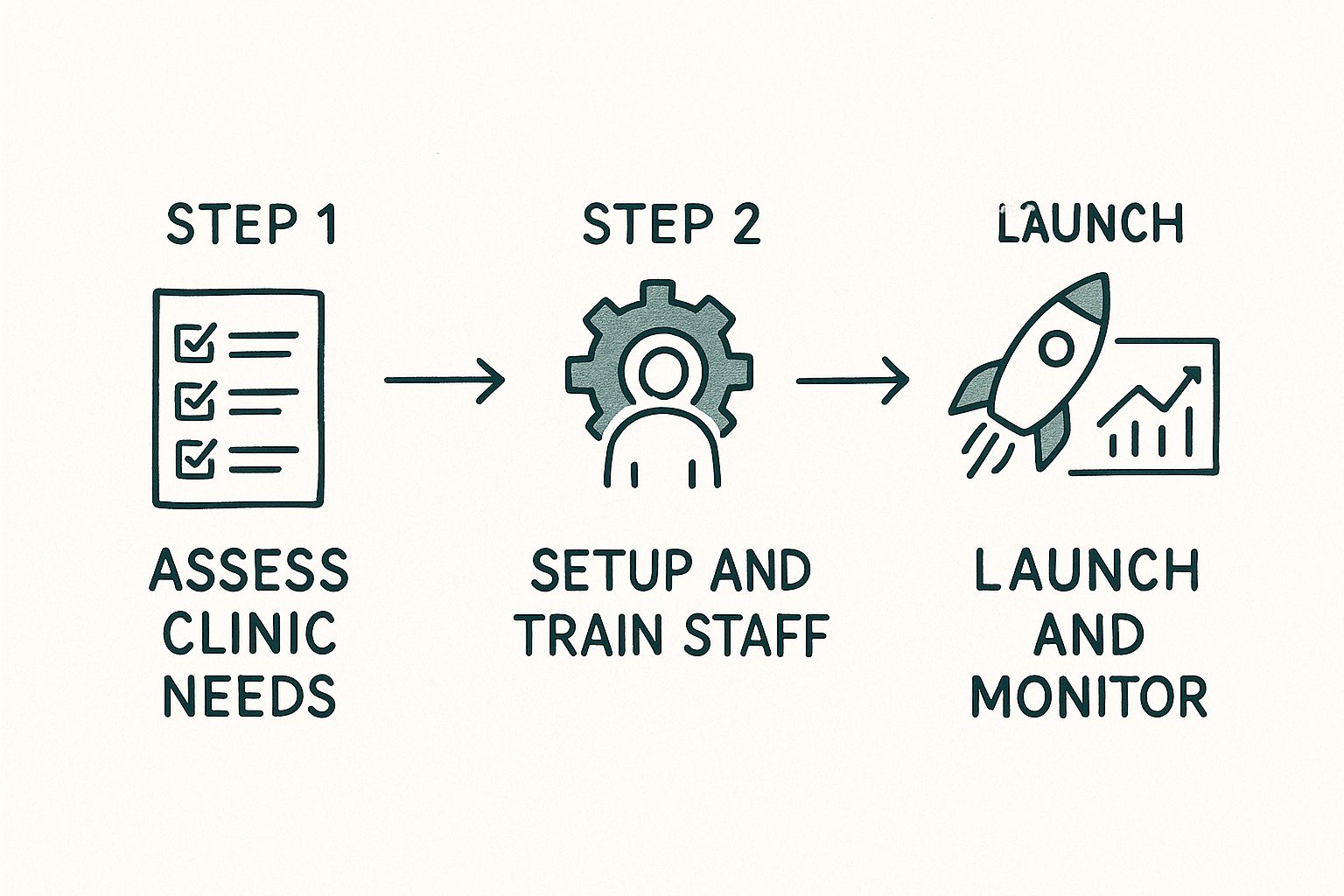
As the visual shows, a successful Salesforce implementation is a journey. It always kicks off with a deep assessment and finishes with ongoing monitoring and fine-tuning.
The Results: Personalised Care and Targeted Outreach
The result was a comprehensive, chronological history of every patient interaction, all accessible in one dashboard. This 360-degree view gave their clinicians the power to create highly personalised care plans, because they finally had a complete understanding of each patient's journey.
Better yet, by connecting this rich data to Marketing Cloud Account Engagement (formerly Pardot), the practice could automate targeted patient outreach. For instance, patients who finished a specific treatment plan would automatically get a follow-up email with relevant exercises and a gentle nudge to book a check-up. This not only improved long-term health outcomes but also built incredible patient loyalty.
This shift from paper files to integrated digital solutions is fuelling massive growth. The global practice management software market is forecast to grow significantly, with projections around 9.2% to 11.6% annually from 2024 through 2031. You can discover more insights about the global market on Fortune Business Insights.
The most critical lesson we learned from this project was just how vital it is to involve clinical staff in the user acceptance testing (UAT) phase. Getting their hands on the system early meant we could be sure the workflows actually made sense in a real-world clinical setting, not just on a project plan.
This feedback loop was absolutely essential for fine-tuning the system to support their day-to-day needs, which in turn guaranteed high adoption rates after launch. If your practice is thinking about a similar digital transformation, getting expert guidance is non-negotiable. You can learn more about how we tackle these challenges through our expert Salesforce consulting services.
Driving User Adoption and Proving ROI on Your Salesforce Investment
Getting your new medical practice management software integrated with Salesforce isn't the finish line; it’s the starting gun. The real return on your investment materialises when your entire team—from the front desk to your clinical staff—fully embraces the new system. This doesn't happen by accident; it requires a deliberate strategy focused on your people.

From our experience on countless Salesforce projects, we've seen that generic, one-size-fits-all training sessions just don't cut it. The most effective approach is to create role-specific training guides. A receptionist needs to master the scheduling and patient check-in workflows, while a clinician needs to quickly understand how to pull up patient histories and update clinical notes.
Another brilliant tactic is to appoint internal ‘super-users’ or champions. These are the tech-savvy team members who are genuinely excited about the change. By empowering them as the go-to experts, you create an internal support network that can handle minor issues and build positive momentum. For a deeper dive into managing this change, our Salesforce implementation guide for Australian businesses offers a more structured framework.
Measuring What Matters: KPIs for Your CRM Implementation
To truly justify the investment, you have to move beyond just hearing that "things feel better" and start looking at the hard data. Key Performance Indicators (KPIs) become your undeniable proof, showing the tangible impact your new system is having on both day-to-day efficiency and patient outcomes.
You'll want to track metrics that tie directly back to the goals you set at the very beginning. These might include:
- Reduced Patient No-Show Rates: Track the percentage of missed appointments before and after you switched on automated reminders through Salesforce.
- Faster Billing Cycles: Measure the average time from service delivery to payment received. This is where automated invoicing really shows its power.
- Higher Patient Satisfaction Scores: Use simple post-visit surveys to gather quantifiable feedback on the patient experience.
- Decreased Administrative Time: Monitor how long your team spends on manual tasks like data entry or follow-up phone calls to clearly show efficiency gains.
Visualising Success with Salesforce Dashboards
This is where a connected platform like Salesforce really shines. Instead of getting lost in spreadsheets, you can build custom Salesforce dashboards that bring these KPIs to life in real time. These dashboards give you a clear, data-backed story of the project's success.
When your leadership team can see a direct link between the new system and a 15% reduction in patient no-shows or a 20% faster billing cycle, the conversation immediately shifts from cost to value. This kind of visual evidence makes it easy to prove your ROI and builds a rock-solid case for future digital transformation projects.
This data-driven approach transforms your medical practice management software from just another tool into a strategic asset for growth and better patient care.
Salesforce for Medical Practice Management: FAQ
Making the jump to new medical practice management software, especially when you're looking at a powerhouse like Salesforce, always brings up a few big questions. It's a significant decision, and you need to get it right.
Let's walk through some of the most common queries we hear from Australian healthcare practices just like yours.
Can a smaller clinic really benefit from a Salesforce Health Cloud integration?
Absolutely. It’s easy to look at Salesforce Health Cloud and think it’s only for massive hospital networks, but its real magic is in its scalability. For a smaller or growing clinic, it gives you an incredibly solid foundation that you simply won’t outgrow. Think of it this way: as you bring on more patients or add new services, your technology scales with you. You won’t hit a wall in a few years and face another disruptive, expensive migration. From day one, it helps you centralise patient data, automate communications, and pull out insights that even a small team can use to improve care and work smarter.
What’s the biggest mistake practices make when choosing software?
The most common pitfall we see is focusing only on today's problems while ignoring integration. A practice might pick a standalone software because it has a fantastic scheduling module, but they never check if it can actually talk to their other critical systems. That kind of short-term thinking creates new data silos and handcuffs future growth. The trick is to choose medical practice management software that has a strong, open API. That’s your guarantee that it can connect seamlessly with a central hub like Salesforce, creating a single, unified platform that grows with you.
How long does a typical MPMS and Salesforce integration take?
Honestly, it depends. The timeline really hinges on the complexity of your clinic’s workflows, how much historical data needs to be moved over, and which software you’re integrating. For a single-location clinic with fairly straightforward needs, you're likely looking at a project timeframe of about 8 to 12 weeks. But for a larger, multi-location practice with years of patient records and more complex processes, the timeline could stretch to 4 to 6 months. Often, the best way forward is a phased rollout, getting the most critical functions live first and building from there.
Is our patient data kept safe during the migration to Salesforce?
Yes, without a doubt. Data security is our absolute top priority on any project. As an experienced Salesforce partner, we have a strict, proven protocol for data migration that’s fully compliant with Australian privacy laws. Our process is meticulous and involves data cleansing before migration, secure and encrypted transfer methods, and thorough validation in a secure "sandbox" environment. This careful approach ensures your sensitive patient data is protected at every single step of the journey to the Salesforce cloud.
Ready to build a more connected and efficient practice? The team at Adaptal specialises in creating powerful, integrated solutions on the Salesforce platform. Let's discuss how we can help you achieve your goals.