
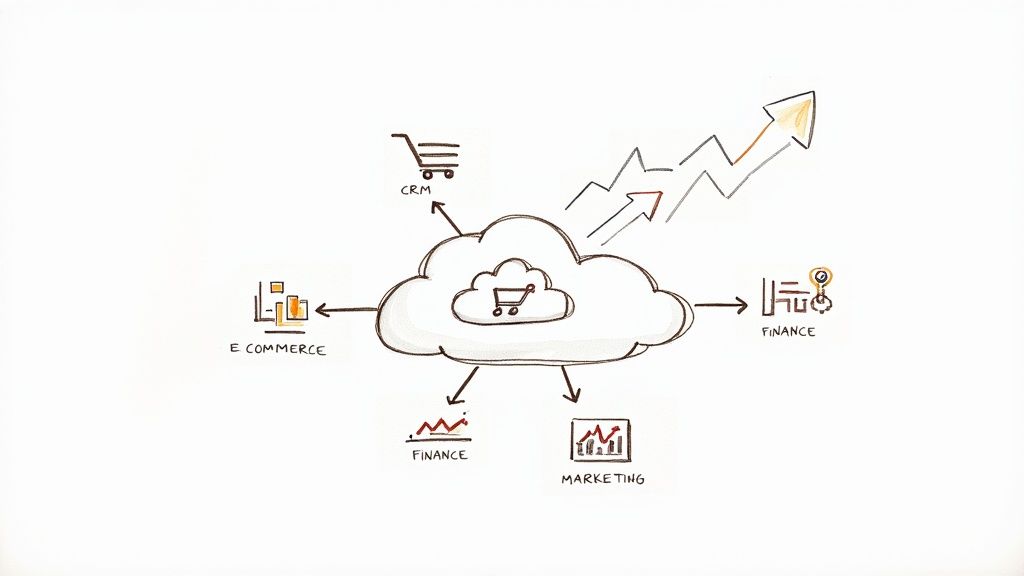
API integration is the digital glue that connects different software applications, allowing them to communicate, share data, and automate workflows. In a Salesforce context, it’s the technology that enables your CRM to work in harmony with your other essential business tools—like your accounting software, marketing platform, and ERP system—transforming them into a single, cohesive powerhouse.
Your Guide to Understanding API Integration in a Salesforce World
In any modern business, data is constantly being created across various departments and applications. Your sales team lives in Salesforce, your finance team uses Xero or MYOB, and your marketing crew operates from a platform like Account Engagement (Pardot). Without a way for these systems to talk, you're left with disconnected data silos. This inevitably leads to manual data entry, costly errors, and an incomplete picture of your customers—challenges we see in almost every project we undertake.
This is the exact problem that Application Programming Interface (API) integration solves. It acts as the secure, digital messenger that connects these otherwise separate systems, allowing them to exchange information automatically and in real time.
A popular and effective way to think about an API is the "waiter" analogy, where the API acts as the helpful intermediary between two applications, just like a waiter does between a diner and the kitchen.
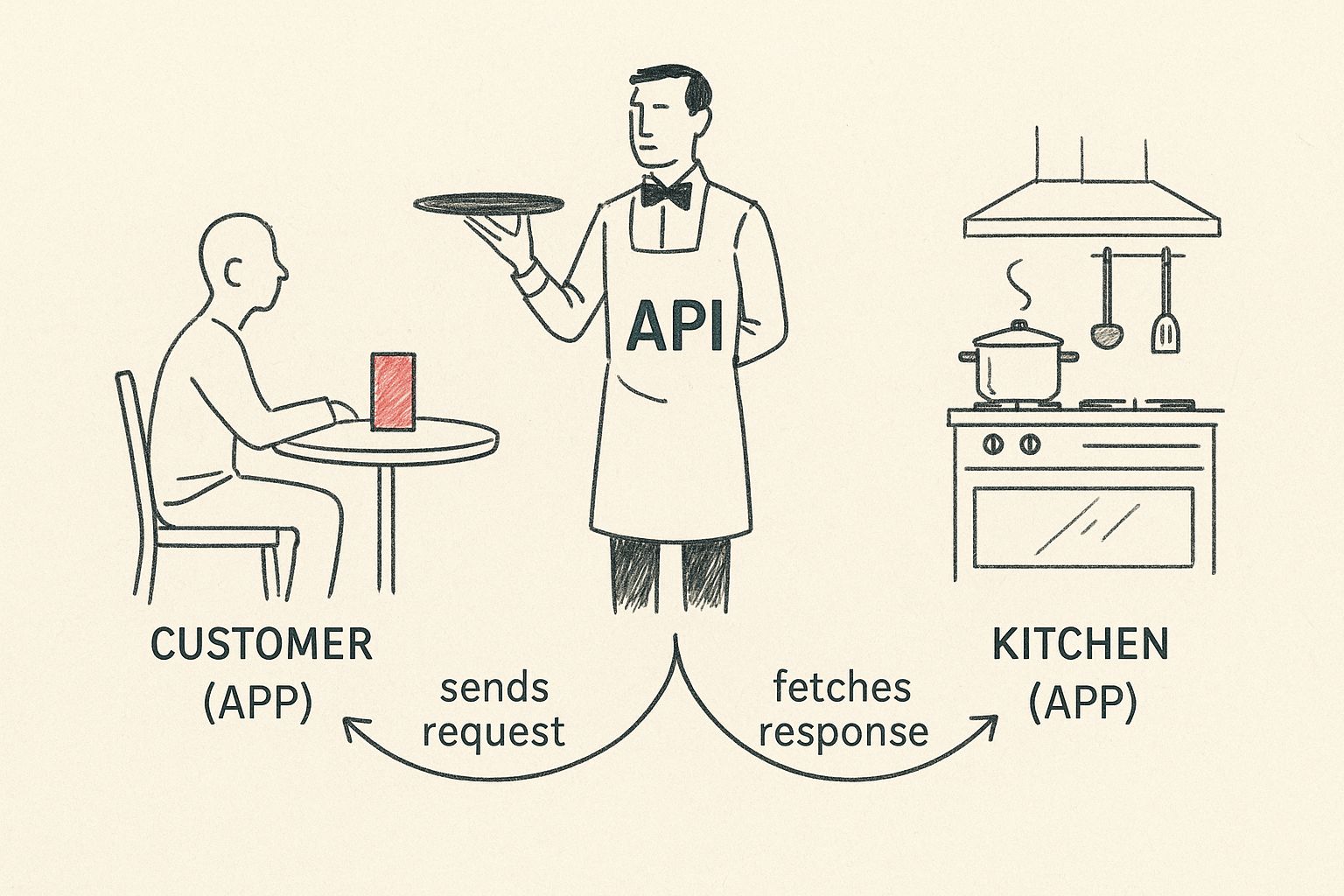
As the diagram shows, an API takes a request from one system (the customer) and delivers it to another (the kitchen), then brings back the result. It's this seamless back-and-forth that creates a fluid conversation between software, enabling true digital transformation.
Why Salesforce API Integration Matters for Your Business
For organisations running on Salesforce, API integration isn't just a technical nice-to-have; it's a strategic must-have for building a truly connected business. When your CRM is linked to your other core platforms, you unlock significant advantages:
- A Single Source of Truth: It ensures every team is working from the same, up-to-the-minute customer information, wiping out frustrating discrepancies and data silos.
- Powerful Process Automation: Mundane tasks that eat up valuable time, like creating a sales order in your ERP when a deal is closed in Sales Cloud, can be fully automated.
- Enhanced Customer Experience: Your teams gain access to a complete customer history from any connected application, paving the way for more personalised and efficient service.
To simplify these concepts, the table below breaks down the key components of an API integration using the restaurant analogy.
API Integration Key Concepts at a Glance
| Component | Analogy (The Restaurant) | Function in Software |
|---|---|---|
| Client | The customer ordering food. | The application initiating a request for data or an action. |
| API | The waiter taking the order. | The intermediary that receives requests and sends back responses. |
| Server | The kitchen preparing the food. | The application or database that holds the data and fulfills the request. |
| Request | The customer's food order. | The specific call made by the client to the API for information. |
| Response | The meal delivered to the table. | The data or confirmation returned by the server via the API. |
This simple structure is the engine behind some of the most powerful and seamless digital experiences we use every day.
By connecting your core business applications with Salesforce at the center, you create a powerful, automated workflow that reduces manual effort and provides a unified view of your operations. This is the foundation of digital transformation.
As you dive deeper, it's also crucial to understand what is API testing is and why it's so important for making sure these connections are reliable and secure. A well-planned integration, like those outlined in a comprehensive Salesforce implementation guide, is the key to getting your digital setup right from the start.
How API Integration Works: A Salesforce Case Study
Let's move beyond the analogy and walk through a real-world business challenge we frequently solve. Imagine a customer buys a product from your e-commerce store, which runs on a platform like Shopify or Magento. The moment they click "Confirm Order," a critical automated process needs to happen to ensure a smooth customer experience.
In that instant, your e-commerce platform becomes the client application. It bundles up the order details—the customer's name, purchased items, and total price—into a structured message. This message is usually in JSON (JavaScript Object Notation), a lightweight data format that Salesforce and other modern applications can easily understand.
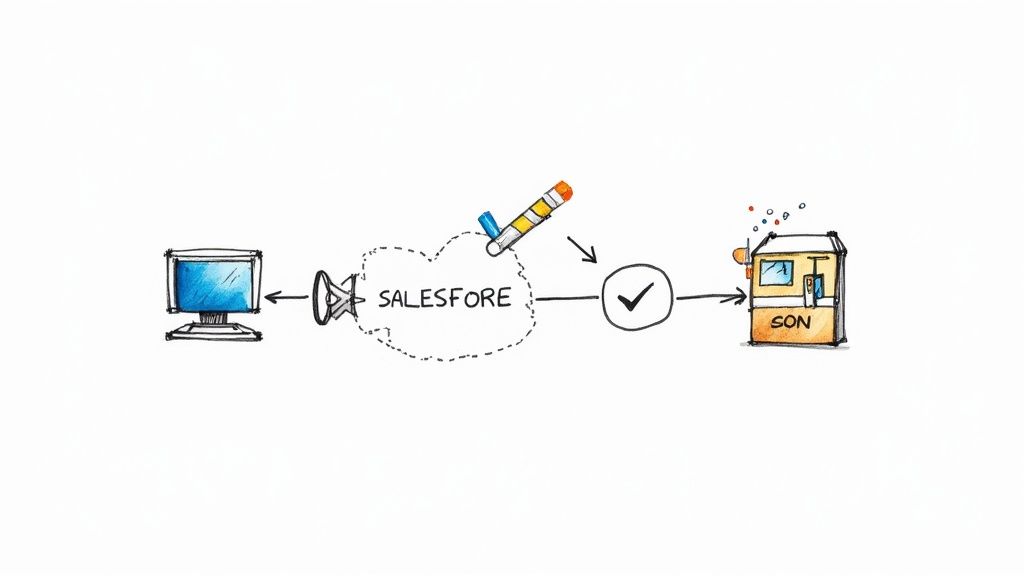
This JSON package is then sent as a request to a specific Salesforce address, known as an API endpoint. You can think of this endpoint as the direct digital doorway to the "Create New Order" function inside your Salesforce Sales Cloud.
Securing and Processing the Salesforce Request
Of course, you can't have sensitive customer data flying around unprotected. To keep things secure, the request includes an API key or authentication token. This acts like a secret handshake, proving to Salesforce that the request is genuinely from your authorized e-commerce site and not a malicious actor. Without valid authentication, Salesforce rejects the request, keeping your CRM data safe.
Once Salesforce receives the authenticated request at the correct endpoint, it springs into action. It parses the JSON data, understands the instruction is to create a new Sales Order, and maps the information to the correct fields. The customer's name updates the contact record, the products populate the order lines, and the total value is recorded.
This entire exchange happens in milliseconds. Salesforce then sends a response back to your e-commerce store, typically a confirmation message like, "Success: Order created," along with the new Salesforce Order ID for future reference.
This lightning-fast, secure dialogue is the heart of Salesforce API integration. It’s more than a technical handshake; it's the engine that drives real-time data sync, automates vital business workflows, and creates the seamless experiences modern customers demand.
From our experience as a Salesforce partner, understanding the role of Salesforce development consultants in digital transformation is what separates a clunky, disjointed system from an integrated powerhouse that fuels real business growth.
Exploring Different Types of APIs for Your Salesforce Strategy
Just as you wouldn't use a single tool for every job, not all APIs are created equal. The type of API you choose is a strategic decision that directly impacts how well your systems communicate. Understanding the main architectural styles is crucial for building a solid and scalable integration strategy within your Salesforce ecosystem.
The most common API architectures you'll encounter are REST, SOAP, and GraphQL. Each has a distinct purpose and is better suited for different business needs. Making the right choice ensures your connections are efficient, secure, and fit for purpose.
API Architectures in Practice with Salesforce
For most modern web and mobile applications connecting to Salesforce, REST (Representational State Transfer) is the go-to choice. It’s flexible and uses standard web protocols that developers find easy to work with. This makes it perfect for building integrations quickly, especially when agility and scalability are key project requirements.
In contrast, some scenarios demand a more rigid and structured approach. This is where SOAP (Simple Object Access Protocol) comes in. It’s a highly formal protocol, often required for enterprise-level integrations in finance or government where strict security and transaction rules are non-negotiable.
Then there’s the newer player, GraphQL. It offers a different approach by allowing the client application to request exactly the data it needs—nothing more, nothing less. This efficiency is a game-changer for complex mobile apps or front-end frameworks where performance and minimizing data transfer are critical.
The decision between REST, SOAP, or GraphQL isn't just technical; it’s about aligning the integration's architecture with your business goals—whether that’s speed-to-market with a new app, enterprise-grade security for financial data, or top-notch mobile performance.
To help clarify which API might be right for your Salesforce project, let's break down their typical applications.
Comparing Common API Types for Salesforce Use Cases
| API Type | Best For | Example Salesforce Use Case |
|---|---|---|
| REST | Modern web applications, mobile apps, and public-facing APIs where flexibility and scalability are key. | Connecting a custom mobile app to pull customer data from Salesforce or linking a marketing automation platform to Sales Cloud. |
| SOAP | Enterprise applications requiring high security, formal contracts, and transactional integrity. | Integrating Salesforce with an on-premise financial system for invoicing or a government agency's legacy database. |
| GraphQL | Complex front-end applications and mobile apps where performance and minimising data transfer are vital. | Building a single-page application (SPA) that pulls data from multiple Salesforce objects in a single, efficient request. |
As you can see, the choice hinges on what you're trying to achieve. There's no single "best" API, only the best one for a specific business challenge.
Understanding API Access Models
Beyond the underlying architecture, APIs are also categorised by who can access them. This is a strategic choice that dictates how your data is shared.
-
Private APIs: These are for internal use only, connecting systems within your organisation. A private API might link your Salesforce instance to an internal inventory management system, ensuring data is shared securely behind your company firewall.
-
Partner APIs: These are shared with specific business partners to streamline B2B collaboration. A classic example is a manufacturer sharing a partner API with its key distributors, allowing them to place orders directly from their systems into the manufacturer's Salesforce org.
-
Public APIs: Also known as Open APIs, these are available for any third-party developer to use. Companies like Google Maps or X (formerly Twitter) offer public APIs to encourage innovation and let others build new services on their platforms.
Choosing the right combination of architecture and access model is fundamental. For instance, a business might use a private REST API for internal dashboards and a partner SOAP API for secure supplier transactions. This tailored approach is key.
Similarly, managing data flows from external sources, like web forms, requires careful thought. Learning how to properly set up an Account Engagement Form Handler is a perfect practical example of controlling the data entry points into your Salesforce marketing automation system.
The Strategic Benefits of a Connected Salesforce Ecosystem
The real value of API integration shines through in the business outcomes it delivers. A smart integration strategy, with Salesforce at its heart, breaks down the data silos that hold businesses back. Instead of having separate islands of information in your ERP, marketing platform, and CRM, you create a single source of truth for every customer interaction.
This unified view is the catalyst for massive gains in operational efficiency. When your core systems are connected, automation can take over the repetitive, manual tasks that drain your team's time and invite errors. Your business processes begin to flow seamlessly from one department to the next.
From Technical Project to Strategic Imperative: A Case Study
Let's look at a real-world business challenge. We partnered with a national distribution company wrestling with a disconnected order-to-cash process. Their sales team, working in Salesforce Sales Cloud, had no visibility into inventory levels held in their separate ERP system. This led to inaccurate quotes, delays, and frustrated customers.
By implementing a robust API integration between the two platforms, we automated the entire workflow. The results were transformational:
- The Solution: Sales reps could instantly check real-time stock levels directly within Salesforce before finalising a deal. When an Opportunity was marked ‘Closed Won’ in Salesforce, the API automatically created a sales order in the ERP.
- The Business Impact: The finance team received real-time revenue data, eliminating manual reconciliation and speeding up invoicing. Customer satisfaction improved as orders were fulfilled faster and more accurately.
This project highlights a critical lesson: API integration isn't just a technical task; it's a strategic move that makes data accessible and actionable across your entire organisation. This is especially true in sectors like real estate, where connecting multiple platforms is make-or-break. You can explore more on how a connected system acts as the backbone of modern real estate agencies in our detailed guide.
Unlocking Growth Through Connectivity
The move toward connected, API-first architectures is a significant trend in the Australian market, driven by investments in cloud solutions. According to a recent Salesforce report, while 92% of Australian organisations are pursuing digital transformation, a staggering 95% face difficulties integrating new technologies with their existing systems. This highlights the critical need for a clear integration strategy. For more details, see these connectivity benchmark findings.
Ultimately, a connected Salesforce ecosystem empowers you to achieve genuine digital transformation. It enhances customer loyalty by providing consistent experiences and unlocks new growth opportunities by turning siloed data into your most valuable business asset.
Navigating Common Salesforce API Integration Challenges
While the benefits of a connected Salesforce ecosystem are clear, the path isn't always straightforward. API integration projects are powerful, but they come with potential hurdles. From our experience as a Salesforce partner, understanding these challenges from the outset is key to planning a successful, long-lasting solution that delivers real business value.
A common obstacle we encounter is integrating Salesforce with legacy systems. Many businesses rely on trusted, on-premise accounting or inventory systems that were built before modern APIs became standard. These systems often lack a simple way to connect to cloud solutions like Salesforce, creating a major roadblock to achieving a single view of the customer.
Ensuring Security and Scalability in Your Salesforce Integrations
Beyond legacy systems, two critical challenges demand attention: data security and future scalability. Every API creates a bridge between systems, which can be a potential point of weakness if not properly secured. It's essential to lock down every connection using robust authentication methods to protect sensitive customer and business data.
At the same time, you must plan for growth. An integration that works perfectly today might buckle under the pressure as your business and data volume expand. A scalable architecture isn't an afterthought; it’s a foundational requirement for any Salesforce integration project intended to support long-term success.
Navigating API integration successfully means anticipating challenges before they become problems. A proactive approach to security, scalability, and system compatibility is what separates a fragile connection from a resilient, enterprise-grade solution.
Data Integration Remains a Primary Hurdle
These challenges reflect a broader trend. Australian companies are juggling an average of 897 separate applications, yet only 29% are currently integrated. This disconnect underscores the scale of the challenge and the massive opportunity for businesses that get it right.
A Strategic Approach with the Right Tools and Partner
Overcoming these obstacles requires a smart approach and the right technology. This is where careful planning, solid data governance, and powerful tools like MuleSoft, Salesforce's own integration platform, become invaluable.
As a Salesforce partner, we find a story-driven approach works best. By mapping out a clear integration strategy, we can tackle common issues head-on:
- API Version Management: How will you handle updates to an API without breaking existing connections?
- Data Governance: Who owns the data? How do you ensure its quality and consistency across every connected system?
- Error Handling: What happens when a request fails? A bulletproof plan for logging and retrying failed calls is essential.
By partnering with an experienced Salesforce consultant, you can develop a clear roadmap to navigate these challenges, ensuring your API integration projects are secure, successful, and built to last.
Frequently Asked Questions About Salesforce API Integration
Whether you're a business leader or a Salesforce administrator, a few practical questions always come up when planning an integration project. Here are the answers to some of the most common ones we hear from our clients.
What Does a Salesforce API Integration Project Typically Cost?
The cost of a Salesforce API integration varies significantly based on complexity.
A simple, one-way connection using a pre-built connector from the Salesforce AppExchange might only involve a straightforward subscription fee. However, a custom-built, two-way integration between Salesforce and a complex legacy ERP system is a much larger investment, requiring development, thorough testing, and ongoing maintenance.
Factors that influence cost include:
- The number of systems you’re connecting.
- The volume and complexity of the data being synchronised.
- The level of customisation and specific business logic required.
How Long Does a Salesforce API Integration Take to Implement?
Just like cost, the timeline is tied to the project's scope. Using a tool like Zapier or a ready-made AppExchange app for a simple task could have you up and running in hours or days.
Conversely, a more involved project—like connecting multiple systems with intricate data mapping and custom error handling—could take several weeks or even months. This is why a detailed discovery and planning phase with an experienced Salesforce partner is vital to set realistic timelines and ensure a smooth rollout.
How Is Data Kept Secure During an API Integration?
Security is the top priority in any Salesforce integration project. Modern APIs are built with robust security protocols to protect your data.
Secure API integration is built on a foundation of authentication and authorisation. Methods like OAuth 2.0 ensure that only verified applications can access your Salesforce data, while API keys act as unique credentials for each request, creating a secure and auditable connection.
Furthermore, all data transmitted via APIs should be encrypted using HTTPS to shield it from interception. A well-designed integration ensures your sensitive CRM and business information stays protected. This is not just a best practice; it's a fundamental principle, especially in regulated industries like finance, where data security is paramount. The rise of secure open banking APIs in Australia is a perfect example of this in action, as detailed in recent analysis of API trends in Australian financial services.
Ready to connect your systems and unlock the full potential of your Salesforce investment? As an experienced Salesforce partner, Adaptal specialises in designing and implementing robust API integrations that drive efficiency and growth. Contact us today for a consultation.