

Salesforce field management is the practice of creating, organising, securing, and maintaining the data fields within your Salesforce org. This isn’t just an administrative task; it’s a core business strategy that directly impacts data quality. When executed well, your data remains clean and reliable, becoming the engine for accurate reports, intelligent automation, and informed decision-making.
The Hidden Costs of a Disorganised Salesforce Org
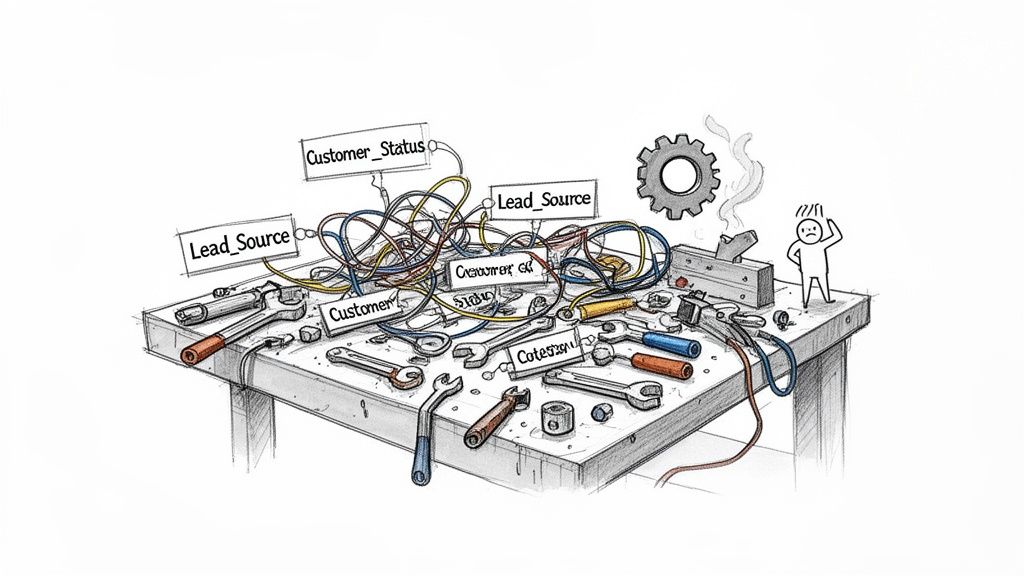
Think of your Salesforce org as a high-performance workshop. When every tool is clearly labelled and has a designated spot, your team can work efficiently, building customer relationships and closing deals without friction.
Now, imagine that same workshop buried under duplicate tools, unlabelled parts, and equipment that hasn’t been used in years. Everything slows down. Mistakes become common. Productivity plummets.
This is the reality for many businesses with poor Salesforce field management. The problem often starts small—a single custom field for a one-off report, another for a quick marketing campaign. Before long, you’re navigating a sea of redundant, poorly named, and confusing fields.
How Field Clutter Undermines Your Business
This disorganisation isn’t just untidy; it creates tangible problems that impact your bottom line. Every unnecessary or confusing field adds a layer of complexity, accumulating into a form of technical debt that quietly drains resources and weakens your entire CRM investment.
The fallout from this clutter sends ripples across your organisation, hitting key functions where it hurts most:
- Flawed Reporting and Forecasting: What happens when your sales team has three different fields for the same concept, like “Industry,” “Client Industry,” and “Vertical”? Your reports become unreliable. Executives end up making strategic decisions based on incomplete or incorrect data, leading to inaccurate sales forecasts and misguided business plans.
- Poor User Adoption: A cluttered interface is overwhelming. If your team can’t find the fields they need or are confused by vague labels, they will either stop using the system correctly or abandon it altogether. This kills your data quality and diminishes the ROI on your Salesforce platform.
- Slow System Performance: Every field, especially complex types like formula or roll-up summaries, adds to your org’s processing load. A mountain of unused fields can bog down page load times, delay record saves, and turn report generation into a lengthy process. It’s frustrating for users and a drag on overall efficiency.
A disorganised Salesforce org doesn’t just store bad data; it actively creates it. The lack of clear governance turns your single source of truth into a tangled web of conflicting information, making it impossible to achieve a unified view of your customers.
Ultimately, effective Salesforce field management is the bedrock of data integrity. Without it, the vision of a central, reliable CRM remains out of reach. For any business serious about creating a seamless customer journey, achieving a true customer single view is the first critical step. A disciplined approach ensures every piece of data has a purpose, creating a clean, high-performing platform that genuinely empowers your team.
Building Your Field Governance Framework
To prevent your Salesforce org from descending into chaos, you need a proactive strategy. It’s time to shift from a reactive state of cleaning up messes to a strategic one by establishing clear rules. This is the essence of a field governance framework.
Think of it as the constitution for your data—a documented set of policies outlining who can create fields, why they’re needed, how they are approved, and where they will reside. Without this structure, even the best intentions can lead to clutter and inconsistency.
The primary goal is simple: ensure every new field serves a clear business purpose and adds value, not noise. A well-defined framework is your most effective tool for maintaining data integrity and maximising the long-term value of your Salesforce investment.
The Core Pillars of Field Governance
A strong governance model isn’t about creating bureaucracy; it’s about establishing clarity and accountability. It replaces the “wild west” scenario where anyone can add fields on a whim with a methodical approach built on three key pillars.
- Clear Field Ownership: Every field must have a designated owner. This person or team is responsible for defining its purpose, ensuring data quality, and justifying its continued existence. When a field becomes obsolete, the owner initiates the retirement process.
- Formal Request and Approval Process: No field should be created without a formal request. This simple step forces stakeholders to build a business case for the new data point, preventing redundant or low-value additions. Approvals should come from a cross-functional team that understands both the business need and the technical impact.
- A Central Data Dictionary: This is your org’s single source of truth for every field. It should document each field’s name, purpose, data type, help text, and owner. A well-maintained data dictionary is invaluable for onboarding new team members, troubleshooting issues, and ensuring consistent data entry.
A governance framework transforms Salesforce field management from an unstructured, ad-hoc task into a disciplined business process. It’s the difference between building a solid foundation and just piling up bricks.
Before any new field gets the green light, it’s crucial to put it through a rigorous vetting process. A checklist ensures that every request is scrutinised for its necessity, clarity, and impact on the broader system. This isn’t about blocking progress; it’s about making sure every addition is a smart one.
Here’s a practical checklist your governance committee can use to evaluate every new field request:
Field Creation Request Checklist
| Governance Question | Purpose | Example Application |
|---|---|---|
| Business Justification: What specific business problem does this field solve? | Ensures the field is tied to a real-world need, not just a “nice-to-have” idea. | “We need to track the ‘Lead Source Sub-Category’ to measure the ROI of specific marketing campaigns.” |
| Data Ownership: Who is responsible for this field’s data quality and lifecycle? | Assigns clear accountability from day one, preventing orphaned or neglected data. | “The Marketing Operations team will own this field and be responsible for its accuracy.” |
| Redundancy Check: Does a similar field already exist anywhere in the org? | Prevents duplicate fields that create confusion and split data across different places. | “Checked against our data dictionary; no existing field captures this specific level of detail.” |
| User Impact: How will this field be used, and by which user profiles? | Confirms the field is practical and will be adopted by the teams it’s intended for. | “Sales Development Reps will use this during lead qualification to route leads more effectively.” |
| Security & Privacy: Does this field contain sensitive or personal data? | Identifies the need for specific security measures like field-level security or encryption. | “This field will contain customer feedback, so it needs to be hidden from partner user profiles.” |
| Reporting Needs: What reports or dashboards will rely on this data? | Guarantees the field is built correctly to support analytics and decision-making. | “It will be a key filter in our ‘Monthly Campaign Performance’ dashboard for the leadership team.” |
By making this checklist a mandatory part of the approval process, you create a powerful gatekeeping mechanism. It forces a pause for critical thinking, ensuring that your Salesforce org grows with intention, not just by accident.
Forming Your Governance Committee
Implementing these pillars requires a dedicated team. A governance committee, often called a “Centre of Excellence,” is a cross-functional group responsible for overseeing and enforcing the framework. This team’s role isn’t just to say “no”; it’s to guide the business toward intelligent data decisions.
Typically, this group includes:
- Business Stakeholders: Representatives from key departments like sales, marketing, and service who can articulate real-world business needs.
- Salesforce Administrator(s): The technical experts who understand the org’s architecture and can identify the downstream impact of new fields.
- Data Stewards: Individuals responsible for the quality and integrity of data within their specific business domains.
- Executive Sponsor: A leader who champions the importance of data governance and provides top-down support for the committee’s decisions.
This collaborative structure ensures that decisions are balanced, weighing immediate business needs against long-term platform health. For organisations that lack the capacity for a full-time internal team, Salesforce managed services can provide the expert oversight needed on a flexible basis. For a deeper dive into setting up robust policies, this guide on data governance best practices offers valuable insights. By creating and empowering this team, you empower your entire organisation to treat data as the critical asset it truly is.
How to Audit and Clean Up Your Salesforce Fields
No matter how disciplined your governance, every Salesforce org eventually accumulates unnecessary fields due to changing business processes, retired projects, and shifting priorities. A proactive field audit is your best tool for clearing out this digital clutter and restoring your org to peak performance.
This isn’t about recklessly deleting fields. It’s a methodical investigation to determine what’s genuinely valuable and what’s just taking up space. A proper cleanup revitalises your org, simplifies the user experience, and ultimately, makes your data more trustworthy.
The Three Phases of a Successful Field Audit
At Adaptal, we approach every field cleanup project with a structured, three-phase approach: Analysis, Decision-Making, and Execution. This method minimises risk and ensures every change is backed by data, not guesswork.
- Phase 1: Analysis
The first step is gathering intelligence. You need a complete picture of your field landscape before making any changes. Free tools on the AppExchange like Field Trip are excellent for this, allowing you to report on field usage and population percentages. Salesforce’s native Optimizer tool is also invaluable, providing insights into underused fields as part of a broader health check. - Phase 2: Decision-Making
With usage data in hand, your governance committee can start making informed decisions. For each underutilised field, the key question is whether to archive, consolidate, or delete it. This isn’t just a technical task; it requires input from the business stakeholders who originally requested the field. Their context is crucial. - Phase 3: Execution
Once decisions are made, it’s time for a careful, controlled execution. This involves backing up data, communicating changes to users, and then methodically removing the identified fields. A best practice is to first hide a field from page layouts and permission sets for a period. If no issues are reported, you can proceed with deletion confidently.
The goal of a field audit isn’t just deletion; it’s clarification. By removing the noise, you amplify the value of the data that truly matters, making your entire CRM more effective and intuitive for your team.
This simple decision tree shows the kind of thinking that should happen not just during a cleanup, but before any new field is ever created.
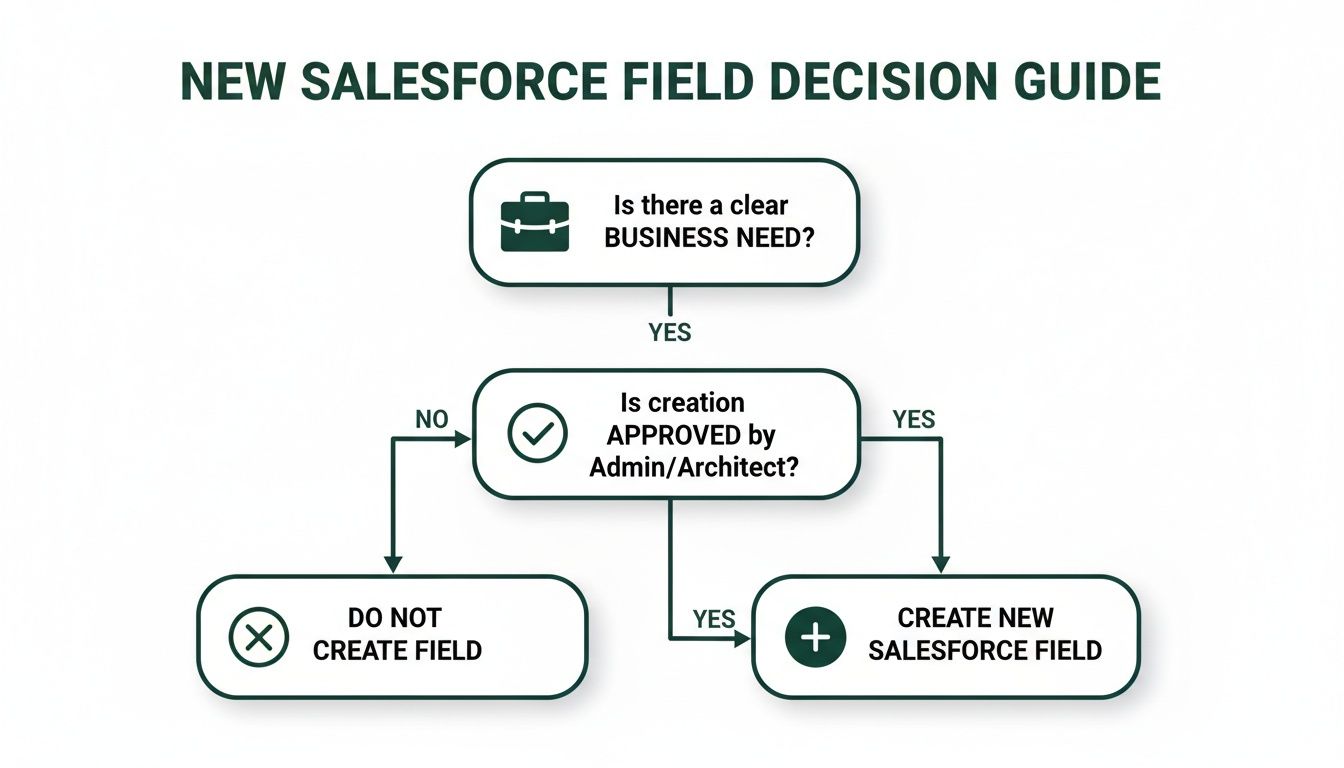
Following a logical path from a real business need to final approval ensures every addition to your org is intentional and adds value right from the start.
Common Pitfalls and Lessons from Client Projects
A field cleanup requires careful planning to avoid disrupting business operations. One of the biggest mistakes we see is deleting a field that appears unused but is critical for a third-party integration or a legacy automation.
Case in Point: A client in the construction industry was about to delete a custom “Project Stage” field. It wasn’t visible on any page layouts, and user interaction was minimal. However, our deep-dive analysis revealed it was the primary trigger for sending project data to their accounting system. Deleting it would have completely broken their invoicing process.
This is why comprehensive dependency checks are non-negotiable. Getting this wrong can have serious consequences, especially for industries reliant on precise data flows between systems.
This is particularly true for Australian field service teams, who are under intense pressure from rising customer expectations. According to Salesforce research, 74% of mobile workers in AU report increasing workloads, and nearly half (47%) face disrupted appointments because of miscommunication or missing information. A clean, well-managed org ensures technicians have the exact data they need, preventing the communication breakdowns that drive up costs for on-site work. You can read the full research on field service trends to get a better sense of the pressures these teams face.
Safely removing fields also involves a process that looks a lot like a controlled data migration. Data has to be carefully backed up and archived before being decommissioned. Understanding the basics of what is data migration provides a really helpful framework for managing this part of the cleanup securely.
Establishing Naming Conventions and Field Security
While a governance framework provides the rulebook, consistency and security are where your Salesforce field management strategy truly comes to life. Clear naming conventions and sensible security settings are foundational for a scalable, user-friendly, and secure Salesforce org.
Without standards, your org quickly becomes a digital mess. Users and admins are left guessing the purpose of fields, which inevitably leads to poor data quality and unreliable reports. A disciplined approach to naming prevents this chaos before it starts, creating an intuitive system for everyone.
Crafting Clear and Consistent Naming Conventions
The goal of a naming convention is predictability. When a user sees a field, its purpose should be immediately clear. This means standardising the field label, the API name used by developers, the help text guiding data entry, and the description that helps future admins understand its context.
A simple, easy-to-follow standard is your best defence against long-term confusion. For instance, if you need to track the primary contact for billing on an Account record:
- Don’t do this:
- Field Label:
BillingContact(Hard to read) - API Name:
Billing_Contact_Person(Inconsistent with the label) - Help Text:
Contact for billing.(Too vague) - Description: [Blank] (Leaves future admins in the dark)
- Field Label:
- Do this instead:
- Field Label:
Billing Contact(Clean and readable) - API Name:
Billing_Contact__c(Standard format, matches the label) - Help Text:
The primary person to contact for all billing-related questions and invoices.(Provides clear instruction) - Description:
Stores the lookup to the primary contact for finance. Created for the finance integration project.(Gives admins essential context)
- Field Label:
A great naming convention answers three questions for an admin at a glance: Which object is it on? What data does it hold? Is it a standard or custom field? Consistency here isn’t a nice-to-have; it’s a core ingredient of a healthy, low-maintenance org.
Adhering to these standards ensures that as your team grows and your org becomes more complex, the underlying data structure remains logical and manageable. It’s a simple discipline that pays significant dividends in reduced training time and fewer data entry errors.
Implementing Granular Field-Level Security
While naming conventions bring clarity, Field-Level Security (FLS) builds trust. It allows you to control precisely who can see and edit specific fields, protecting sensitive information and ensuring compliance with data privacy regulations.
FLS is critical for safeguarding confidential data. For example, in Salesforce Health Cloud, you would restrict a patient’s medical history fields to clinical staff only. In Sales Cloud, a field like Projected_Margin__c on an Opportunity should be visible only to Sales Managers and leadership, not every sales representative.
Here’s how to approach FLS correctly:
- Start with the Principle of Least Privilege: This is the golden rule. By default, new fields should be hidden from all profiles except System Administrator. This forces you to make a conscious decision about who truly needs access.
- Use Permission Sets for Exceptions: Avoid bloating profiles with one-off permissions. Instead, use permission sets to grant access. This keeps your security model clean, flexible, and much easier to audit. For instance, you could create a “Finance Team” permission set that grants edit access to key financial fields across multiple objects.
- Regularly Audit FLS Settings: As people change roles, so do their data access needs. Make it a habit to audit your FLS settings as part of your routine org maintenance to prevent “permission creep,” where users accumulate access rights they no longer require.
By combining clear naming conventions with smart field-level security, you create a Salesforce environment that is not just easier to navigate, but fundamentally secure. This strengthens your org’s entire security posture and gives users confidence that the data they work with is being managed responsibly.
Improving Performance with Strategic Field Management
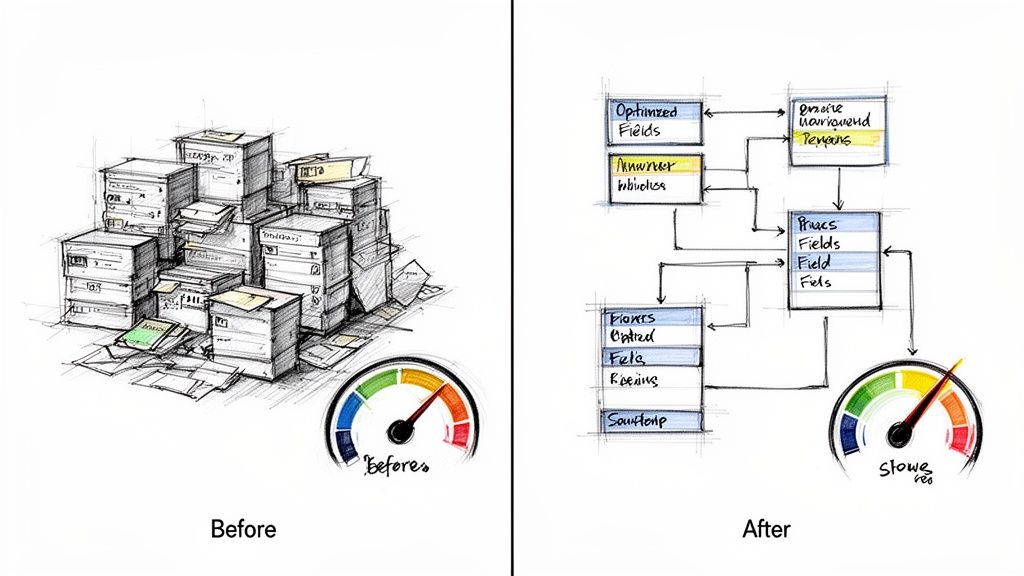
Many organisations don’t realise that an overabundance of fields can seriously slow down their entire Salesforce org. This “field bloat” is a sneaky form of technical debt that builds up over time, quietly chipping away at system performance and frustrating your users.
Every custom field, especially complex ones like formula fields and roll-up summaries, adds a small amount of computational work. When you have hundreds of unnecessary fields, those workloads accumulate into major performance drags, resulting in slower page load times, delays when saving records, and sluggish reports that directly impact productivity.
The Link Between Lean Fields and Peak Performance
A clean, intentional data model is non-negotiable for a high-performing CRM. The technical impact of poor Salesforce field management extends beyond user annoyance; it creates a system-wide drag that can slow your most critical business processes.
Here’s how specific types of field bloat impact your org:
- Excessive Formula Fields: Each formula field must recalculate every time a referenced record is viewed or updated. Too many on one object cause noticeable lag when loading pages or saving changes.
- Numerous Roll-Up Summary Fields: These fields trigger calculations whenever a related child record is saved, edited, or deleted. An object with too many roll-ups can lead to save contention and significant performance issues.
- Unnecessary Custom Fields: While less intensive, every field adds to the metadata Salesforce must process. A cluttered object with hundreds of fields will always load slower than a lean, optimised one.
A lean, efficient Salesforce org isn’t just about making pages load faster. It’s about creating a responsive platform that supports automation, powers accurate analytics, and enables your team to work without friction.
Strategic field management in Salesforce is also vital for efficient lead processing. Exploring the capabilities of top lead management software can complement these efforts, creating an even more powerful sales engine.
Future-Proofing Your Org for AI and Automation
As AI and automation become central to business strategy, a clean data architecture is essential. AI-driven tools require high-quality, structured data to function effectively. A bloated, disorganised org full of redundant fields is a major roadblock to any successful AI initiative.
This isn’t a distant trend; it’s happening now. According to Salesforce’s latest research, service professionals in ANZ expect AI to handle 50% of all customer service cases by 2027—a massive jump from 31% today. This highlights a huge shift where AI becomes the top priority for service leaders, freeing up human agents for more complex problems. You can discover more about this AI shift in the State of Service report.
To prepare for this future, your data must be pristine. A streamlined org with well-managed fields is the foundation needed to power these intelligent systems. For businesses looking to integrate AI and unify customer information, understanding platforms that bring all your data together is a crucial next step. Our experience with Salesforce Data Cloud shows how a clean data foundation is the key to unlocking powerful, AI-driven insights.
By committing to disciplined field management today, you’re not just cleaning up—you’re building a faster, more efficient CRM that is ready for the innovations of tomorrow.
Got Questions About Salesforce Field Management? We’ve Got Answers.
Here are answers to some of the most common questions our team receives about Salesforce field management, helping to clarify key concepts and best practices.
What Is the First Step in a Salesforce Field Cleanup Project?
The first and most critical step is analysis, not deletion. Before removing any fields, your priority is to get a clear, data-driven picture of field usage across your org.
Use a tool like Salesforce Optimizer or a free AppExchange app like Field Trip. These tools generate reports showing which fields are sparsely populated or completely empty. This objective data provides a solid foundation for your cleanup plan and prevents you from accidentally deleting a field that is vital for an infrequent process, a critical report, or a third-party integration.
How Many Custom Fields Are Too Many on a Salesforce Object?
While Salesforce has official hard limits on the number of custom fields per object, performance issues and user confusion often arise long before you reach that ceiling. The technical limit should not be treated as a target.
As a general guideline, we advise clients to carefully scrutinise the business case before adding more than 100-150 custom fields to core objects like Account, Contact, or Opportunity. The focus should always be on business necessity and user experience. A lean, well-organised object will always outperform a cluttered one pushing technical boundaries.
The best Salesforce orgs prioritise clarity over quantity. A field should only exist if it solves a real business problem, powers a key report, or drives an essential automation. Simple as that.
Can I Get a Custom Field Back After Deleting It?
Yes, but you have a limited time—only a 15-day window. When you delete a custom field, Salesforce moves it and its data to a ‘Deleted Fields’ section where it can be restored.
After 15 days, Salesforce permanently erases the field and its associated data. At that point, it is gone forever and cannot be recovered. This is precisely why a thorough analysis and a solid data backup strategy are non-negotiable before starting any major field deletion project.
What’s the Difference Between Hiding and Deleting a Field?
Hiding and deleting a field are two distinct actions with different purposes.
When you hide a field using Field-Level Security or by removing it from a Page Layout, you are controlling its visibility. The field and its data remain in the system, fully accessible for reports, automations, and integrations.
Deleting a field is a permanent action that removes the field and all its data from your Salesforce org after the 15-day grace period. In short: hiding is for controlling access, while deleting is for removing technical debt.
Effective Salesforce field management is the key to unlocking the true power of your CRM investment. If you’re ready to transform your data from a messy liability into your greatest strategic asset, Adaptal is here to help. As a trusted Salesforce partner, we provide expert consulting and managed services to ensure your platform is clean, efficient, and perfectly aligned with your business goals.