

Salesforce Field Service Management (FSM) is the central command centre that connects your mobile workforce, your assets, and your customers onto one unified platform. It takes the typical chaos of scheduling and frantic communication and transforms it into a smooth, efficient, and customer-focused operation. As a trusted Salesforce partner, we've seen firsthand how this digital transformation solves real-world business challenges.
Think of it as the conductor of an orchestra, making sure every instrument—your technicians, vehicles, and parts—plays its role at the perfect time.
Solving the Field Service Puzzle
For many Australian businesses, managing a team of technicians can feel like wrestling with disconnected spreadsheets, a constant stream of phone calls, and piles of paper-based work orders. It’s a familiar story. This approach inevitably leads to scheduling messes, missed appointments, delayed jobs, and, worst of all, unhappy customers.
It’s a logistical puzzle where just one missing piece can throw the entire day's plan into disarray, costing you time, money, and damaging your hard-earned reputation.
Salesforce Field Service Management is built to solve this exact puzzle. By providing real-time visibility and clever automation, it connects every moving part of your service delivery. This isn’t just about sending technicians out to jobs; it's about a complete operational shift.
For service organisations, the goal is no longer just fixing a problem. It’s about delivering a proactive, predictable, and personalised experience from the moment a customer requests service to the final sign-off.
Why This Matters for Australian Businesses
The challenges facing field service teams here in Australia are very real. A recent Salesforce survey found that 74% of mobile workers report customer expectations are higher than ever, and 73% say customers expect a more personal touch. The pressure is on.
In Australia, these trends are hitting particularly hard, with a staggering 66% of technicians experiencing burnout at least once a month. To learn more, you can read the full field service trends research on Salesforce.com.
These numbers paint a clear picture: there's a critical need for smarter tools. Businesses have to empower their teams to work more efficiently, cut down on the administrative grind, and let them focus on what they do best—delivering exceptional service.
Salesforce offers a powerful solution, but it's just one of many options out there. To get a better sense of the landscape, it's worth checking out a detailed FSM software comparison.
This guide is for decision-makers ready to lift their service delivery, boost efficiency, and create amazing customer experiences with a top-tier CRM at the heart of their operations. We'll break down exactly what Salesforce FSM is, how it really works, and show you how it can solve real-world problems.

Understanding the Core Components of Salesforce Field Service
To really get a handle on what makes Field Service Management in Salesforce so powerful, we need to move past the abstract ideas and look at its essential building blocks. The best way to think about the whole system is like a sophisticated air traffic control operation for your field team.
Each component has a distinct role, but they all work together to guide your technicians from the home base to the customer's doorstep with precision and efficiency.
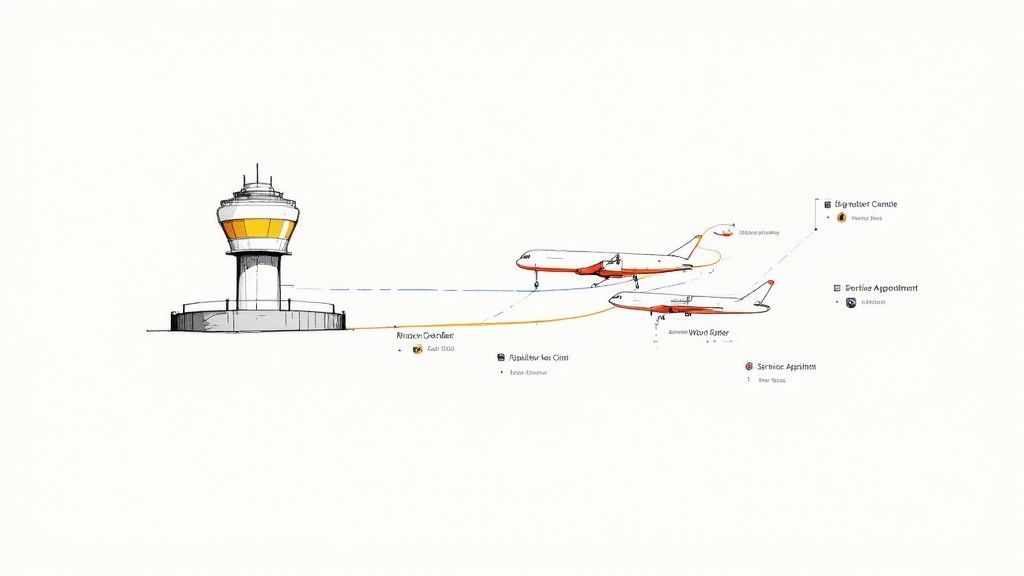
This connected approach ensures every job is managed seamlessly, from the first customer call right through to the final sign-off.
Let's break down the primary components and see how they contribute to a well-oiled field service machine.
Salesforce FSM Components at a Glance
This table gives you a quick summary of the main pieces of the puzzle and the role they play.
| Component | Primary Function | Key Business Benefit |
|---|---|---|
| Work Order | The digital record of a specific job, containing all necessary details. | Centralises job information, eliminating miscommunication and repeat calls. |
| Service Appointment | Schedules a specific time and technician for a Work Order. | Creates firm customer commitments and improves scheduling reliability. |
| Dispatcher Console | A real-time, visual command centre for managing all field operations. | Provides complete visibility to make smarter, on-the-fly dispatch decisions. |
| Scheduling Engine | An automated system that creates optimised routes and schedules. | Drastically reduces travel time and fuel costs while maximising daily jobs. |
| Mobile App | An all-in-one tool for technicians to manage their work in the field. | Empowers technicians with information, reduces paperwork, and speeds up service. |
Now, let's dive a little deeper into what each of these means for your day-to-day operations.
Work Orders: The Flight Plan
Every service task starts with a Work Order. In our air traffic control analogy, this is the detailed flight plan for each and every job. It's so much more than a simple job ticket; it’s a complete digital record holding all the critical information needed for a successful visit.
A well-structured Work Order clearly lays out the what, where, who, and why of the job. This usually includes:
- Customer Details: Contact info, service location, and any specific instructions for getting on-site.
- Asset Information: The exact piece of equipment that needs service, complete with its repair history.
- Required Skills: The specific qualifications or certifications a technician needs to do the work properly.
- Parts and Tools: A list of all the necessary inventory to make sure the technician shows up fully prepared.
Having this all in one place stops the endless back-and-forth that plagues so many field teams.
Service Appointments: Takeoff and Landing Times
If the Work Order is the flight plan, then the Service Appointment is the scheduled takeoff and landing. This is the component that links the Work Order to a specific date, time slot, and an assigned technician.
It's the concrete promise you make to your customer. Salesforce is flexible here, allowing you to create multiple Service Appointments for a single, complex Work Order. This is perfect for multi-day jobs or follow-up visits that need to be tracked under one umbrella.
This is where the customer experience is truly made or broken. Nailing these scheduled appointment windows is absolutely crucial for building trust and keeping customers happy, turning a routine service call into a positive brand interaction.
For many businesses, a huge part of this involves working with external teams. Understanding what contractor management entails is key to making sure your entire field service strategy, internal and external, runs smoothly.
The Dispatcher Console: The Control Tower
The Dispatcher Console is the nerve centre of your entire field operation—it's the control tower giving you a real-time, bird's-eye view of everything. From one screen, your dispatchers can see every technician's location, their current job status, and their schedule for the rest of the day.
The console is highly visual, usually with a Gantt chart and a map view. Dispatchers can instantly see who’s free, who’s running late, and where potential scheduling conflicts might pop up. This visibility lets them make smart, on-the-fly decisions to handle emergencies or unexpected delays without throwing the whole day's schedule into chaos.
Scheduling and Optimisation: The Intelligent Routing System
Trying to build schedules manually is one of the biggest efficiency killers for any service business. Salesforce’s Scheduling and Optimisation engine acts like an intelligent routing system, completely automating this complex puzzle.
Instead of a person trying to juggle dozens of variables, the system analyses factors like technician skills, location, availability, and even live traffic data to create the most efficient schedules possible. This automated process slashes travel time, cuts down on fuel costs, and maximises the number of jobs a technician can get done in a day, which hits your bottom line directly.
The Mobile App: The Cockpit
Finally, we have the Salesforce Field Service Mobile App, which puts everything a technician needs right into the palm of their hand. Think of it as the cockpit for their daily operation, giving them full visibility and all the tools they need, even when they're offline.
Right from the app, technicians can:
- View their daily schedule and get turn-by-turn directions to job sites.
- Access detailed Work Order information and service histories.
- Capture customer signatures and generate service reports on the spot.
- Update their job status in real-time, keeping the back office in the loop.
This mobile-first approach frees technicians from the nightmare of paperwork and gives them the tools to deliver faster, smarter service.
The Power of AI and Automation in Salesforce FSM
While the core components of field service create a solid operational foundation, the real game-changer is how Salesforce weaves AI and automation into every step. This isn’t just about adding fancy features; it’s a fundamental shift from reactive problem-solving to proactive, intelligent service delivery that genuinely boosts your bottom line and customer happiness.
Think about the old way of managing schedules—a dispatcher manually juggling technician skills, locations, and job priorities. It's a recipe for inefficiency. AI-powered scheduling completely flips this on its head, automatically assigning the best technician based on a complex web of rules. It considers skills, certifications, availability, and even live traffic data to map out the most efficient route.
This jump from manual to automated scheduling doesn't just cut down on human error; it frees up your dispatchers to manage exceptions and focus on high-value tasks instead of getting bogged down in administrative quicksand.
Predictive Maintenance Before Problems Arise
One of the most powerful ways AI is changing the game is through predictive maintenance. Instead of waiting for a critical piece of equipment to fail—and dealing with the fallout—AI analyses data from connected assets to spot patterns that signal an impending breakdown.
This lets you schedule maintenance before a failure ever happens. You can prevent costly operational downtime and dodge those frantic, angry calls from customers whose systems have suddenly gone dark. It changes the entire service model from a reactive "break-fix" approach to a proactive, value-driven partnership.
By leveraging AI, organisations can anticipate customer needs, often before the customer is even aware of them. This proactive stance is the hallmark of modern, exceptional service delivery and a key differentiator in a competitive market.
This screenshot from Salesforce shows how the platform gives dispatchers and managers a unified view, making smarter, data-driven decisions possible.
The visual interface makes it easy to see real-time technician status and job progress, allowing for on-the-fly adjustments powered by intelligent insights.
Data-Driven Insights and Continuous Improvement
AI-driven analytics give managers a crystal-clear, real-time picture of team performance. Dashboards and reports offer deep insights into critical metrics that were once a nightmare to track manually.
Key performance indicators that become instantly accessible include:
- First-Time Fix Rates: See which technicians are most effective and pinpoint where more training or knowledge sharing could help.
- Technician Utilisation: Make sure your team's time is being used well, balancing workloads and cutting down on unproductive downtime.
- Travel Time vs. Work Time: Spot inefficiencies in routing and scheduling to continuously fine-tune your operations for greater profitability.
The integration of AI in Australian field service is already delivering impressive results. A Salesforce survey found that AI agents are expected to take over 35% of administrative tasks for technicians, saving each employee over two hours a week. This gives them more time to focus on complex problem-solving and delivering top-notch customer service.
AI can also power tools that give technicians immediate backup in the field. Take the Visual Remote Assistant (VRA), which can connect a junior technician with a senior expert back at the office. Using a live video feed, they can troubleshoot tricky issues together. Our guide explains how to build a Visual Remote Assistant flow right within Salesforce. This approach not only boosts first-time fix rates but also acts as a fantastic on-the-job training tool, upskilling your entire workforce and ensuring consistent service quality across the board.
Real-World Industry Applications of Salesforce Field Service
Theory and features are one thing, but the real test of any platform is how it performs out in the field. To see how Salesforce Field Service actually delivers on its promises, let's walk through a few real-world case studies from different Australian industries where we've implemented this solution.
Each story breaks down a common business challenge, shows how Salesforce provided the solution, and unpacks the measurable results. These aren't just hypotheticals; they show how a connected field service platform solves tangible operational problems and delivers a clear return on investment.
Case Study: Construction and Equipment Maintenance
Juggling heavy machinery across multiple job sites is a constant logistical nightmare. When a critical piece of equipment goes down unexpectedly, it doesn't just cause a small delay—it can halt an entire project, blow out budgets, and throw timelines into complete chaos.
-
The Challenge: A large civil construction firm was struggling with preventative maintenance. Their technicians were still using paper checklists, schedules lived on a chaotic shared spreadsheet, and nobody had a real-time view of which machines were due for a service. This led to frequent, unexpected breakdowns and eye-watering emergency repair bills.
-
The Salesforce Solution: We worked with them to implement Salesforce FSM and completely digitise their asset management. Every single piece of equipment was logged as an asset in the system, each with an automated maintenance plan that created work orders based on usage hours or set time intervals. No more guesswork.
-
The Results: The firm saw a 30% reduction in unplanned downtime within the first year. Technicians now use the mobile app to fill out digital service reports on-site, giving managers a live look at asset health and letting them proactively order parts and schedule non-urgent repairs.
Case Study: In-Home Healthcare Services
Coordinating in-home patient visits for a mobile nursing team requires a delicate balance of precision and empathy. Schedulers have to juggle patient needs, nurse specialisations, and tricky travel routes, all while sticking to strict healthcare regulations.
-
The Challenge: A healthcare provider was burning hours every day manually building schedules. This often led to inefficient travel routes, nurses being sent to patients without the right specialised skills, and a real struggle to adapt to last-minute cancellations. Ultimately, it was impacting the quality of patient care.
-
The Salesforce Solution: Salesforce FSM’s AI-powered scheduling engine completely changed the game for them. The system now automatically assigns the best-qualified nurse based on their skills, certifications, location, and the patient's history. At the same time, it optimises all the travel routes to slash time spent on the road.
-
The Results: Travel time dropped by an average of 25% per nurse, freeing them up to see more patients each day. More importantly, first-time resolution for patient needs shot up because the right specialist was assigned from the get-go, boosting both patient satisfaction and staff morale.
Case Study: National Retail and Franchise Operations
For a national franchise, consistency is king. Making sure every location gets the same high standard of equipment repair and maintenance is absolutely essential for protecting the brand's reputation and keeping the doors open.
A centralised service model is key to maintaining brand standards. When every technician follows the same process and has access to the same information, you deliver a predictable and reliable experience for every customer, every time.
-
The Challenge: A national retail franchise with hundreds of stores was battling service inconsistency. Technicians in different states all had their own ways of doing things, repair information was trapped in silos, and head office had no clear picture of service performance or asset history across the network.
-
The Salesforce Solution: We implemented Salesforce Field Service as the single source of truth. They created standardised work order templates with step-by-step guides for the most common repairs. The mobile app gave every technician instant access to equipment manuals, service histories, and knowledge articles, making sure every job was done to the same high standard.
-
The Results: First-time fix rates climbed by over 20% across the entire franchise network. Head office finally gained complete visibility into service metrics, which allowed them to spot recurring equipment faults and make much smarter, data-driven decisions about what to buy in the future.
Your Salesforce FSM Implementation Success Roadmap
Getting a new system off the ground can feel like a massive undertaking, but with a clear roadmap, what seems daunting becomes a completely manageable journey. A successful Salesforce Field Service Management rollout is about much more than just flicking a switch on new technology; it’s a structured approach that lines up your people, processes, and the platform itself to hit your specific business goals.
When you break the process down into distinct phases, you make sure nothing gets missed. Each step, from defining what success looks like right at the start to planning for future growth, builds on the last. This creates a rock-solid foundation for a system that not only solves today's problems but is ready to scale with you tomorrow.
This flow shows the typical path from pinpointing a core business challenge to seeing measurable results with a well-implemented Salesforce solution.
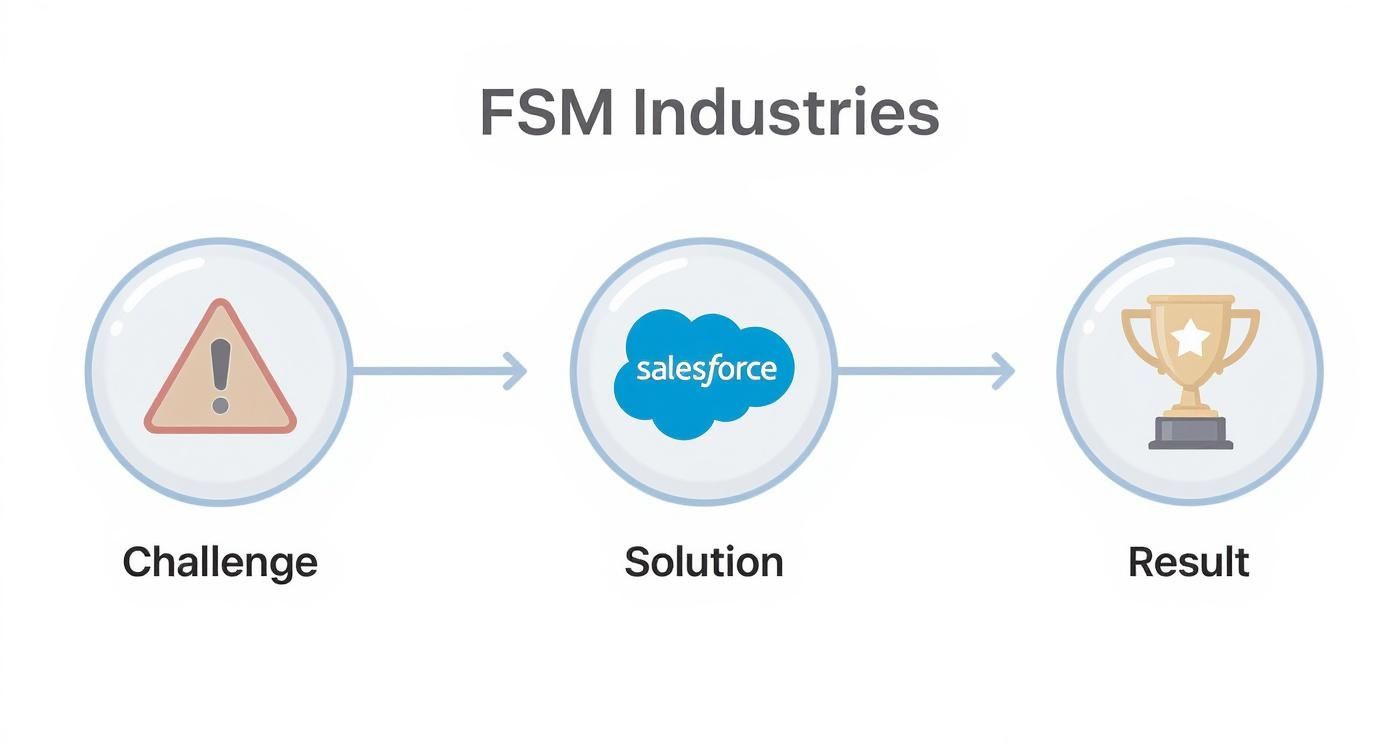
As you can see, the path forward is a clear transition from identifying a problem to strategically deploying a solution, ultimately leading to real, tangible business improvements.
Phase 1: Discovery and Scoping
Before we even think about configuring a single setting, we have to start with Discovery. This is the most critical phase. It's where we sit down with everyone who matters—your dispatchers, technicians, managers, and executives—to understand your business inside and out. The main goal here is to define clear, measurable objectives.
Are you trying to boost your first-time fix rate by 15%? Or maybe cut down technician travel time by 20%? Nailing these benchmarks down upfront is absolutely essential for knowing if the project was a success later on. This stage is all about mapping out how you work now, finding the real pain points, and creating a detailed project scope that becomes our blueprint.
Phase 2: Data Preparation and Migration
Your shiny new system is only ever as good as the data you feed it. The Data Preparation and Migration phase is all about getting your existing information cleaned up, organised, and ready for its new home in Salesforce. Honestly, this is the part of the project that’s most often underestimated.
Here’s what that usually looks like:
- Customer and Asset Data: Making sure every contact detail, service location, and piece of equipment has an accurate and complete record.
- Service History: Bringing over historical work orders so your techs have valuable context when they’re out in the field.
- Parts and Inventory: Tidying up inventory data so your stock levels are correct from day one.
A clean data migration saves you from countless headaches after launch and ensures your team actually trusts the information they're seeing. For a deeper dive into structuring your project, check out our comprehensive Salesforce implementation guide for Australian businesses.
Phase 3: Configuration and Customisation
This is where we mould the platform to fit your unique way of operating. While Salesforce Field Service Management is powerful straight out of the box, its real magic comes from configuring it to perfectly match your specific workflows. This isn't about forcing you to change how you work to fit the software; it's about making the software work for you.
This could mean setting up custom work order types for your different services, creating automated scheduling policies that prioritise emergency jobs, or building specific reports and dashboards for your leadership team. The aim is to create a seamless user experience that just feels right for your team.
A successful implementation ensures the technology adapts to your business processes, not the other way around. Customisation should simplify workflows and empower users, directly contributing to faster adoption and a greater return on investment.
Phase 4: Training and Go-Live
With the system built and the data loaded, the spotlight turns to your team. User Training and Adoption is probably the most important step for long-term success. We run hands-on training sessions tailored to each group—dispatchers, technicians, and admins—so everyone feels confident and ready to use the new tools.
Once everyone is happy after user acceptance testing, we plan the Go-Live. This is a carefully managed event, often done over a weekend to cause as little disruption as possible. After launch, we provide dedicated support to tackle any immediate questions or issues, ensuring a smooth transition for your entire team and setting you up for continuous improvement.
Integrating Salesforce FSM with Your Wider CRM Ecosystem
One of the biggest wins with Salesforce Field Service isn't just what it does in isolation, but how beautifully it slots into the rest of your Salesforce platform. On its own, FSM is a brilliant operational tool. But when you connect it to your broader CRM ecosystem, it stops being a simple scheduling system and becomes a cornerstone of your entire customer experience.
This native connection tears down the walls that so often stand between sales, service, and field teams. What you get is a seamless flow of information that helps every single person work smarter, creating a genuinely unified and proactive way to manage customer relationships.
Forging a True 360-Degree Customer View
The real magic happens when you create a single, undisputed source of truth for every customer interaction. When your systems are connected, everyone from the sales rep booking a meeting to the support agent on the phone and the technician in the field is reading from the same script.
-
Connecting with Sales Cloud: Picture your sales team prepping for a big client meeting. With FSM plugged in, they can instantly see the customer’s entire service history—every work order, every site visit, every resolved problem. This isn't just data; it's insight that lets them walk into the room fully clued up, ready to talk strategy instead of getting blindsided by a service issue from last month.
-
Connecting with Service Cloud: This is where the 360-degree view really comes alive. A customer raises a support ticket in Service Cloud. If the problem can’t be fixed remotely, the agent can create a work order right from the case, pushing all the important details over to the field service team in a click. The technician arrives on-site with the full story, and once the job is done, the case automatically updates.
It’s a closed-loop process. Nothing falls through the cracks, and the customer gets a consistent, smooth experience from their first call to the final sign-off.
Giving Customers the Power of Self-Service with Experience Cloud
This connected ecosystem doesn't just benefit your internal teams; it extends right out to your customers through Experience Cloud. By setting up a self-service portal, you give them the control and transparency they’ve come to expect in every other part of their lives.
A modern customer portal is more than a convenience—it’s a critical touchpoint. It allows customers to manage their own service needs on their own time, which builds trust and significantly reduces the administrative load on your internal teams.
Through their own dedicated portal, customers can:
- Log new service requests without ever picking up the phone.
- Book their own service appointments from available time slots that work for them.
- Track their technician’s arrival in real-time, just like they would a food delivery.
This level of self-service doesn't just make for happier customers. It also frees up your dispatchers to focus on the more complex scheduling puzzles that really need their attention. For organisations wanting to build out this kind of unified experience, exploring dedicated Salesforce consulting services can provide the strategic roadmap needed to connect these powerful clouds effectively.
The move towards tech-first service is picking up pace in Australia. According to Salesforce's 2025 State of Service report, Australian service teams estimate that 31% of all customer service cases are already handled by AI-powered agents. That figure is expected to hit a staggering 60% by 2027. This really underlines the growing need for a connected, intelligent platform to keep up with what modern customers want. You can discover more insights from the State of Service report on Salesforce.com.
Frequently Asked Questions About Salesforce FSM
As organisations start looking into field service management on Salesforce, a few key questions always seem to pop up. Getting clear answers on these is the first step to building a solid business case and setting the right expectations for the project ahead. Let's tackle some of the most common ones we hear from our clients.
What is the difference between Salesforce Service Cloud and Field Service?
It’s a great question because they're designed to work hand-in-glove.
Think of it like this: Service Cloud is your command centre for all customer interactions. It’s where your contact centre lives, handling support cases, emails, and chats. It’s the place a problem is first reported and logged.
Salesforce Field Service is the "boots on the ground" extension of Service Cloud. It kicks in the moment an issue can't be solved remotely and needs an on-site visit. It’s all about managing your mobile workforce, scheduling jobs, and dispatching the right person to the right place. They are two sides of the same customer service coin, creating a seamless journey from the first call to the final fix.
How is Salesforce Field Service pricing structured?
Salesforce Field Service pricing typically works on a per-user, per-month licensing model. This means you buy licences for the different people in your team who will be using the platform, and these are often broken down by role.
- Technician Licences: For your mobile team who use the app out in the field.
- Dispatcher Licences: For the crew back at base managing schedules from the Dispatcher Console.
- Admin Licences: For the folks configuring and looking after the system behind the scenes.
You might also need add-ons for more advanced features, like the super-smart scheduling and optimisation engine or other AI-powered tools. The best bet is always to chat with a Salesforce partner who can map out your specific needs and give you an accurate quote.
How long does a Salesforce FSM implementation take?
The timeline for a field service management – salesforce implementation really depends on how complex your operation is. For a small team with straightforward needs and minimal custom tweaks, you could be up and running in as little as 4-6 weeks.
On the other hand, a larger, more complex project can take 3-6 months or even longer. This would typically involve heavy customisation, tricky integrations with other core systems like an ERP, and moving a large amount of data over. This is where leaning on an experienced partner is non-negotiable—they can scope the project properly and make sure you get value from your investment as quickly as possible.
Ready to transform your service operations with a connected, intelligent platform? Adaptal is a leading Salesforce Consulting Partner in Australia, specialising in helping businesses like yours implement powerful solutions like Field Service Management. We have the expertise to guide you from initial strategy to a successful launch and beyond. Let's talk about your project today.