
Manual quoting can feel like spinning plates—endless spreadsheets, pricing mistakes, and sluggish approvals keep deals stuck in limbo. In today’s era of digital transformation and cloud automation, your CRM must empower sales teams to move faster. With Salesforce and CPQ, you can automate quote generation, enforce compliance, and deliver spot-on proposals in minutes.
How Salesforce and CPQ Simplify Quoting

When spreadsheets pile up, errors creep in—and sales teams lose momentum. Salesforce CPQ sits natively on the Salesforce CRM platform, tapping into rich customer data and opportunity records.
- Automatically blend product options, pricing rules, and approval paths
- Turn around accurate quotes in minutes, not days
- Keep pricing compliant and curb unwarranted discounts
“CPQ acts like a dynamic recipe engine, mixing configuration, pricing rules, and approvals to serve accurate quotes in minutes.”
By embedding automation into your CRM, you eliminate manual slip-ups, enforce pricing policies, and accelerate your quote-to-cash cycles.
For deeper insights, see our guide on Salesforce cloud services.
Why Automating Quote to Cash Matters
Speed in quote-to-cash cycles translates directly into revenue gains and enhanced customer experiences. Automation reduces bottlenecks, frees sales reps for high-value conversations, and supports your overall digital transformation strategy.
Australian enterprises are backing this shift—Salesforce has pledged A$2.5 billion over five years, supported by a local team of over 2,400 employees. Learn more about this investment commitment on Salesforce’s site.
Preparing Your Organisation for CPQ
Rolling out Salesforce and CPQ takes more than technology—it needs champions across sales, finance, IT, and executive leadership.
- Map out your pricing rules and approval workflows clearly
- Cleanse product data and migrate legacy price lists
- Engage stakeholders and run early training sessions, refining based on user feedback
- Secure executive sponsorship to drive governance and adoption
By tackling these steps up front, you eliminate errors, speed up approvals, and free reps to focus on customer relationships.
Decision-makers in SMEs and franchise networks will find that integrating Salesforce and CPQ accelerates revenue cycles, maintains consistent pricing, and lays the groundwork for scalable growth.
Adaptal helps implement quoting automation so you can deliver fast, compliant proposals. Contact Adaptal to discuss your CPQ strategy and unlock faster revenue.
Understanding the Key Concepts
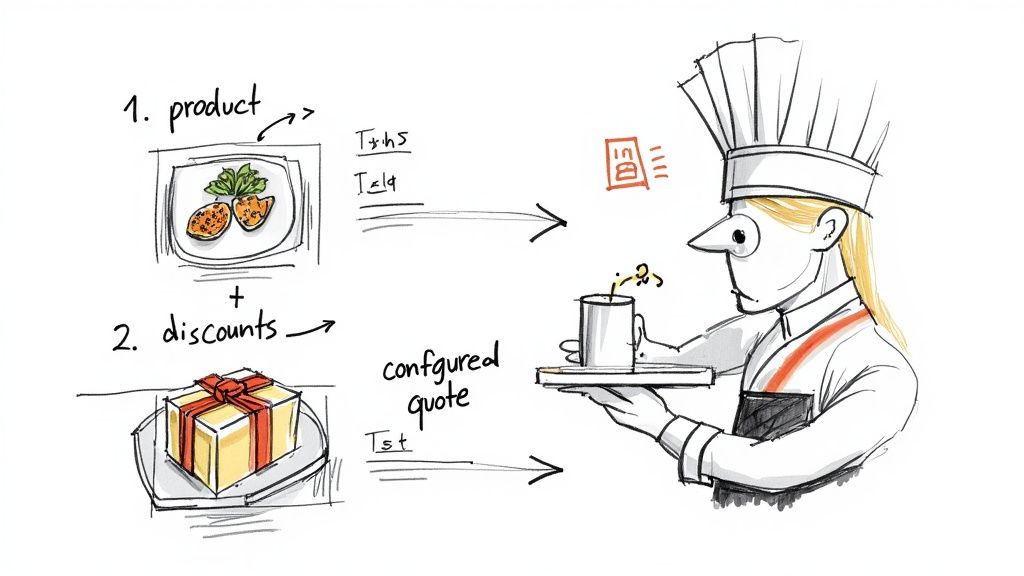
Picture a busy kitchen where a head chef tweaks recipes to suit each diner. That’s exactly what Salesforce CPQ does for your sales process, adjusting product selections on the fly so every quote hits the mark. Ingredients become product options; serving sizes turn into pricing rules.
Breaking Down Product Configuration
Salesforce CPQ slots neatly into Sales Cloud, reusing the CRM data model so you configure products directly within opportunity records.
Key aspects of configuration include:
- Configuration Attributes: Set options such as memory size or warranty length
- Bundles: Combine related items—think burger, fries, and drink together
- Constraints: Block invalid pairings, ensuring a gluten-free order never contains breadcrumbs
“CPQ ensures every quote serves exactly what the customer asked for,” says a senior Salesforce admin.
Pricing Rules and Discount Logic
CPQ’s pricing engine adapts dynamically to region, contract terms, or order volume—integrating with your Salesforce CRM analytics.
You can:
- Apply volume discounts when quantities cross a set threshold
- Trigger special rates during promotional windows
- Automate tax and service fee calculations for spot-on totals
Approval Flows and Guided Selling
When discounts exceed your guardrails, CPQ automatically pings the right manager for approval—no more paper chasing or endless email threads.
Guided selling steers your reps to suggest the perfect add-ons—like recommending a glass of wine with that steak. It works through:
- Step-by-step prompts that reveal upsell chances
- Workflow rules that route exceptions to finance or legal
- Alerts via email or Chatter to keep deals moving
CPQ Data Architecture
Under the hood, CPQ extends the standard Opportunity object to include Quote records. Quote Line Items capture each product choice, discount applied, and net price.
Key links in the data flow:
- Opportunity Id points to the main Quote record
- Quote Line Items hold every configured option
- Price Rules adjust prices based on your thresholds
This structure leaves a clear audit trail—critical when integrating with your ERP or locking down compliance.
| Concept | Restaurant Example | Salesforce CPQ Component |
|---|---|---|
| Configuration | Custom pizza toppings | Product Attributes and Bundles |
| Pricing Logic | Happy hour discounts | Price Rules and Price Dimensions |
| Discount Threshold | 10% off five-course meals | Discount Schedules and Matrices |
| Approval Flow | Manager sign-off on big groups | Workflow and Approval Processes |
With these fundamentals in place, your implementation team can tailor CPQ to real-world scenarios, reducing rework, keeping projects on time, and delivering quotes faster with fewer errors.
Core Features and Business Benefits
Think of Salesforce CPQ as the engine under the bonnet of your quoting process. It turns repetitive, manual tasks into smooth, automated workflows. The outcome? Your sales team generates accurate quotes in a fraction of the time, boosting customer satisfaction and fueling digital transformation.
- Guided Selling Flows: Use step-by-step prompts to suggest the best products
- Bundling Interfaces: Enforce valid configurations and simplify package builds
- Advanced Pricing Engine: Calculates volume, contract, and customer-specific discounts automatically
- Quote Document Generator: Produces polished, branded proposals in a click
- Contract Lifecycle Management: Handles renewals, amendments, and revenue recognition seamlessly
Guided Selling Flows Boost Accuracy
Imagine a GPS guiding you through city streets. Guided selling in CPQ steers reps to the ideal product mix for each buyer, flagging upsell opportunities and cutting out guesswork.
By reducing quote errors by up to 90%, guided selling slashes approval delays—revealing optimal configurations in seconds and accelerating revenue cycles.
Intuitive Bundling Interfaces
Bundling in Salesforce CPQ feels like packing a custom gift hamper from a recipe card. Visual cues and clear slots mean reps can only combine valid items—no invalid pairings slip through.
Below is a screenshot of the Salesforce CPQ quote editor showing the guided selling interface.
This view highlights prompts and real-time price adjustments within the editor.
Advanced Pricing Engine and Discounts
CPQ’s pricing engine is like an accountant who never sleeps. It lives inside your Sales Cloud data, applying tiered, volume, and contract-based rates without a single manual step.
For example, a manufacturing firm cut quote generation by 40% when CPQ automated bulk-order discounts. In Australia, SMBs report big wins too: a Salesforce survey found 88% of Australian SMBs say AI is boosting their revenue, with typical CPQ rollouts delivering 40% faster quotes and up to 80–90% less time on manual pricing. Dive into the full SMB Trends Report here: Salesforce Australia 2024 SMB Survey.
Quote Document Generator for Professional Proposals
Click a button and watch a fully branded proposal appear—CPQ’s document engine in action.
- Customisable templates reflect your branding and legal needs automatically
- Dynamic sections adapt to selected products and regional rules
- Proposal creation time falls by 50%, freeing teams to focus on selling
Embedded Contract Insights and Forecasting
Embedding analytics into CPQ is like having a crystal ball for your contracts. You get live data on deal terms, renewal probabilities, and forecast adjustments tied to active quotes.
- Monitor renewal health with contract-expiry dashboards
- Analyse discount impact on margins and win rates immediately
- Set alerts for milestones to avoid revenue leakage
Armed with these insights, your team can zero in on high-value deals and trust in its revenue forecasts.
Seamless Approvals and Renewals
CPQ weaves contract lifecycle tools straight into the sales flow—no more back-and-forth between sales, legal, and finance.
- Automated renewal reminders keep deals on track
- eSignature integrations shrink closing times from weeks to days
- Revenue schedules automate recognition tasks for accurate reporting
This approach locks in compliance and minimises risk.
Scalable Revenue Operations
As your business grows, CPQ scales with you—no extra toolsets required. Centralised governance ensures pricing and approvals stay consistent across regions.
- A single, unified product catalogue for all teams
- Role-based access controls protect pricing integrity while allowing local variations
- Metadata-driven setups for rapid rollout of new products or territories
You can replicate proven processes whenever you expand.
Measurable ROI from Shortened Cycles
With approval times down 40% and pricing errors almost eliminated, CPQ delivers clear returns:
- Quicker quote delivery for faster buying decisions
- Near-zero variance between proposed and final invoice amounts
- A repeatable, scalable quoting process that fuels growth
You might find our guide on accelerating sales with cloud platforms helpful: Sales In The Cloud.
“Implementing Salesforce CPQ enabled our team to reduce quote errors to below 1% and close deals 30% faster.” – Adaptal client testimonial
With these core features, CPQ turns quoting from a tedious chore into a genuine competitive edge—driving speed, accuracy, and compliance that feed straight into your revenue engine.
Implementation and Integration Considerations
Rolling out Salesforce CPQ starts with a crystal-clear roadmap and airtight data hygiene. From scrubbing your product catalogue to confirming pricing rules, every step lays the foundation for quotes that work first time. Early integration touchpoints with legacy systems keep information flowing without hiccups.
Key data-prep actions include:
- Standardise SKUs and descriptions for every item
- Archive obsolete entries to trim configuration clutter
- Validate pricing rules against live contract terms
Mapping Salesforce objects to ERPs like NetSuite, SAP, or Microsoft Dynamics creates a single source of truth. Align opportunity, quote, and order fields carefully—this prevents mismatches and downstream errors.
API Integration Patterns
Whether you need updates on demand or in batches, there’s a pattern to fit. RESTful APIs deliver instant quote pushes to your ERP. Middleware platforms tackle bulk synchronisation during off-peak windows. You can learn more in our detailed guide on API integration.
Solid error handling is non-negotiable. Slip-ups happen, so build in:
- Retry logic for transient failures
- Dead-letter queues to quarantine problem records
- Comprehensive logging with correlation IDs
Effective error management can reduce quote failure incidents by up to 85%
Configuration Governance
Strong governance keeps CPQ setups reliable and easy to audit. Treat your sandbox like a version-controlled repository—tag every tweak. Run full regression tests before you promote to production. Track each deployment in a change-management log.
Three governance steps:
- Schedule monthly sandbox refreshes with realistic data
- Peer-review metadata changes before merging
- Lock down production configuration outside maintenance windows
Training and Adoption
Even the best system falls flat without user buy-in. Craft role-based learning paths for sales reps, finance teams, and admins. Use hands-on sandbox exercises that mirror actual quoting scenarios. Offer bite-sized videos to reinforce key principles.
Keep the feedback loop open:
- Send quick surveys after training sessions
- Host monthly office hours for live Q&As
- Update materials based on real-world questions
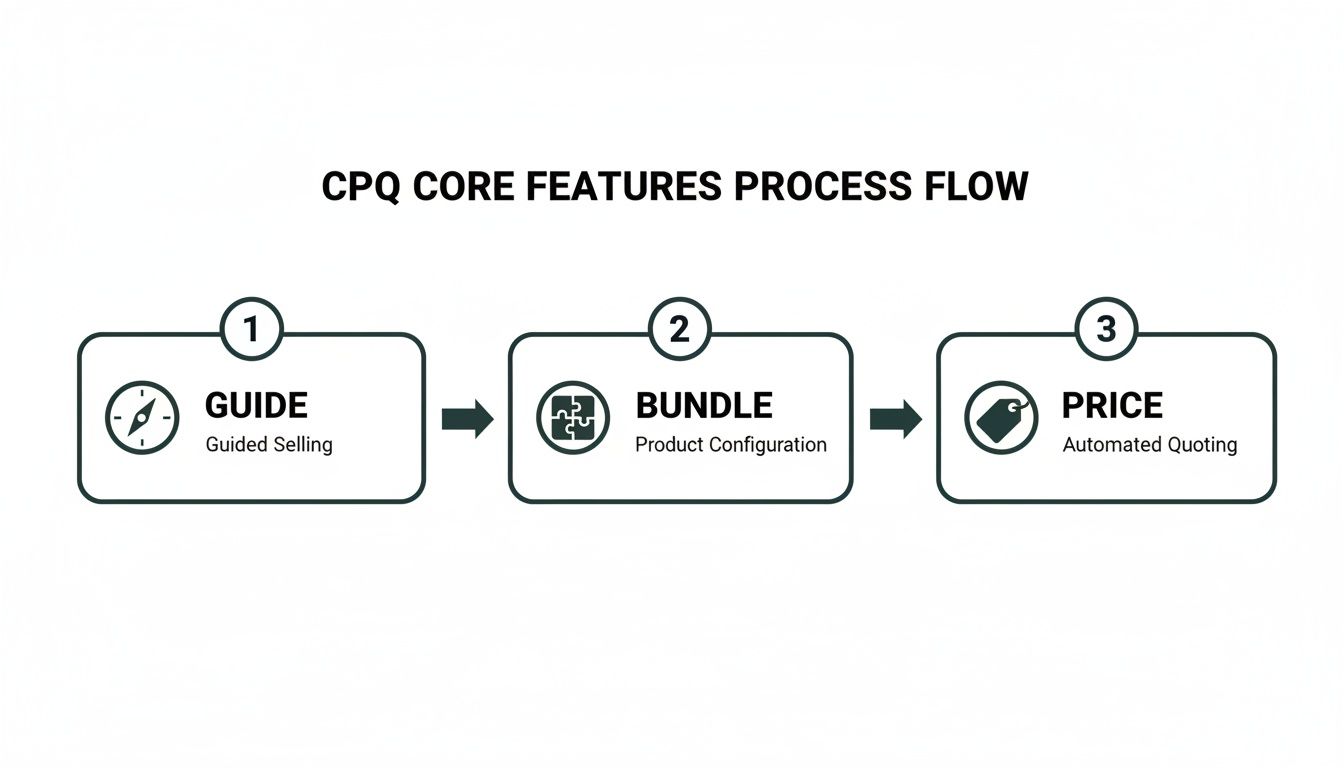
To visualise core CPQ integration steps and decision points, the infographic below shows how guiding, bundling, and pricing processes flow through a typical implementation.
Post Launch Monitoring
Go-live is just the beginning. Daily checks on API latency, error rates, and data integrity keep your integration healthy. Visual dashboards let teams spot anomalies before they escalate.
- Set up alerts for failed transactions
- Review sync logs every morning for exceptions
- Conduct weekly reconciliations between Salesforce and ERP
Regular health checks prevent downtime and safeguard your revenue streams.
Industry Use Cases for CPQ in Sales and Franchises
Sales teams across sectors wrestle with messy spreadsheets and pricing headaches. Salesforce CPQ steps in to speed up every quote and slash mistakes, smoothing out the approval path.
Take a telecom company as an example. They bundle internet, mobile, and TV plans in tiers, while a travel agency pulls flights, hotels, and tours into one neat proposal. The result? Quicker quotes and satisfied customers, every time.

Retail Franchise Snapshot
In a national coffee chain with 50 locations, juggling local promotions and prices in spreadsheets led to errors and missed deals.
- Challenge: Teams updated prices manually, leading to mismatched offers
- Salesforce CPQ Response: A single product catalogue plus automated pricing rules
- Impact: 90% fewer pricing mismatches and quotes delivered 30% faster
Standardising quotes not only preserved brand consistency but also gave sales reps confidence to close deals swiftly.
Software Subscription Services
A software vendor with rolling licences struggled to keep up with renewals and custom discounts. Their teams spent days aligning spreadsheets before sending fresh proposals.
- Business Challenge: Monitoring subscription end dates and discount policies
- CPQ Rollout: Set up automated renewal reminders and dynamic discount schedules
- Outcome: Renewal rates jumped by 15% and manual effort fell by 80%
Automating renewals keeps revenue streams steady and frees up team capacity.
Utilities and Custom Service Agreements
A utilities firm offering custom maintenance plans found itself bogged down by complex contracts and lengthy legal reviews.
- Challenge: Crafting and approving unique service bundles across tiers
- CPQ Answer: Guided bundle builder with in-built approval workflows
- Outcome: Contract approvals sped up by 50%, with compliance checks baked into the process
With CPQ, every quote matched compliance needs without holding up the sale.
Industry Versus CPQ Application Examples
Below is a snapshot showing how different sectors put Salesforce CPQ to work and the benefits they reap:
| Industry | Common Use Case | Primary Benefit |
|---|---|---|
| Retail Franchises | Centralised pricing and promotions | Faster, error-free quotes |
| Software Subscription Services | Automated renewals and discount management | Higher renewal rates and efficiency |
| Utilities and Custom Agreements | Bespoke service bundles with approval workflows | Shorter contract lifecycles |
| Telecom and Bundled Services | Tiered service plan configuration | More accurate upsells |
| Travel Agencies | Package quotes combining flights, stays, tours | Unified proposals in minutes |
This table lays out how each industry harnesses CPQ to tackle its unique quoting challenges. Mapping your own pricing pain points to these examples will reveal where CPQ delivers the biggest wins. A focused pilot—perhaps centred on one product line or a specific franchise region—can quickly prove value and secure stakeholder support.
Our team at Adaptal has delivered over 110 Salesforce implementations across Australia. We can guide you through every step of your CPQ journey, from initial scoping through to go-live and beyond. Ready to see how CPQ can cut error rates by 50% and speed up approvals by 30%? Download our CPQ impact brief for detailed results, or get in touch to arrange a demo. Kick off your pilot today and watch your quote-to-cash cycle improve. Contact Adaptal to discuss your CPQ roadmap and take the next step.
Common Mistakes to Avoid in CPQ Projects
Launching a Salesforce CPQ initiative without a clear plan is like setting sail without a map. Teams frequently underestimate the discipline needed for data hygiene, governance, and targeted training.
Tight budgets or aggressive deadlines often push crucial steps to the sidelines. Before you know it, frustration mounts, rework balloons, and revenue targets slip out of reach.
- Incomplete Product Data leads to faulty configurations and quote errors
- Scope Creep from unchecked feature requests derails launch dates
- Missing Executive Sponsorship reduces visibility and slows approvals
- Underinvested User Training undermines adoption and ROI
Executive Sponsorship and Governance
Without visible executive backing, your CPQ project can drift. Teams won’t have clear signals on priorities or the budget needed to tackle blockers.
“A simple governance framework can steer your CPQ project back on course when momentum fades.”
Set up a steering committee that meets weekly. Give everyone a dashboard of milestones and escalate any roadblocks as soon as they appear.
Incomplete Product Data and Scope Creep
Imagine building a house on uneven ground—every wall, every beam feels unstable. That’s what inconsistent product data does to your CPQ solution. Meanwhile, new feature requests sneak in without proper impact analysis, and before long the scope has ballooned.
A franchise client we worked with discovered half their pricing matrices were blank. Deals stalled until we cleansed the product records and standardised rules. Post-cleanup, quote errors plummeted by 80%.
Recovering from a Stalled Rollout
Good news: a stalled rollout isn’t the end of the road. One utilities firm we supported simply froze new feature requests for two sprints. Their team then:
- Reviewed every product and pricing record
- Reinforced approval workflows and clarified user roles
- Ran focused, role-specific CPQ workshops
After that, they relaunched with confidence and saw adoption climb almost immediately.
Practical Pre-Kickoff Checklist
Before you even start Sprint 1, tick off these essentials:
- Confirm product catalogue completeness with all stakeholders
- Define and lock down project scope—no extras until go-live
- Secure executive sponsor commitment and agree on a meeting cadence
- Map approval flows and train users on governance steps
- Schedule hands-on CPQ training tailored for your sales reps
Learn more about our Salesforce implementation consulting in our guide on Salesforce implementation consultant.
Taking these precautions upfront will keep your CPQ project on track, slash errors, and boost efficiency. Spot the pitfalls early and you’ll turn quote-to-cash into a reliable, high-velocity engine for growth.
FAQ
What Makes CPQ Stand Apart from Basic Quoting Tools and How Does It Drive Accuracy, Governance, and Sales Velocity?
Salesforce CPQ embeds pricing rules and approval gates right into the quoting process. This means reps can’t stray from company guidelines—every quote is checked automatically. The result? Fewer errors and smoother sign-offs.
Key Takeaway: CPQ reduces pricing mistakes by up to 90% and cuts approval time by 40%.
How Do You Connect CPQ to ERP Systems and Other Salesforce Clouds for Seamless Quote-to-Cash Automation?
Most teams choose either an API approach or a middleware platform to keep data flowing in real time—or in batches if that suits their volume. Common practice is to map key objects (products, accounts, orders) and build in retry logic to catch any hiccups.
- Define exactly which data fields to sync
- Pick REST API for real-time or Bulk API for high-volume batches
- Configure retry and alert workflows to handle integration errors
Industry ROI and Use Cases
Which Industries Achieve the Most Significant ROI with CPQ and What Do Performance Metrics Reveal?
In manufacturing, sales teams are closing quotes 50% faster. Franchise operations report a 30% boost in deal velocity, thanks to standardised approvals. Even utilities see about 50% fewer review cycles when they bundle services on the fly.
| Industry | ROI Metric |
|---|---|
| Manufacturing | 50% Faster Quotes |
| Franchises | 30% Faster Approvals |
| Utilities | 50% Fewer Review Cycles |
What Timeline, Team Structure and Resources Define a Successful CPQ Implementation?
A standard CPQ rollout runs for 12 to 18 weeks. You’ll want:
- A dedicated project sponsor to clear roadblocks
- A seasoned Salesforce admin to manage configurations
- A technical architect for integrations and custom code
- A change manager to guide end-user adoption
Don’t forget to budget for hands-on workshops and sandbox drills—they make all the difference when you go live.
Numbered Steps to Launch:
- Finalise product data and pricing rules
- Map integrations and test data flows
- Conduct user training and pilot
- Refine based on feedback and go live
For next steps, assess your catalogue complexity and secure executive buy-in. Visit our guide on integration best practices for detailed tips. Engage a certified partner early to keep your project on time and on budget.
Each of these actions lays the groundwork for a CPQ deployment that learns quickly, adapts smoothly, and starts generating ROI from day one.
Reach out and explore CPQ.