
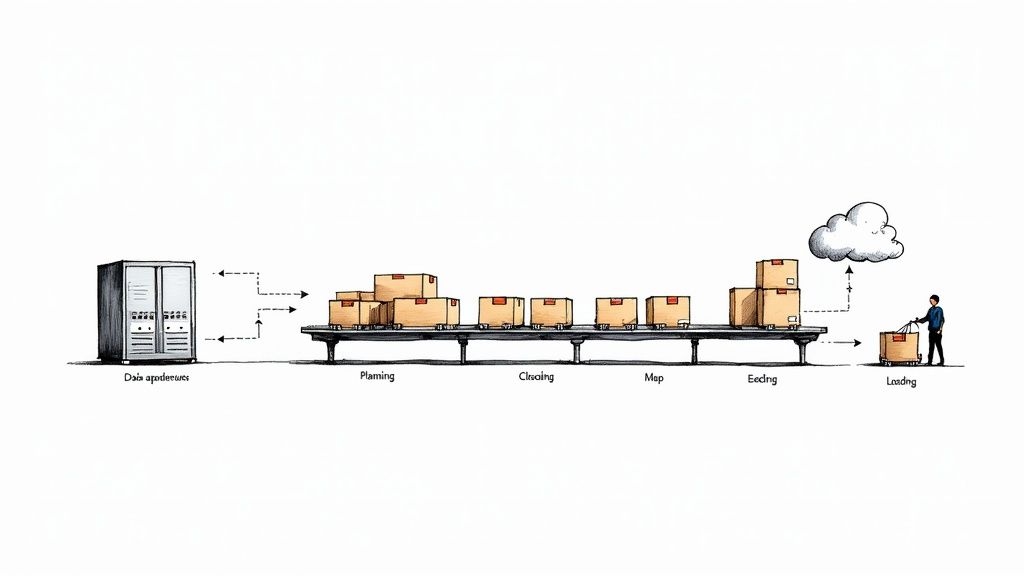
Data migration is the process of moving your business data from one system, format, or storage location to another. But let’s be clear—this is far more than a simple copy-and-paste job. For businesses adopting Salesforce, it’s a strategic project involving careful planning, cleansing, mapping, and testing to ensure your customer data arrives safely and is fully operational in its new CRM environment.
Understanding Salesforce Data Migration Beyond Copy and Paste
Think of data migration less like copying files and more like relocating your entire business headquarters. You wouldn’t just toss boxes into a truck randomly; you’d create a detailed plan to ensure every department, piece of equipment, and critical document arrives safely and is ready for action in the new space.
That’s exactly the mindset you need for a successful data migration into Salesforce. It’s the structured process of moving your most valuable asset—your business data—from an old system, like an outdated CRM or a web of complex spreadsheets, into a powerful new one like Salesforce. This makes it a critical business project, not just a technical chore, and a foundational step in any successful digital transformation.
The need for projects like this has grown massively. In Australia, transferring data between different storage types, formats, or computer systems has become a crucial task amid widespread digital change. With Australia’s population projected to hit 27.5 million in March 2025, we’ve seen a surge in large-scale data migration projects tied to digital government services, healthcare records digitisation, and corporate cloud adoption. You can explore more about Australia’s population growth and its impact on the official insights page.
What a Salesforce Data Migration Involves
Migrating your data into Salesforce is much more than a simple transfer. It’s a multi-stage initiative designed to make sure your data works harder for you in its new home, powering your sales, service, and marketing efforts.
A successful project will always include:
- Strategic Planning: Defining the scope, objectives, and timeline. This is where we identify what customer, sales, and service data is essential and what can be archived or left behind.
- Data Cleansing: Getting rid of messy or inconsistent data. This is your chance to fix duplicate Accounts and Contacts, standardise formats, and fill in missing information before it gets into your new CRM.
- Field Mapping: Carefully matching data fields from the old system to the correct fields in Salesforce objects like Accounts, Contacts, Opportunities, and Cases. This step is vital for maintaining data integrity.
- Rigorous Testing: Running thorough tests to ensure all data is accurate, complete, and accessible to the right users and profiles after the move.
By treating data migration as a strategic initiative, you’re not just moving information. You’re enhancing its quality and utility, setting the stage to unlock the full potential of your Salesforce investment from day one.
Breaking Down The Core Types of Salesforce Migration
Not all data migration projects are cut from the same cloth. Understanding the specific type you’re facing is the first real step towards defining your goals and the challenges ahead. For businesses moving to the Salesforce ecosystem, migrations usually fall into three main buckets. Each has its own purpose and demands a unique game plan.
Storage Migration
The most straightforward type is storage migration. Picture moving your company’s physical file archive from a damp basement to a secure, modern facility. The files don’t change, but where and how they’re stored gets a serious upgrade. In the digital world, this often means shifting data from older, on-premise hardware to a modern data warehouse. While less common as a standalone project for Salesforce users, it often serves as a foundational step in a much bigger digital transformation effort.
Cloud Migration
A more specific and increasingly common project is cloud migration. This is the process of moving data and applications from an on-premise data centre into a cloud computing environment. Making the leap from a locally hosted CRM server to a cloud platform like Salesforce is a classic example of this.
This type of migration is about more than just moving data; it’s about fundamentally changing how your organisation accesses, manages, and scales its CRM and business applications. The goal is to gain the flexibility, scalability, and security that cloud solutions like Salesforce provide.
Application Migration
The scenario we, as a Salesforce partner, see most often is application migration. This involves moving data from one application to another—for example, switching from a legacy CRM like Zoho or a collection of spreadsheets to a modern, integrated platform like Salesforce Sales Cloud or Service Cloud.
This is often the most complex type because it requires more than just moving data; you also have to re-engineer business processes to fit the new platform. It’s a delicate dance of data mapping, transformation, and validation to ensure all your customer history, sales pipelines, and service cases work perfectly in the new Salesforce environment.
For those looking to understand more advanced data movement techniques that go beyond simple transfers, especially for real-time synchronisation, resources on Mastering Change Data Capture (CDC) SQL can be incredibly insightful.
Comparing Data Migration Types for Salesforce Projects
| Migration Type | Primary Goal | Common Business Scenario | Salesforce Example |
|---|---|---|---|
| Storage Migration | Upgrade hardware for better performance or cost savings. | Moving data from an outdated on-premise server to a modern data warehouse. | A preliminary step where old file server data is moved to a more modern system before a larger Salesforce project. |
| Cloud Migration | Move from on-premise servers to a cloud environment. | A company closes its physical data centres and moves its entire IT infrastructure to AWS or Azure. | Migrating a custom-built, on-premise CRM system and its database into a Salesforce Sales Cloud org. |
| Application Migration | Replace an existing software application with a new one. | Switching from a legacy HR system like PeopleSoft to a modern cloud platform like Workday. | Moving customer, sales, and service data from a combination of spreadsheets and an old CRM into a new Salesforce instance. |
Each path has its own complexities, but identifying your specific journey is the key to planning a smooth and successful transition to Salesforce.
The Strategic Value of a Well-Planned Salesforce Migration

A successful Salesforce data migration is much more than just a technical chore; it’s a strategic investment that unlocks powerful business outcomes. While the technical ‘how’ is obviously important, it’s the strategic ‘why’ that really drives value for your organisation. Think of it as laying a new, solid foundation for growth, efficiency, and customer insight.
Arguably the most significant benefit is achieving a single source of truth within Salesforce. This is a game-changer. It gets rid of the data silos that plague so many businesses—the ones that lead to inconsistent reports, friction between sales and service departments, and a disjointed customer experience.
Turning a Chore into an Opportunity
The migration process itself is a golden opportunity to dramatically improve your data quality. It forces you to finally confront and clean up years of digital clutter. We’re talking duplicate customer records, inconsistent entries, and incomplete information that has likely been holding back your sales and service teams for years.
When your teams start with clean, reliable data in Salesforce, they can finally use the platform’s powerful automation and analytics tools to their full potential. This has a direct impact on operational efficiency, as your staff can spend less time second-guessing the data and more time acting on it.
A well-planned migration isn’t about moving old problems into a new system. It’s about solving those problems at their root, ensuring your Salesforce investment delivers maximum return from day one.
Case Study: From Spreadsheet Chaos to Sales Cloud Clarity
The Challenge: We recently worked with a real estate firm whose sales data was scattered across countless spreadsheets and a clunky, outdated CRM. This chaos made accurate forecasting a nightmare and wasted an enormous amount of time on manual report building, hindering their ability to track leads effectively.
The Salesforce Solution: We implemented a comprehensive data migration strategy to move their fragmented data into Salesforce Sales Cloud. This involved cleansing thousands of records, merging duplicates, and mapping everything to the right objects—Leads, Accounts, Contacts, and Opportunities.
The Results: The results were immediate and crystal clear:
- They boosted their forecast accuracy by an incredible 30% within the first quarter.
- The sales team reclaimed over 15 hours per week that was previously lost to manual data consolidation and reporting.
This story highlights how a well-executed migration project is a catalyst for genuine business improvement. It turns data from a liability into a strategic asset. To get the most strategic value from your own project, it’s vital to follow proven methods. Digging into resources like these 8 Data Migration Best Practices for Enterprise Teams can offer essential guidance.
Navigating this process requires experience and a clear strategy. As a dedicated Salesforce partner, our Salesforce consulting services are designed to ensure your migration is not just a technical success but a strategic victory that positions your business for future growth.
Navigating Common Salesforce Data Migration Challenges
Even the most carefully planned data migration project can hit some serious turbulence. As a Salesforce partner, we’ve been in the trenches with countless clients, guiding them through these hurdles and turning what could have been a disaster into a success story.
Knowing what these common challenges are is the first step to making sure they don’t derail your project.
By far, the most common and damaging issue we see is poor data quality. Over the years, legacy systems become a junkyard of inconsistencies. You’ll find duplicate contacts, different formatting for the same piece of information, and critical fields left empty. Just lifting and shifting this “dirty” data into a brand-new Salesforce org is like pouring muddy water into a clean fish tank—it pollutes your CRM and undermines user trust from the start.
Another major risk is inadequate planning, which almost always spirals into scope creep and blown budgets. A third pitfall is treating the migration as a pure IT task. When the business users—the sales reps, service agents, and marketing managers who will live in the system—aren’t deeply involved, the end result often misses the mark.
Lessons from the Field: A Real-World Example
The Challenge: On one Service Cloud implementation, our team found three different spellings for a single sales territory in the client’s old system: “NSW,” “N.S.W.,” and “New South Wales.” It seems like a tiny detail, right?
The Impact: Wrong. That one little inconsistency would have completely broken their case assignment rules and sales reporting in Salesforce. Reports would be inaccurate, and service cases would be routed to the wrong teams.
The Solution: By catching this during our data cleansing phase, we saved them from a world of reporting errors and user frustration after launch. This is the kind of detail an experienced Salesforce partner knows to hunt for.
These sorts of data problems are everywhere. In a country like Australia, with its dynamic population changes, managing data at scale is even more critical. With significant net overseas migration fuelling population growth, organisations are constantly updating datasets for everything from health records to government services. As recent findings from the Australian Bureau of Statistics highlight, these demographic shifts are precisely why local businesses need robust data migration strategies to keep up.
Protecting Your Data’s Integrity
The best way to sidestep these risks is with proactive data governance. Before you move a single byte of data, you need to set clear rules for its quality, who can access it, and how it’s secured. This means figuring out what data is actually critical to your business and what’s just digital clutter. We cover this in more detail in our guide on data storage and file deletion strategies. A successful data migration isn’t just about moving files from A to B. It’s a golden opportunity to improve your data’s quality and turn it into a reliable asset for years to come.
Our Proven Four-Phase Salesforce Migration Framework
A successful data migration isn’t about hoping for the best; it’s the result of a deliberate, repeatable process. To deliver a predictable and smooth transition to Salesforce, we lean on a battle-tested, four-phase methodology. This structured approach, refined over many CRM projects, takes the guesswork out of the equation, minimises risk, and ensures your Salesforce project delivers real value from day one.
This kind of framework is crucial in any dynamic environment. Just look at Australia’s immigration statistics—the sheer volume of data involved is staggering. With net permanent and long-term arrivals hitting 440,330 in the 12 months to April 2025, public and commercial systems are under constant pressure. This constant flow demands flawless data handling between systems. You can read more about these migration program planning levels and what they mean for data infrastructure.
To turn a complex technical project into a predictable business win, we break the process down into four distinct phases.
The 4 Phases of a Successful Salesforce Data Migration
| Phase | Key Activities | Primary Goal | Critical Success Factor |
|---|---|---|---|
| 1. Discovery & Planning | Scope definition, source system analysis, data mapping, roadmap creation. | Establish a clear, shared understanding of project objectives and boundaries. | Complete clarity on what data is moving, where it’s coming from, and why. |
| 2. Extraction & Cleansing | Pulling data from legacy systems, running validation rules, merging duplicates. | Improve data quality so only clean, reliable information enters Salesforce. | A ruthless commitment to data hygiene; garbage in, garbage out. |
| 3. Transformation & Loading | Mapping fields to Salesforce objects, using ETL tools to load data. | Preserve data integrity and relationships during the move into Salesforce. | Precise technical execution to maintain links between records (e.g., contacts to accounts). |
| 4. Validation & Go-Live | User Acceptance Testing (UAT), final data verification, system cutover. | Confirm the data is accurate, accessible, and works as expected for end-users. | Thorough end-user testing and official sign-off before launch. |
This structured approach ensures that every step is methodical and transparent, leading to a successful outcome without any last-minute surprises.
Phase 1: Discovery and Planning
This is the foundation for everything that follows. We work with your business leaders and IT teams to define the project scope, identify every data source, and build a detailed roadmap. The goal is simple: establish a crystal-clear, shared understanding of the project’s objectives and how they align with your business goals in Salesforce.
Phase 2: Data Extraction and Cleansing
With a solid plan in place, we start carefully pulling the data from your old systems. This is where the real cleanup work begins. We run validation rules to standardise formats, hunt down and merge duplicate records, and enrich any incomplete information we find. This phase guarantees that only high-quality, reliable data makes it into your new Salesforce environment. It stops old problems from poisoning your new investment.
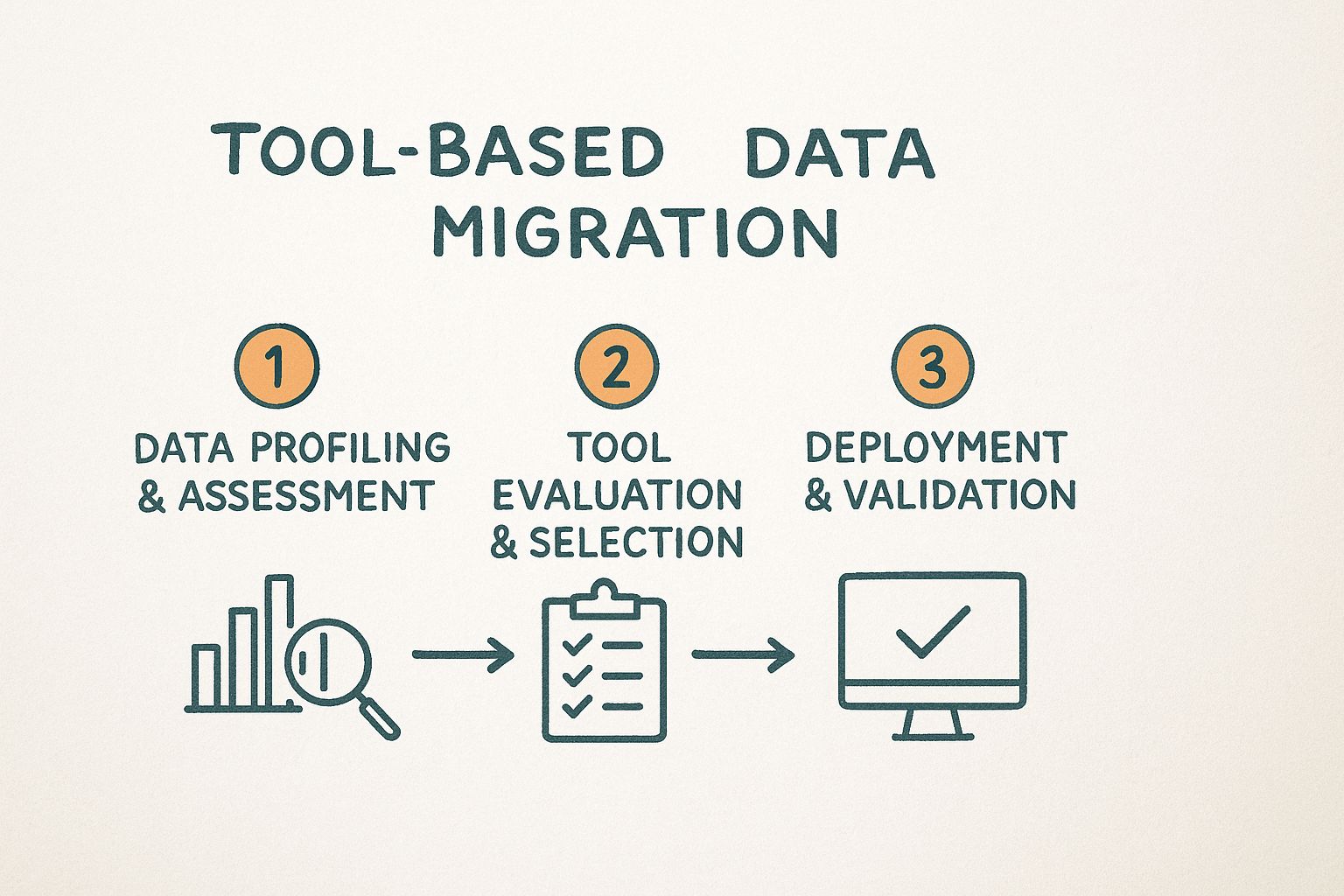
This visual reinforces that careful assessment and validation are the bookends of any successful data migration project.
Phase 3: Data Transformation and Loading
Once your data is clean, the next step is to get it ready for its new home in Salesforce. We use specialised tools, like Salesforce Data Loader or more advanced ETL platforms, to accurately map fields from your old system to the correct fields in Salesforce standard and custom objects. Our absolute focus is on maintaining data relationships—making sure contacts are still linked to the right accounts and all the historical activity is preserved.
Phase 4: Validation and Go-Live
The final stage is all about confirmation. Before we flip the switch, we conduct rigorous user acceptance testing (UAT) with your team. They get hands-on, testing real-world scenarios in a Salesforce Sandbox to confirm the data is accurate, easy to find, and works exactly as they expect. Only after getting sign-off from your team do we execute the final cutover and go-live. For more on getting this final step right, our comprehensive Salesforce implementation guide for Australia offers some great insights.
Your Salesforce Data Migration Questions Answered
As a Salesforce partner, we hear a lot of great questions from clients planning their migration. This section tackles the most common queries we hear, offering straight-up answers to help you plan properly and set realistic expectations for your CRM project. For anything else that pops into your head, you’ll find more answers over in our complete Salesforce FAQ section.
How Long Does a Salesforce Data Migration Take?
This is a classic “how long is a piece of string?” question. The timeline for a Salesforce data migration hinges on a few crucial variables: the complexity of your data, the sheer volume of records, and how many source systems we’re pulling from.
A relatively straightforward project—say, moving clean data from a single legacy CRM—might only take a few weeks. On the flip side, a complex migration from multiple, disconnected systems plagued with data quality issues could easily stretch over several months. Our initial discovery phase is designed to deliver a realistic project timeline tailored to your unique situation.
What Tools Are Best for Migrating Data to Salesforce?
There’s no single “best” tool; instead, as your Salesforce partner, we select the right tool for the specific task at hand.
- Salesforce Data Loader: For many standard migration jobs, Salesforce’s own Data Loader is a powerful and reliable choice for bulk data import and export.
- ETL Platforms: For more intricate projects that demand heavy data transformation or ongoing synchronisation, we use powerful ETL (Extract, Transform, Load) platforms like MuleSoft or other third-party tools.
Using the right toolset is the key to maximising efficiency and, most importantly, protecting the integrity of your data throughout the move.
Will My Business Experience Downtime During the Migration?
Keeping business disruption to an absolute minimum is always a top priority. Our entire strategy is built around delivering a smooth transition with the least possible impact on your operations. We achieve this by scheduling the final data cutover during off-peak hours, like over a weekend.
Our approach is a multi-step process:
- Initial Bulk Load: We migrate the vast majority of your historical data well before the go-live date into a Salesforce Sandbox for testing.
- Final Delta Sync: At the moment of cutover, we perform a final, fast “delta” migration to your Production org. This only syncs the records that have changed since the initial load.
This method drastically shrinks the critical downtime window, often cutting it down to just a few hours.
What Factors Determine the Cost of a Data Migration?
The cost of a data migration project is tied directly to its scope and complexity. We provide a detailed quote after our discovery phase so you understand the full investment required, with no hidden surprises.
The key factors that shape the final cost include:
- Data Volume: The total number of records that need to be moved.
- Source Systems: How many different systems we are pulling data from.
- Data Quality: The starting condition of your data. Poor quality data requires much more intensive cleaning and prep work.
- Mapping Complexity: The intricacy of mapping old data fields to the new objects and fields inside Salesforce.
Ready to make sure your Salesforce data migration is a strategic win? As an experienced Salesforce partner, the team at Adaptal has a proven framework to guide your move to the platform smoothly and effectively. Contact us today for a consultation to talk about your project and see how we can help you unlock the true power of your data in Salesforce.