
In any business, repetitive tasks are the silent productivity killers. Manually assigning a sales lead, sending a follow-up email, or updating a customer record in your CRM—each small step consumes valuable time and opens the door to human error. This is the exact problem that workflow automation, especially within the Salesforce ecosystem, is designed to solve.
Simply put, workflow automation uses pre-defined rules and logic to execute business tasks without manual intervention. It’s the key to transforming your Salesforce platform from a passive database into a proactive, intelligent member of your team, freeing up your people to focus on high-value activities that drive growth.
Unlocking Business Efficiency with Salesforce Automation
Imagine your best project manager working 24/7—never tiring, never making a mistake, and never needing a coffee break. That's the power of workflow automation in Salesforce. It’s not just a technical feature; it's a strategic approach to turning your CRM into a system that drives predictable, efficient outcomes.
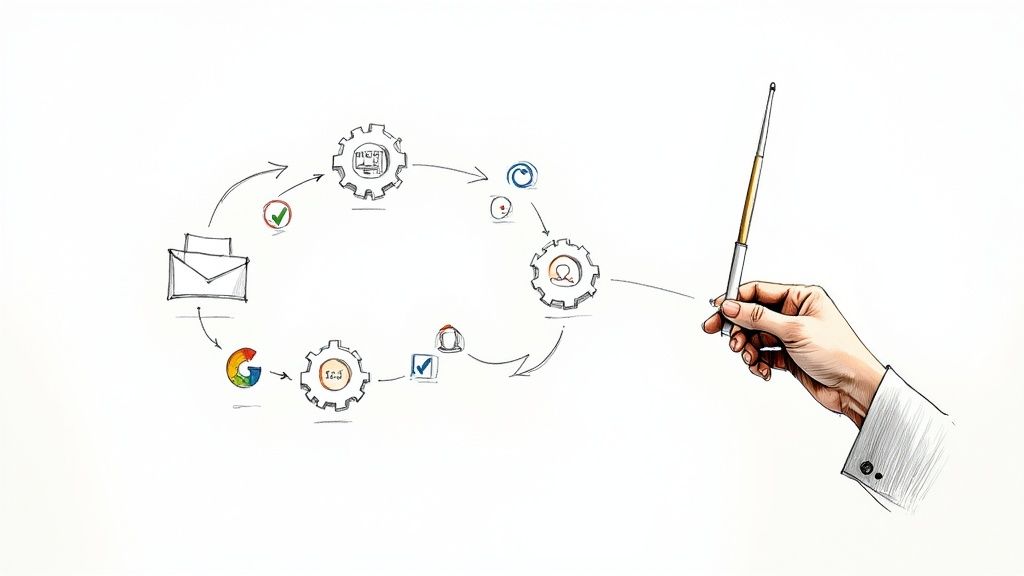
Using a powerful platform like Salesforce, you can transform chaotic, error-prone processes into smooth, automated operations. The system acts as a digital conductor, seamlessly orchestrating every task. A new lead arrives in Sales Cloud? It’s instantly assigned to the right rep. A follow-up is due? An email is sent automatically from Account Engagement. A deal stage changes? The record is updated in a flash.
From Manual Drudgery to Automated Success in Salesforce
The difference between a manual CRM process and an automated one isn't just a minor improvement; it's a complete transformation. It directly impacts everything from team productivity to the accuracy of your business data.
To paint a clearer picture, let's look at a common sales process and compare the old way with a modern, automated approach powered by Salesforce.
Manual Drudgery vs. Automated Success: A Quick Comparison
| Process Step | The Manual Approach (The Problem) | The Automated Workflow (The Solution) |
|---|---|---|
| New Lead Arrives | A sales manager manually reviews and assigns the lead from a queue, which could take hours or even a day. | Salesforce instantly assigns the lead to the correct sales rep based on territory, industry, or workload rules. |
| Initial Follow-Up | A salesperson has to remember to send an introductory email, often juggling dozens of other tasks and priorities. | An automated, personalised welcome email is sent from Account Engagement the moment the lead is assigned in Sales Cloud. |
| Record Update | After a call, the rep must log back into the CRM to manually update notes, change the deal stage, and schedule the next step. | The workflow automatically logs the call, updates the opportunity stage, and creates a follow-up task for the rep. |
| Nurturing Quiet Leads | Leads that go cold are often forgotten, sitting untouched in the database and representing lost potential revenue. | The system automatically adds quiet leads to a long-term nurture campaign in Account Engagement to re-engage them over time. |
As you can see, automation doesn't just accelerate tasks—it introduces a level of consistency and reliability that's nearly impossible to achieve manually, ensuring a superior customer experience.
The visual below really drives this point home, showing just how dramatically automation can slash task completion times and cut down on costly errors.
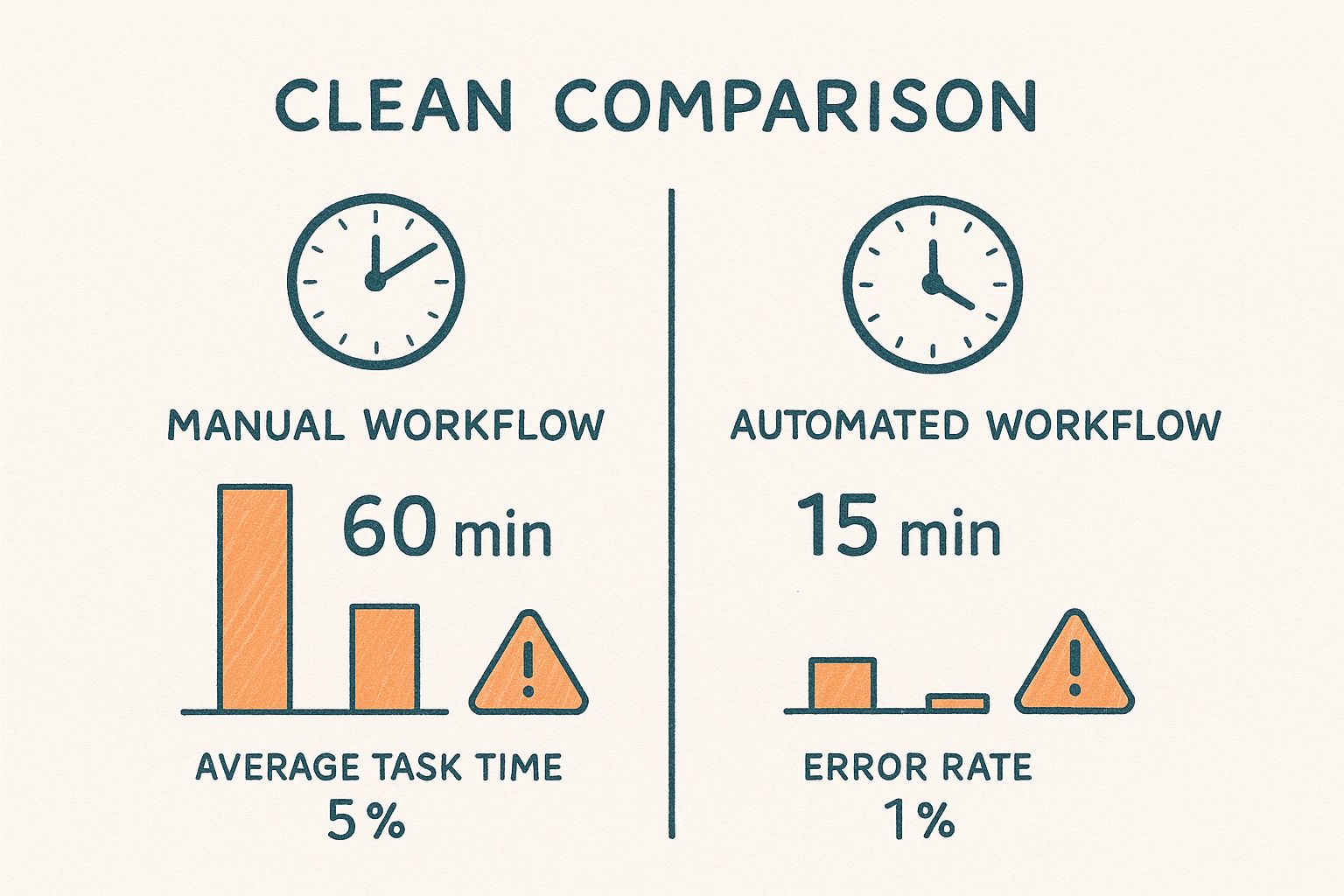
This shift is fundamental to operational efficiency. For those looking to get a better handle on the core ideas, there are great resources out there for understanding workflow automation.
By taking mundane tasks off your team's plate, you empower them to focus on what truly matters: building relationships, solving complex problems, and driving business growth. As a Salesforce partner, we stay on top of the latest platform advancements to ensure our clients are always ahead. You can learn about the latest tools in our overview of the highlights of the Salesforce Winter '25 release.
What's The Real Business Impact of Automation in Your CRM?

Let's cut through the buzzwords. Implementing workflow automation in your Salesforce org isn't just about saving time—it's about fundamentally increasing your capacity to grow and scale. It's time to talk about the tangible, bottom-line results that a strategic digital transformation can deliver.
The Business Challenge: A professional services firm was struggling with manual data entry. Every new client meant hours spent creating records, which led to inconsistent data, inaccurate quotes, and invoicing errors that frustrated customers.
The Salesforce Solution: We automated their data entry and record creation processes using Salesforce Flow. This eliminated the human errors that were causing downstream problems in their billing and project management systems. This isn't a minor tweak; it's a strategic move toward operational excellence.
The Results: With tools like Sales Cloud and Account Engagement (formerly Pardot), you can put lead nurturing and follow-ups on autopilot. This does more than just speed up the sales cycle—it builds a safety net so that no opportunity ever falls through the cracks due to manual oversight.
Turning Small Wins Into Major Growth
This one change creates a positive ripple effect across your entire organisation. Imagine your customer service team, backed by Service Cloud, delivering consistent, timely communication every single time. That’s how you turn one-time buyers into loyal advocates for your brand.
Automation isn't a cost centre. It's a direct investment in accuracy, speed, and profitability. As a Salesforce partner, we've seen this play out again and again in our projects. You can see the results for yourself in our collection of Salesforce case studies. Each one tells the story of a real business that solved a real problem with smart CRM automation.
The impact isn't just limited to individual businesses. On a national scale, Australia faces a pivotal moment where automation could provide an enormous boost to the economy.
This bigger picture really highlights the power of workflow automation. In fact, one analysis shows that workplace automation could lift Australia’s productivity growth by 50% to 155%. This kind of surge would mean a significant lift in both GDP and income per person, showing just how much potential is locked away in these tools.
Ultimately, building smart automation into your Salesforce platform is what positions your business for sustainable success in an increasingly tough market.
Salesforce Automation In The Real World: A Case Study Approach
Theory is great, but real-world results are what truly matter. Let’s move past the concepts and look at how we, as a Salesforce partner, diagnose specific business challenges and implement the right automation solution to deliver measurable results.
The Business Challenge: A professional services firm was buried under paperwork for every new client. Each signed contract kicked off a flurry of manual tasks in their CRM—creating records, sending welcome emails, and assigning projects. This process was slow, error-prone, and risked leaving a poor first impression on a new client.
The Salesforce Solution: By implementing Salesforce Flow, we helped them automate the entire client onboarding sequence. Now, the moment an opportunity is marked 'Closed-Won' in Sales Cloud, the system springs into action. It automatically creates the necessary project records, assigns tasks to the delivery team, and sends out personalised welcome communications.
The Results: This automation delivered a 40% faster onboarding cycle and a significant increase in client satisfaction scores, proving the direct link between internal efficiency and customer experience.
From Service Dispatch to Public Sector Efficiency
The Business Challenge: A manufacturing company was wrestling with a chaotic service dispatch system. Technicians were being sent to the wrong locations or arriving without the right skills for the job, leading to wasted time and frustrated customers.
The Salesforce Solution: Using Salesforce Field Service, we helped them automate their work order creation and technician scheduling. The system now intelligently assigns jobs based on a technician's location, skill set, and availability, optimising their routes.
The Results: The company saw a dramatic improvement in first-time fix rates and a sharp reduction in customer complaints.
This kind of operational upgrade isn't just for the private sector. A fantastic local example is the Australian Government agency, Services Australia. They manage an unbelievable volume of claims—468.5 million in the 2023-24 fiscal year alone. To handle this, the agency had implemented over 600 automated processes by late 2024. These systems use things like Optical Character Recognition (OCR) and AI assistants to process information faster and improve service delivery for millions of Australians. You can dig into their strategy in their official report on the Services Australia website.
These real-world examples all point to the same truth: workflow automation isn't about replacing people. It's about empowering them. It’s about clearing out the tedious, manual friction so they can focus on the high-value, strategic work that really drives a business forward.
Whether the goal is to improve CRM data quality or streamline field operations, the objective is the same: turning complex, manual processes into simple, efficient, and reliable outcomes.
Choosing Your Salesforce Automation Tools
The Salesforce ecosystem is packed with a powerful suite of automation tools, but knowing which one to use for the job is what separates a successful project from a frustrating one. For business leaders and Salesforce admins, understanding the main players helps demystify what’s possible within the platform.
At the heart of modern Salesforce automation sits Salesforce Flow. Think of it as your visual canvas for building everything from simple record updates to complex, multi-step user journeys, all without touching a single line of code. It's the undisputed champion for most automation needs inside your CRM.
Core Automation Engines in the Salesforce Platform
Beyond general process automation, you'll find specialised cloud solutions designed for specific functions. Matching the right technology to your business goals is a key lesson we've learned from our projects.
- Salesforce Flow: This is your go-to tool for automating most internal business processes. For example, you could build a Flow that automatically creates and assigns follow-up tasks when a sales opportunity hits a certain stage in Sales Cloud, ensuring no lead ever goes cold.
- Account Engagement (formerly Pardot): This is the engine that drives your marketing automation. It’s behind intelligent lead scoring, dynamic nurture campaigns, and personalised customer journeys. A classic use case is automatically adding website visitors who download a whitepaper into an email series designed to educate them further.
Knowing the difference here is crucial. One automates your internal operations, while the other orchestrates your external marketing and customer engagement. An experienced Salesforce partner is essential for designing a solution that uses both to their full potential.
Ultimately, choosing the right tool comes down to the business problem you need to solve. By first identifying your biggest process bottlenecks, you can select the technology that will deliver the most significant impact on your efficiency and growth.
How To Launch Your First Salesforce Automation Project
Getting started with automation doesn't mean you have to transform your entire business overnight. In our experience as a Salesforce partner, the most successful projects begin with a smart, focused first step.
The key is to pick a process that’s both high-impact and low-complexity. Think about a repetitive, manual task that everyone complains about, like quote approvals or creating a new contact in your CRM. Tackling one of these first delivers an early win. It builds crucial momentum, proves the value of automation to your team, and makes it much easier to get buy-in for bigger digital transformation projects down the track.
For anyone ready to jump in, this guide on how to automate business processes offers some excellent starting points.
Your Strategic Roadmap to Automation Success
Before building a single workflow, you need a map. Sit down with your team and chart out the existing process from start to finish. This exercise almost always uncovers hidden steps and bottlenecks.
With a clear map, you can define what success looks like. Instead of a vague goal like "improve efficiency," set a clear metric, such as "reduce quote approval times by 50% within three months."
The push to automate is only getting stronger. Already, over 35% of Australian businesses have adopted some form of AI or automation, with larger companies leading the charge. This isn't just a trend; it's a competitive necessity for any organisation serious about digital transformation.
A common pitfall we see is neglecting data quality. Before you automate anything, ensure your Salesforce data is clean and reliable. Automation built on messy data only accelerates bad outcomes. This is a critical best practice.
Finally, remember that even the most brilliantly designed workflow is useless if your team doesn't adopt it. User training is non-negotiable. Even a simple process, like learning how to expose a file via Salesforce Flow, requires clear guidance to ensure your people can take full advantage of the new tools you've given them.
Finding A Partner For Your Salesforce Automation Journey
You now have a solid grasp of what workflow automation is and the incredible potential it holds for your business. The next step is turning that potential into tangible results. This is where partnering with an experienced Salesforce consulting firm becomes a game-changer.
Real automation is more than a technical setup; it’s a strategic business move. It demands a deep understanding of the Salesforce platform, a clear picture of your unique processes, and a forward-thinking vision for growth. A skilled Salesforce partner ensures you’re not just automating tasks but fundamentally improving the way your business operates.
An effective automation partner translates your business challenges into a practical, scalable Salesforce solution. They bring lessons learned from countless projects to help you avoid common pitfalls and accelerate your return on investment.
The next step is simple: it's time to shift from learning to doing. Our Salesforce consulting services are designed to guide you through every stage of this journey, from initial strategy to implementation and user adoption.
Get in touch with our team for a consultation. Let's discuss your specific challenges and map out how we can use Salesforce automation to drive efficiency, elevate your customer experience, and unlock sustainable growth.
Frequently Asked Questions About Salesforce Automation
As a Salesforce partner, we often hear the same questions from clients exploring automation. Here are our answers to the most common ones.
What's The Difference Between Workflow Rules And Salesforce Flow?
This is a classic question for anyone familiar with Salesforce history. Think of Workflow Rules as the older, much simpler ancestor of Salesforce Flow. Workflow Rules were great for basic, single-event triggers, like sending an email notification when a record's status changed.
However, Salesforce Flow is the powerful, modern successor and the go-to tool for any new automation. Flow can manage complex, multi-step processes, guide users through interactive screens, and integrate with external systems—capabilities that were impossible with old Workflow Rules. Salesforce has officially retired Workflow Rules, so all new automation projects must be built in Flow. It’s a critical best practice.
How Much Does It Cost To Implement Workflow Automation?
The cost depends entirely on the complexity of the business challenge you're solving. A straightforward project, like automating lead assignment in Sales Cloud, will be a smaller investment than building a complete, end-to-end client onboarding journey that touches multiple Salesforce products.
The most important thing is to shift your focus from cost to return on investment (ROI). Instead of seeing it as an expense, think about the value you get back: hours saved every week, a dramatic reduction in human error, and a big boost in productivity. Our recommendation is to start with a small, high-impact project. Prove the value with an early win before scaling up to larger digital transformation initiatives.
Can Automation Be Applied To Customer Service?
Absolutely! Workflow automation is a game-changer for customer service teams using Salesforce Service Cloud. You can automatically route incoming support cases to the right agent based on their skills, region, or workload. This eliminates manual triage and ensures faster response times.
You can also automate the customer experience using Experience Cloud to create self-service portals. Imagine a system where automated notifications keep customers informed about their case status at every step. This not only improves customer satisfaction but also frees up your skilled service team to focus on solving the complex issues that require a human touch.
Ready to stop asking questions and start building solutions? As an experienced Salesforce partner, Adaptal is here to help you design and implement a Salesforce automation strategy that delivers real results. Contact us today for a consultation.